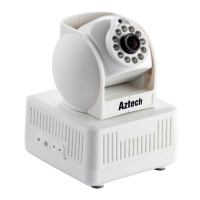
Figure 6
If you have the firewall software in your PC, when you run the WIPC408HD Utility,
it may pop up a window to say if you want to block this program or not, then you
should choose not to block.
IP Camera by default use dynamic IP Address and HTTP port 8081. If you don’t
have this software, you could also press down the reset button (Figure 2) to go
back the factory setting. Then you could use this defaulted IP address to visit the
IP Camera.
Setting Instruction:
• Please carefully check the “Local PC information” on the top left corner which lists
the PC configuration. If there are several network adapters in the PC, please select
the one you are using and make sure the IP address of IP Camera is as the same
segment of the PC.
• Change the content of “IP config” on the right to make sure the content is the same
as “Local PC information”.
• If you don’t want to have a fixed IP Address, you could also tick the “Set IP
automatically” to get the IP address from the router automatically (If can’t get IP from
router.
• Put the user name and password into “Authentication” (By default, the user name



 To Next Page