
 Need help?
Do you have a question about the azur 540R and is the answer not in the manual?
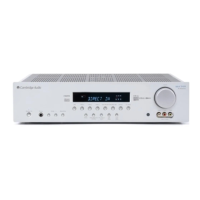
Details the Cambridge Audio 540R AV receiver's design for multi-channel performance and stereo reproduction.
Covers essential safety guidelines for operation, cleaning, power, and accessories to prevent hazards.
Provides guidance on protecting the device from lightning and ensuring proper heat dissipation.
Details the correct procedure for fitting a UK mains plug and fuse for safety.
Details all rear panel input and output terminals for audio, video, and antenna connections.
Explains how to reset the system and the function of the power on/off switch.
Provides instructions on connecting speakers, checking impedance, and identifying terminals.
Offers guidance on optimal placement for front, centre, and surround speakers for best stereo imaging.
Guides on connecting FM and AM antennas for optimal radio reception.
Explains video connection methods: Component, S-Video, and Composite for picture quality.
Details audio connection types: Optical, Coaxial, Line level, and 6.1 Direct for audio signals.
Details the function of each button on the front panel, including power, input selection, and audio modes.
Explains the functions of each button on the remote control for operating the receiver.
Guides on how to play source material, select inputs, and adjust volume.
Details automatic and manual tuning, storing stations, and selecting presets for the tuner.
Explains Radio Data Systems (RDS) features and program type search functionality.
Covers setting speaker delay times and adjusting loudspeaker levels using test tones.
Explains how to adjust Low Frequency Effect (LFE) and Dynamic Range Control (DRC).
Lists common problems like reversed speakers, hum, no sound, and offers solutions.
Provides detailed technical specifications including power output, THD, frequency response, and dimensions.
Outlines the warranty period, service procedures, and conditions under which the warranty is invalid.
 General
| Input Sensitivity | 200mV |
|---|---|
| Input Impedance | 47k Ohms |
| Digital Sound Processor (DSP) | Yes |
| Tuner Bands | FM/AM |
| Surround Sound Effects | Dolby Pro Logic II |
| Additional Features | Balance Control |

 To Next Page