8 azur 540R AV receiver
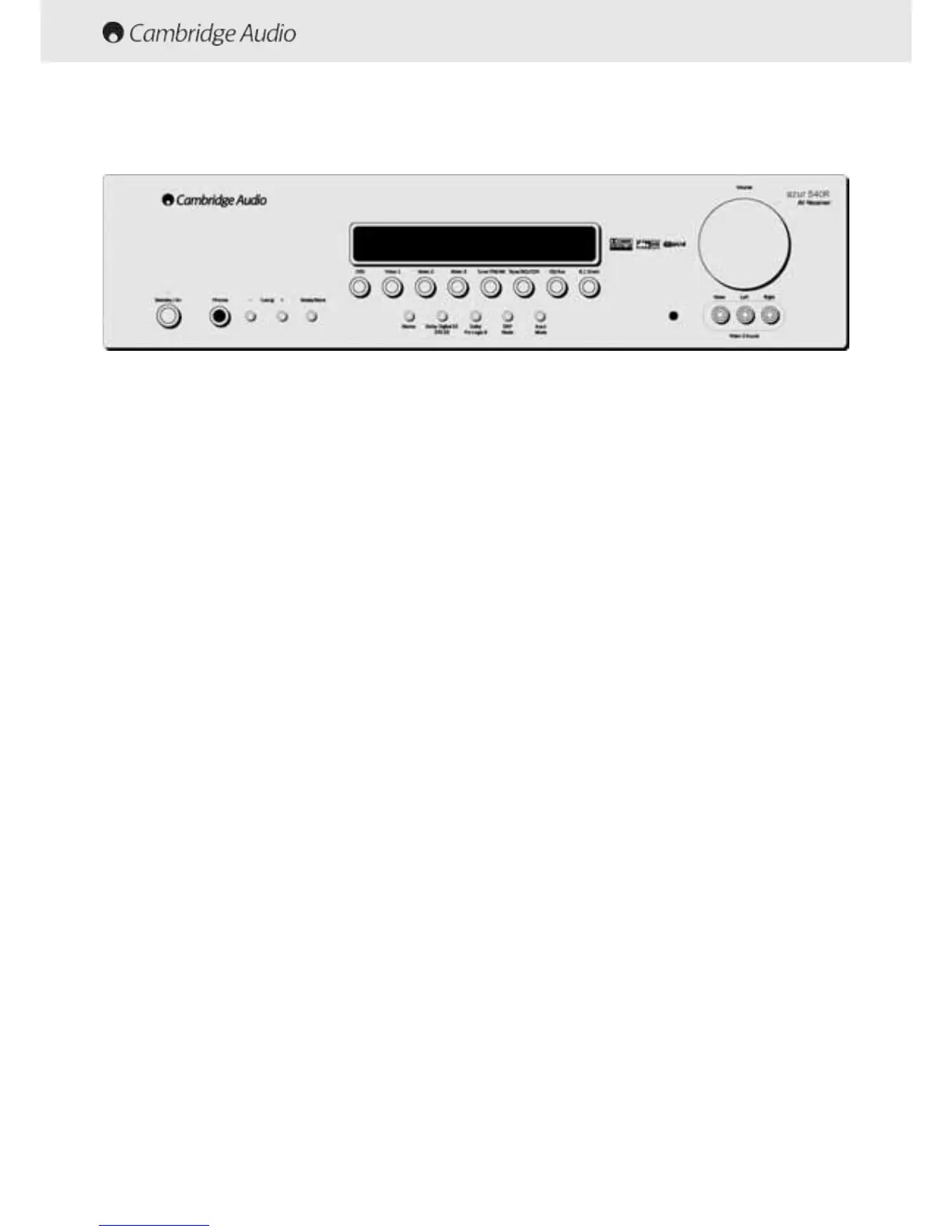
FRONT PANEL CONTROLS
Standby/On
Switches the 540R between Standby and On.
Phones
Socket for headphones if required.
Tuning ++/-
Use to tune FM frequencies.
Mode/Store ((for ttuner ooperation)
Press to cycle between tuner modes (see page 10 for full details).
Stereo
Press this button to listen to audio in stereo from the front left and right
loudspeakers only.
Dolby DDigital EEX
Press this button to listen to a sixth channel when using a 6.1 channel
source.
Dolby PPro LLogic III
If pressed this button will convert a two channel stereo audio input into
simulated 5.1 surround sound.
DSP MMode
Press this button to choose one of the following surround sound effects:
THEATER, HALL, PASSTHRU, MOVIE, MUSIC or ROOM. These will subtly
effect the sound that you hear.
Input MMode
Press this button to cycle between analogue, optical and digital inputs.
Video 33 iinput ssockets
Connect an external VCR, Video Camera Recorder, etc. to these sockets
DVD
Press to select DVD source equipment for ouput through the 540R.
Video 11
Press to select video source equipment connected to Video 1 on the rear
panel for output through the 540R.
Video 22
Press to select video source equipment connected to Video 2 on the rear
panel for output through the 540R.
Video 33
Press to select video source equipment connected to Video 3 on the
front panel for output through the 540R.
Tuner FFM/AM
Press to select the tuner for output through the 540R.
In tuner mode use this button to switch between FM and AM mode.
Tape/MD/CDR
Press this button when operating a recording device connected to the
540R.
CD/Aux
Press to select source equipment connected to CD/Aux on the rear
panel for output through the 540R.
6.1 DDirect
Press to select DVD player connected to the 6.1 Direct in sockets on the
rear panel to listen to DVD-A or SACD discs through the 540R.


 To Next Page
 Loading...