Test Procedure
Running a Manual Test
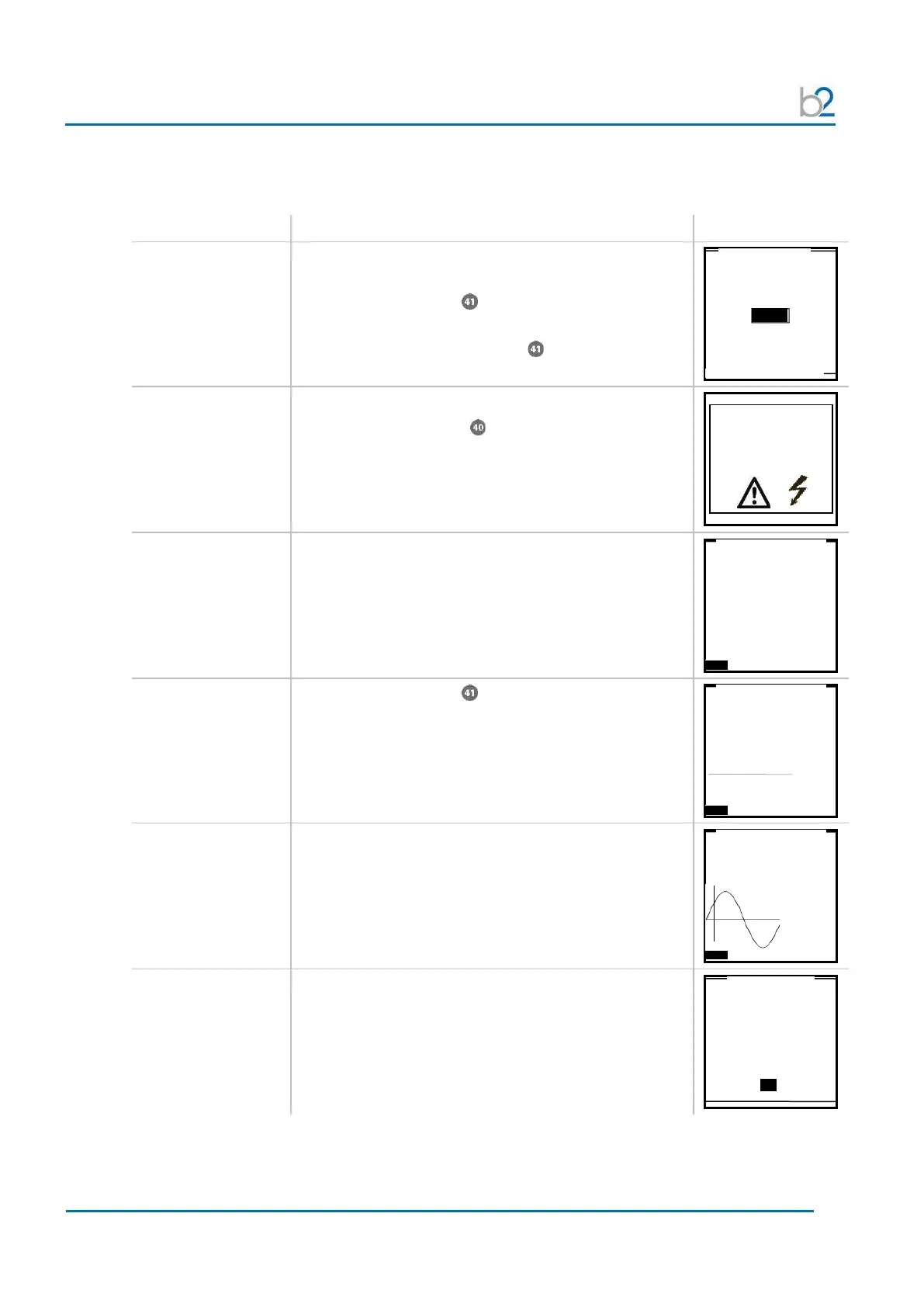
Steps MR1-MR6 describe how to run a test in the manual mode.
(run manual test)
MR1:
START
Start the test when test parameters displayed on the
“Manual Test” screen are correct.
Rotate navigation knob until the “START” field is
highlighted.
• To run the test, push in knob .
MR2:
HV activation
Once the activation screen appears,
• Press the HV switch within 10 seconds.
If the HV switch is not activated within the 10-second
window, the “Manual Mode” screen will reappear.
MR3:
Test startup
“Startup” appears on the screen to indicate that the
HVA is initializing the test.
MR4:
Set test voltage
(if not preset in step
MS6)
Rotate navigation knob to modify the voltage value.
• Voltage limits see 3.1 – Technical Specifications
MR5:
Test
Test begins automatically
The bottom of the screen indicates the lapsed time
• T: lapsed time/total test duration
MR6:
Test end
Display indicates end of manual test
MAIN SETUP Trip out on Arc
High Voltage!
Press I/O Button to
switch ON High Voltage
0.0µA
0.0µA
585µA
57.1nF
13GΩ
finished successfully
Sine 0.1 Hz
Test Voltage: 64.0 kVrms
Test Duration: 15 min
OK



 To Next Page