Principal of Operaon
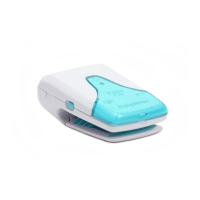
BABYSENSE Pete Clip constantly monitors baby’s
movements and acvates a gentle vibrang smulaon
if no tummy movement is detected at all for a period of
15 seconds. In some cases, such tacle smulaon is
enough to reassert baby’s movement, and in this case
Pete Clip will revert to monitoring mode. If no further
movement is detected for another 5 seconds, a sound
and visual alarm is acvated.
General recommendaons:
Pete Clip is a unique safety and reassurance system,
alerng in the event of distress or if movements stop,
giving crical me to intervene. There are a number of
cauonary steps, which are internaonally
recommended for safe sleeping:
• Always lay baby to sleep on his or her back.
• Refrain from smoking near or around baby.
• Avoid over-heang of baby's surrounding.
• Do not leave any objects near your baby that can
cause suffocaon.
In order to switch back the device to the regular mode,
turn the device OFF and back ON.
NOTE: Aer turning sensive mode on, make
sure the green Movement Indicator Light is blinking.
Ticking mode
Re-pressing the power buon briefly while the device is
already ON, will add an audible TICK with every blink of
the green Movement Indicator Light. Another brief
press on the power buon, will stop the cking mode.
NOTE: Make sure not to make a long press on the
power buon, as this would switch the device off.
Switching off
To switch the monitor off, press and hold the ON / OFF
buon unl the switch-off sound is heard and the green
Led indicator light flashes once.
11


 To Next Page