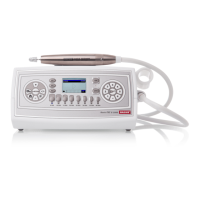
BaehrTec A2000 operating instructions
English – V101 - effective 10/13
11. You can turn the handpiece motor on/off using the push button (13) on the controller
or the push button (55) on the handpiece.
Please note that the suction is automatically switched off as soon as you
turn off the handpiece motor.
12. You can switch the direction of the handpiece motor to anti-clockwise or clockwise
using the push button (16). This is shown on the display when the arrow indicating
the direction of rotation points in the other direction.
Changing the direction of rotation is also possible while the
handpiece motor is running.
13. You can make changes
o before the handpiece motor is in operation
when turning on the handpiece motor, the device functions with the pre-
set values
o while the handpiece motor is in operation
the changed settings will take effect
immediately
14. If the display shows the symbol for a dust bag change, it is time to change the dust
bag. In this case the suction system will no longer be fully powerful. If you do not heed this
indication, the suction will switch automatically within 30 seconds back to level 3. This
prevents the device from being damaged. (For information on how to change the dust bag,
please refer to the section “Changing the dust bag”).
We are convinced that after just a short time, you will be able to work safely and
correctly with your BaehrTec A2000 and we wish you every pleasure and success in
your work!
4.11 Accessories
The following accessories are optionally available for your BaehrTec A2000:
4.11.1
Foot pedal
You can purchase a foot pedal (Art No. 23000001) for the BaehrTec A2000. Using this foot
pedal, you can adjust the speed continuously from 6,000 rpm to 40,000 rpm.
Operating the device with the foot pedal is identical to the functioning without the foot
pedal except for two aspects:
o The foot pedal symbol will be shown on the display
o
Whilst the foot pedal is connected, the speed of the
handpiece motor is controlled
exclusively by the foot pedal (if you activate the foot pedal, you will see the speed
of the instrument currently attached on the display). Here, you can use the buttons
(5) – (12) to set the maximum speed that you wish to reach when fully depressing
the foot pedal. The keys (14) and (15) can also be used whilst operating the device
with the foot pedal. This also allows you to set the maximum speed. Please note
that the maximum speed you set will not be visible until you completely depress the
foot pedal.


 To Next Page