CE ORIGINAL MANUAL LACROS BAFANG LCD DISPLAY
VERSION CE 1.2 EN
5
1. How to use the display
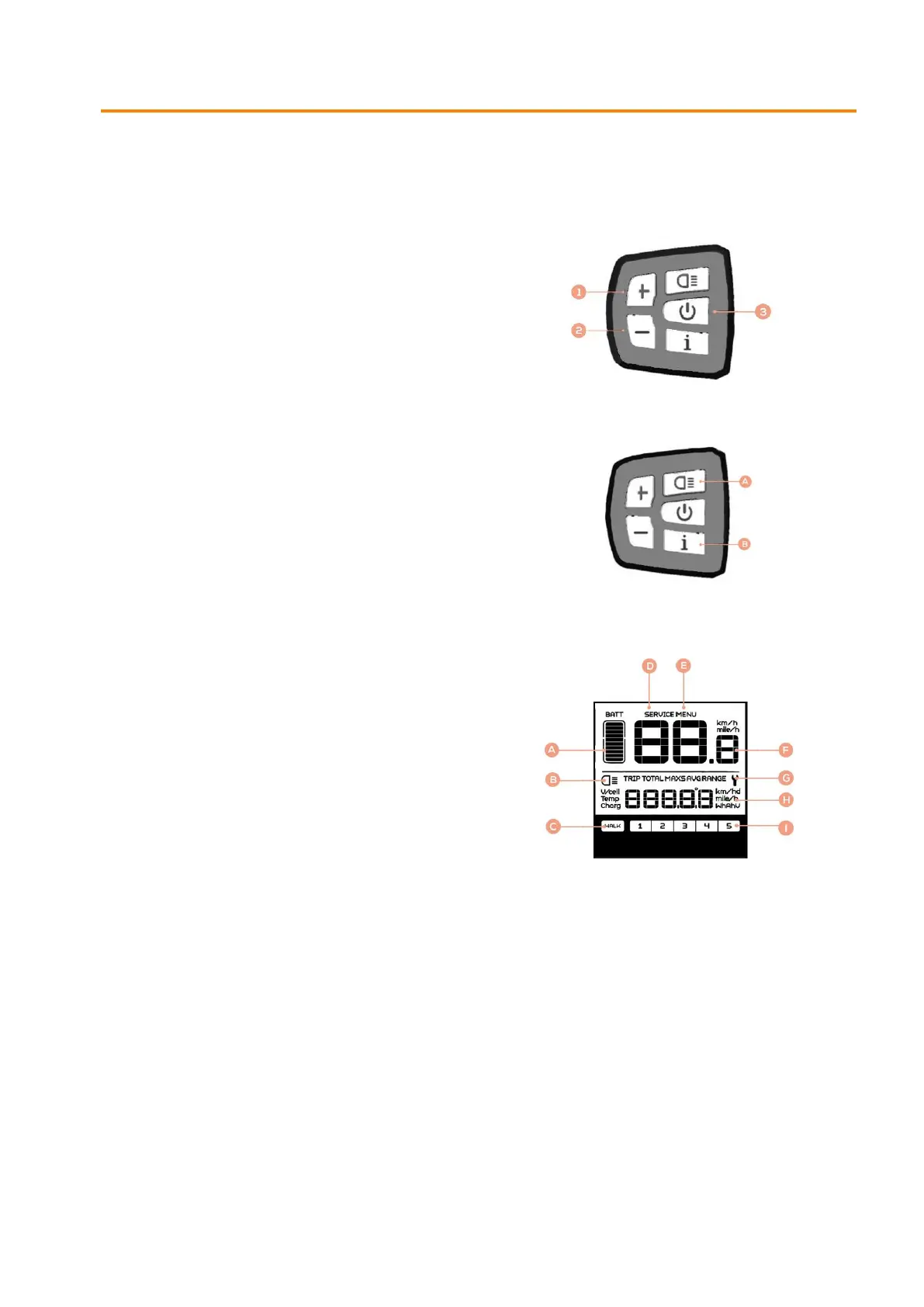
Function control unit
1 = increase motor support
2 = decrease motor support
(Press and hold to activate Walk Assist)
3 = on/off button
(Press 2 seconds to turn on/off)
A = light (Press 2 seconds to turn on/off)
B = mode button
Display Symbols
A = battery indication
B = lights
C = walk assist
D = service indication
E = menu
F = km/h indication
G = maintenance symbol
H = mileage
I = level motor support


 To Next Page