CE ORIGINAL MANUAL LACROS BAFANG LCD DISPLAY
VERSION CE 1.2 EN
8
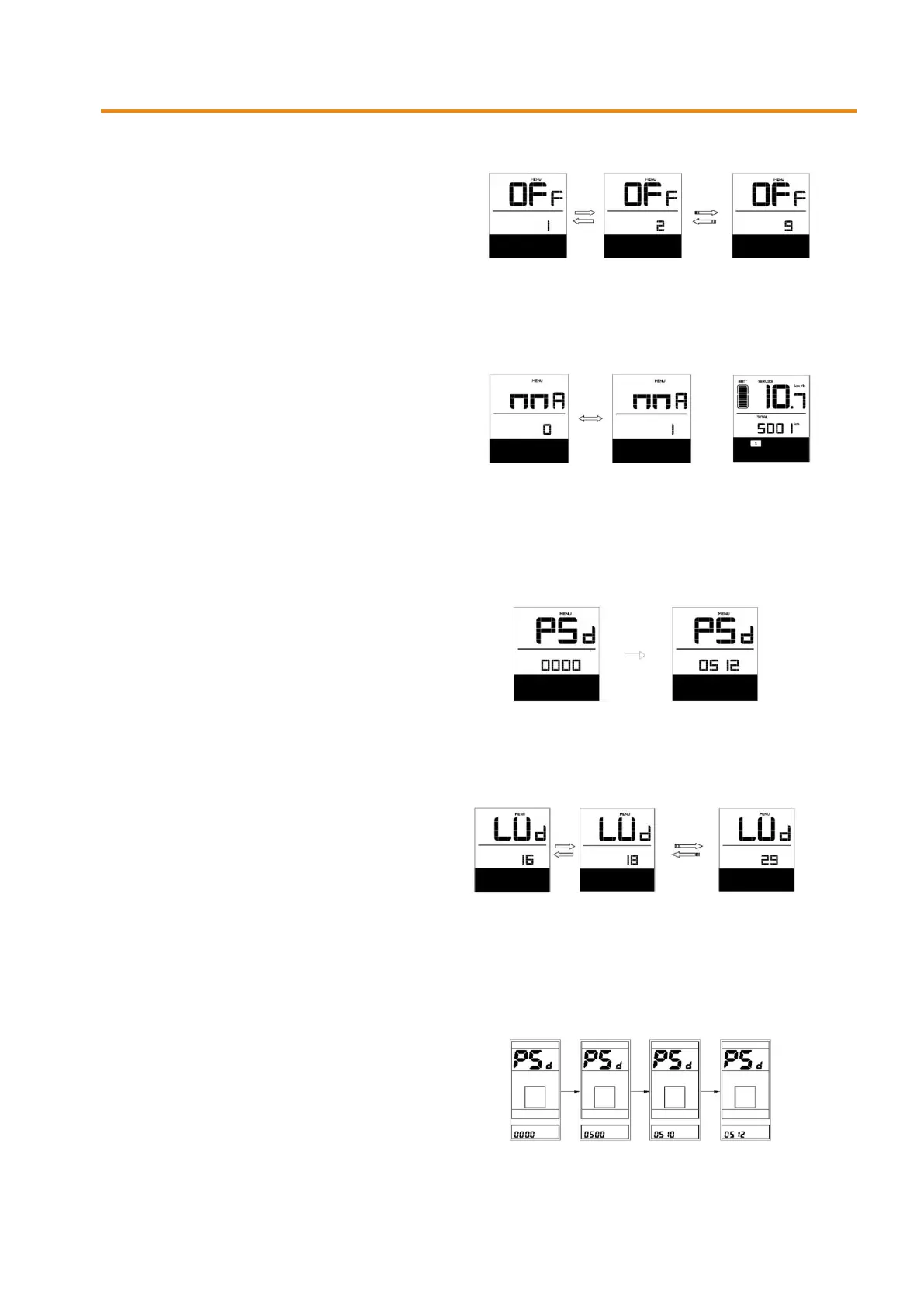
Display auto off (OFF)
Choose a value between 1-9 minutes for it
to turn off the display automatically.
Confirm by pressing the (i) button for 2 seconds.
Maintenance notification (MMA)
0 = off / 1 = on (default inactive)
A maintenance interval can be set to show
a (service) symbol after an X-number of kilometers.
A battery charging cycle (eg. 100 times) can be set
to show a (service) symbol.
Confirm by pressing the (i) button for 2 seconds.
To access the secondary menu (PSD)
The password is set to 0512 by default. The value
can be set with the (+) or (-) button.
Confirm each entry by briefly pressing the (i) button.
Wheel diameter (LUD - secondary menu)
Select the correct wheel diameter with the (+) or (-)
button. Selection options are 16, 18, 20, 22, 24, 26,
700cc, 28 and 29.
Confirm by pressing the (i) button for 2 seconds.
Note: Entering the wrong value can lead to incorrect
display of data and abnormal behavior of the bicycle.
Change password (PSD - secondary menu)
With the (+) and (-) button you can enter a
values from 0-9.
Confirm each entry by briefly pressing the (i) button.
(Default password = 0512)


 To Next Page