EasyManua.ls Logo

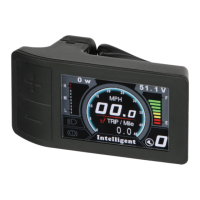
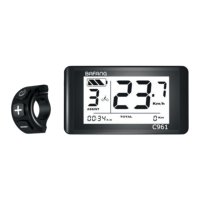
BAFANG DP C01.UART - User Manual

BAFANG DP C01.UART
12 pages
Print Icon
To Next Page IconTo Next Page
Loading...
1
DISPLAY MANUAL DP C01.UART
CONTENT
CONTENT 1
INTRODUCTION 2
APPEARANCES AND DIMENSIONS 3
SPECIFICATIONS 4
FUNCTIONAL OVERVIEW 5
NORMAL INDICATION AREA 6
BUTTON DEFINITION 7
NORMAL OPERATION 8
PARAMETER SETTING 9
ERROR CODE DEFINITION 12
DP C01.UART
CONTENT
Question and Answer IconNeed help?

Do you have a question about the BAFANG DP C01.UART and is the answer not in the manual?

Summary

Introduction

HMI Back Numbering

Explains the numbering system on the back of the HMI unit.

P Type Wire Label Number Rule

Details the numbering rule for the P type wire label, including QR code information.

Appearances and Dimensions

Specifications

Functional Overview

Normal Indication Area

Button Definition

Normal Operation

ON;OFF Switch

Instructions for powering the display unit on and off using the MODE button.

Switching Support Level and Assistance Mode

How to adjust support levels and enter/exit walk assistance mode.

Backlight On;Off Control

Method to turn the display backlight and headlights on or off.

Trip Data Management

Procedures for resetting trip distance and switching between single and total trip displays.

Parameter Setting

Km;Mile System Setting

How to select between kilometers and miles as the unit of measurement.

Speed Limit Setting

Procedure for setting the maximum speed limit for the e-bike.

Brightness Setting

Guide to adjusting the display's screen brightness level.

Clock Setting

Steps to set the hour and minute for the display's clock function.

Wheel Size Setting

How to configure the display with the correct wheel diameter for accurate speed readings.

Automatic Power-Off Time Setting

Instructions for setting the duration before the display automatically powers off.

Total Support Level Number Setting

How to configure the number of available assist levels (e.g., 3, 5, or 9).

Battery Communication Information

Details on information parameters related to battery communication and status.
Error Code Definition

Summary

Introduction

HMI Back Numbering

Explains the numbering system on the back of the HMI unit.

P Type Wire Label Number Rule

Details the numbering rule for the P type wire label, including QR code information.

Appearances and Dimensions

Specifications

Functional Overview

Normal Indication Area

Button Definition

Normal Operation

ON;OFF Switch

Instructions for powering the display unit on and off using the MODE button.

Switching Support Level and Assistance Mode

How to adjust support levels and enter/exit walk assistance mode.

Backlight On;Off Control

Method to turn the display backlight and headlights on or off.

Trip Data Management

Procedures for resetting trip distance and switching between single and total trip displays.

Parameter Setting

Km;Mile System Setting

How to select between kilometers and miles as the unit of measurement.

Speed Limit Setting

Procedure for setting the maximum speed limit for the e-bike.

Brightness Setting

Guide to adjusting the display's screen brightness level.

Clock Setting

Steps to set the hour and minute for the display's clock function.

Wheel Size Setting

How to configure the display with the correct wheel diameter for accurate speed readings.

Automatic Power-Off Time Setting

Instructions for setting the duration before the display automatically powers off.

Total Support Level Number Setting

How to configure the number of available assist levels (e.g., 3, 5, or 9).

Battery Communication Information

Details on information parameters related to battery communication and status.
Error Code Definition

BAFANG DP C01.UART Specifications

General IconGeneral
BrandBAFANG
ModelDP C01.UART
CategoryMonitor
LanguageEnglish

Related product manuals