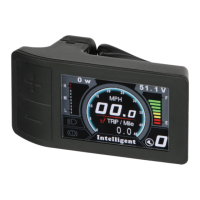
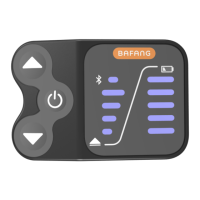
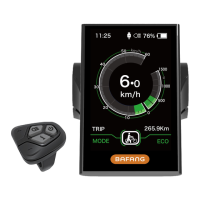
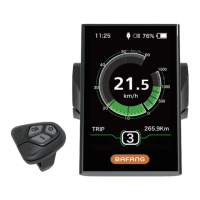
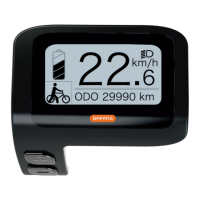
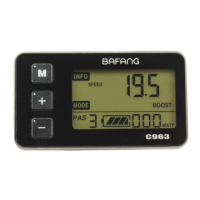
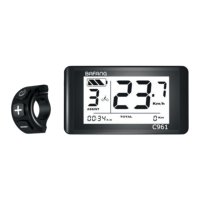
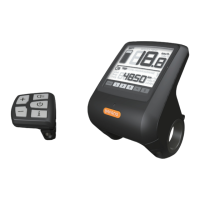
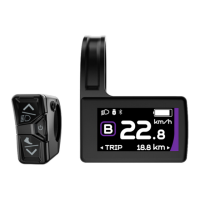
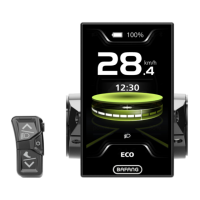
The DPC18 is an e-bike display unit designed to provide riders with essential information and control over their electric bicycle. It features a clear, easy-to-read screen that displays various riding metrics and allows for customization of several e-bike settings.
Function Description
The primary function of the DPC18 display is to act as the central interface for an e-bike system. It provides real-time data and allows the rider to interact with the motor and other components. Key functions include:
- Multiple Power Assist Levels: Riders can select from various levels of motor assistance, allowing them to tailor the riding experience to their preference and terrain.
- Walk Assist Mode: This feature provides slow-speed motor assistance, making it easier to push the bicycle when walking alongside it, for example, up a ramp or through a crowded area.
- Distance and Odometer: The display tracks both single-trip distance (TRIP) and total accumulated distance (TOTAL), helping riders monitor their journeys.
- Backlight / Headlight Control: The display allows for control of the backlight brightness and, if connected, the e-bike's headlight, enhancing visibility during different lighting conditions.
- Speed Display: It shows the current riding speed, which can be displayed in either metric (km/h) or imperial (mph) units.
- Error Code Indication: The DPC18 can detect and display e-bike faults through specific error codes, aiding in troubleshooting and maintenance.
- Power Meter: This function shows the motor's current power output, which can be viewed in Watts or Amps, giving riders insight into their power consumption.
- Battery Gauge: The display provides information on the battery's charge level, which can be shown as a percentage or voltage, helping riders manage their range.
- USB Charging Port: A 5V at 0.5A USB charging port is integrated, suitable for charging small electronic devices.
Usage Features
Operating the DPC18 display is intuitive, with a control pad featuring several buttons for navigation and setting adjustments.
- On/Off: To power on the unit, press and hold the power button. The display will start up, and if a password function is activated, it will prompt for input. To switch off, press and hold the power button again. It's important to ensure the e-bike battery is also turned on if applicable.
- Display Information Cycling: The "Mode" button allows riders to cycle through different information data on the main menu. This includes single-trip distance (TRIP), total distance (ODO), maximum speed (MAX), average speed (AVG), and riding time (TIME). This information is displayed at the bottom of the screen.
- Pedal Assist Level Adjustment: The control pad includes "+" and "-" buttons to increase or decrease the pedal assist level. When powered on, the display defaults to PAS level 0. Increasing the PAS level provides more motor power and speed.
- Activating Walk Assist: To engage walk assist mode, press and hold the "-" button. A walking icon will appear, and the motor will provide assistance at approximately 4mph. The button must be held down continuously for the walk assist to remain active. Releasing the button will disengage the mode. This function is designed for walking alongside the bicycle only.
- Backlight Control: Pressing and holding the light button for a few seconds will dim the display backlight for night riding. Pressing it again will return to the default brightness. If a front light is installed and connected, this action will also control the headlight.
- Entering Display Settings: To access the display settings menu, press the "Mode" button twice quickly, then select "Display Settings" and press the "Mode" button again. This allows for customization of various parameters.
- Setting Speed Unit: Within the settings, riders can choose to display speed in Metric (km/h) or Imperial (mph). Use the "Mode" button to enter, "+" and "-" to toggle, and "Mode" again to save.
- Adjusting Brightness: The display brightness can be adjusted from 10% (lowest) to 100% (highest) in the settings. Use the "Mode" button to select, "+" and "-" to adjust, and "Mode" again to save.
- Auto-Off Timer: Riders can set the duration of inactivity (in minutes) after which the display will automatically turn off. This is configured in the settings using the "Mode," "+," and "-" buttons.
- Max PAS Level Configuration: The number of pedal assist levels (3, 5, or 9) can be set to divide the total motor power. It is recommended to set it to 9 for more incremental power levels. This is adjusted in the settings using the "Mode," "+," and "-" buttons.
- Power View Selection: The motor's power output can be displayed in either Watts or Amps, chosen in the settings using the "Mode," "+," and "-" buttons.
- SOC View (Battery Gauge) Preference: The battery level can be displayed as a percentage or voltage. Voltage is recommended for more accurate battery capacity estimation. This is set in the display settings.
- TRIP Reset: The display allows for resetting the TRIP readings, including maximum speed (MAXS), average speed (AVG), and single trip distance (TRIP). This is a one-time setting that clears the current trip data.
- Wheel Size Setting: It is crucial to input the correct wheel diameter size (in inches) into the display before riding. This ensures accurate measurement of speed and other ride information. The display supports various wheel sizes from 6" to 34".
- Speed Limit Adjustment: Riders can adjust the e-bike's speed limit according to their preference. It is important to adhere to local laws regarding e-bike speeds.
- AL Sensitivity (Backlight Dimming): This setting adjusts the sensitivity of the backlight dimming in low light conditions, with levels from 1 (lowest) to 5 (highest).
- Password Protection: The DPC18 offers a 4-digit password function to prevent unauthorized access. This can be set, changed, or disabled in the display settings. If enabled, the password must be entered to access the normal user interface. Incorrect password entry multiple times will cause the display to switch off automatically.
- Clock Setting: The display features a 24-hour clock. Note that the clock will reset if the e-bike battery is removed. The time can be set in the display settings by adjusting hour and minute digits using the control buttons.
Maintenance Features
While the DPC18 is designed for durability, some maintenance considerations are important:
- IP65 Waterproof Rating: The unit is IP65 water resistant, meaning it is protected against dust ingress and low-pressure water jets from any direction. However, it should still be protected from collisions to prevent damage.
- Installation Caution: During installation, it is crucial not to overtighten the bolts, as this can break the display brackets. The manual specifies the correct bolt size (3 – M3 0.5 x 12mm) for both the control pad and mount bracket hardware.
- Error Code Diagnostics: The display provides error codes (e.g., Throttle fault, Low voltage cut-off, Hall sensor fault, Controller fault, Speed sensor fault, Battery communication fault, Communication fault) to assist in diagnosing e-bike faults. When a fault is detected, a specific icon will be displayed. Note that the "Error Code Information" in the settings provides a list of previous error codes and should not be confused with current faults.
- Storage Conditions: For optimal longevity, the display should be stored in environments with a humidity range of 30-70% and a temperature range of -22°F to 158°F (-30°C to 70°C).
- Operating Temperature: The display is designed to operate within a temperature range of -4°F to 140°F (-20°C to 60°C).

 Need help?
 General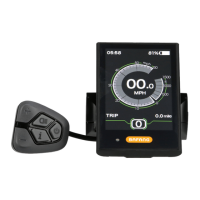

 To Next Page