USB to Serial Adapter User’s Manual 16
5.8 Windows
®
XP Driver Un-Installation
If you want to remove the USB-Serial adapter driver, you can uninstall it by
following the steps below:
5.8.1 Unplug the USB-Serial adapter from your PC.
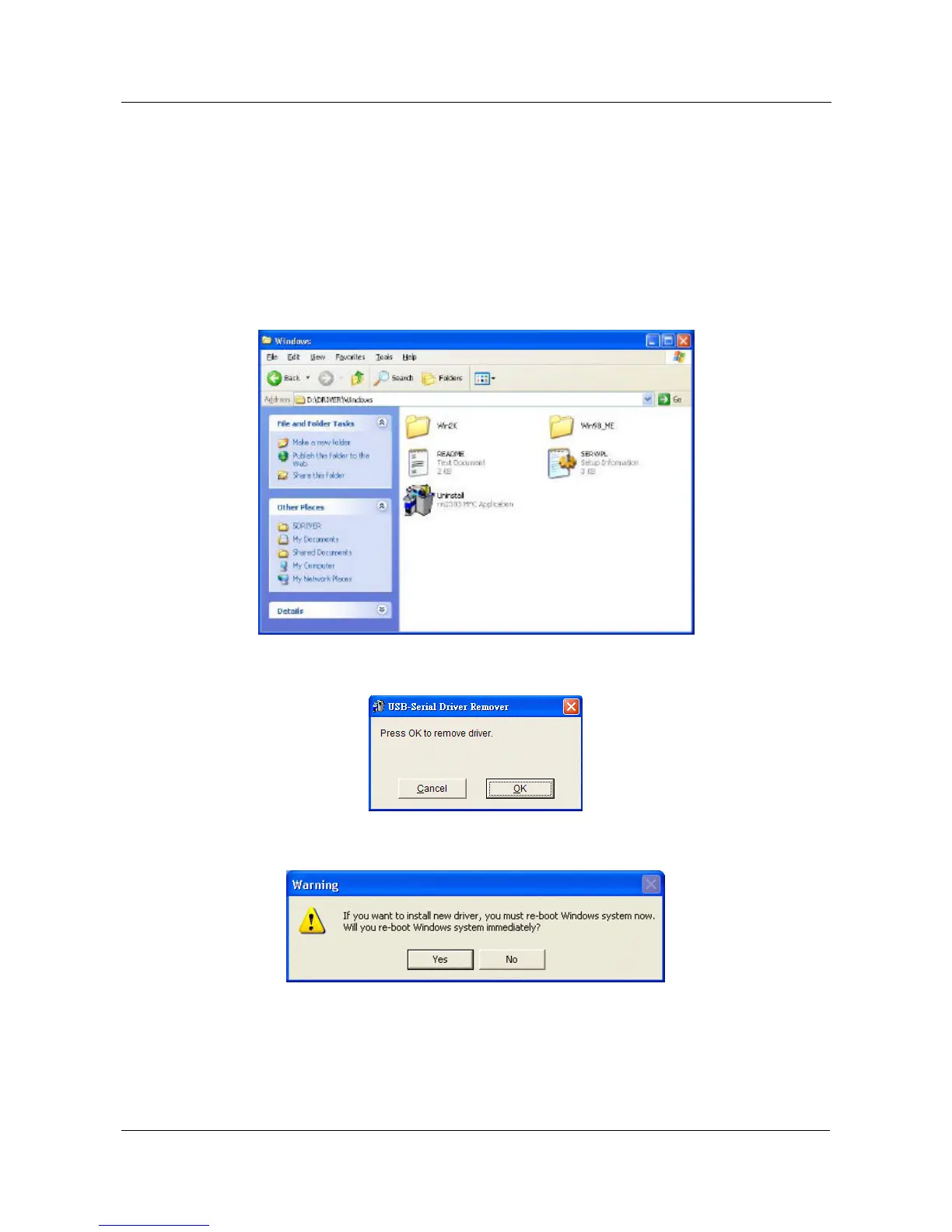
5.8.2 Run the D:\Driver\WINDOWS\ Uninstall.exe from the software CD-
ROM, and then reboot the PC.
5.8.3 Click “OK” to remove the driver.
5.8.4 After remove the driver click “YES” to reboot your PC.


 To Next Page