USB to Serial Adapter User’s Manual 7
5.3 Windows
®
ME Driver Installation
Follow the steps below to install Windows
®
ME driver
5.3.1 Power on your computer and make sure that the USB port is enabled
and working properly.
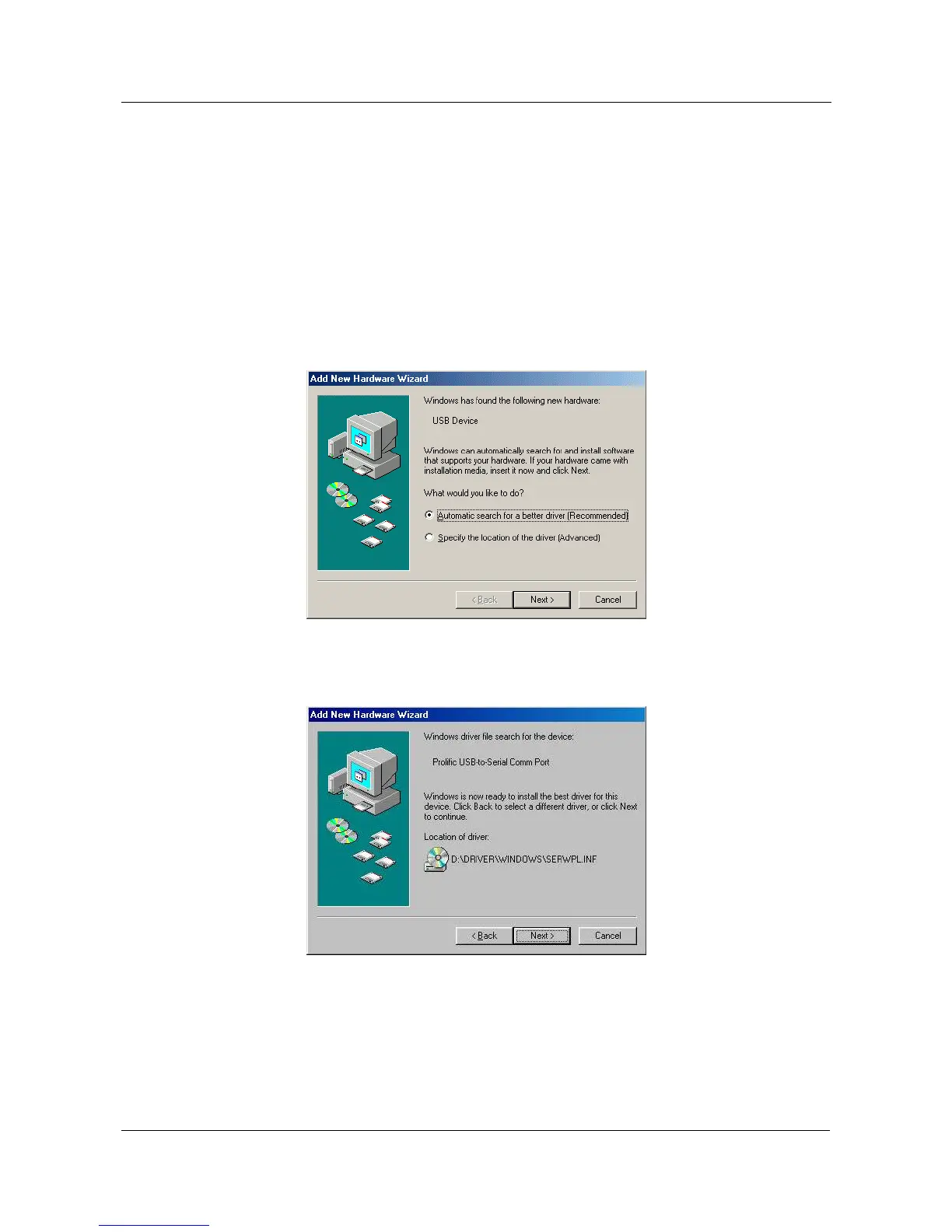
5.3.2 Insert the USB-Serial adapter software driver into the CD-ROM drive
and Plug in the USB-Serial adapter into the USB port; select the
Automatic search for a better driver (recommended), and then
click “Next” to continue.
5.3.3 Windows® will detect the driver (SERWPL.INF) and show the Prolific
USB-to-Serial Comm Port.


 To Next Page