USB to Serial Adapter User’s Manual 20
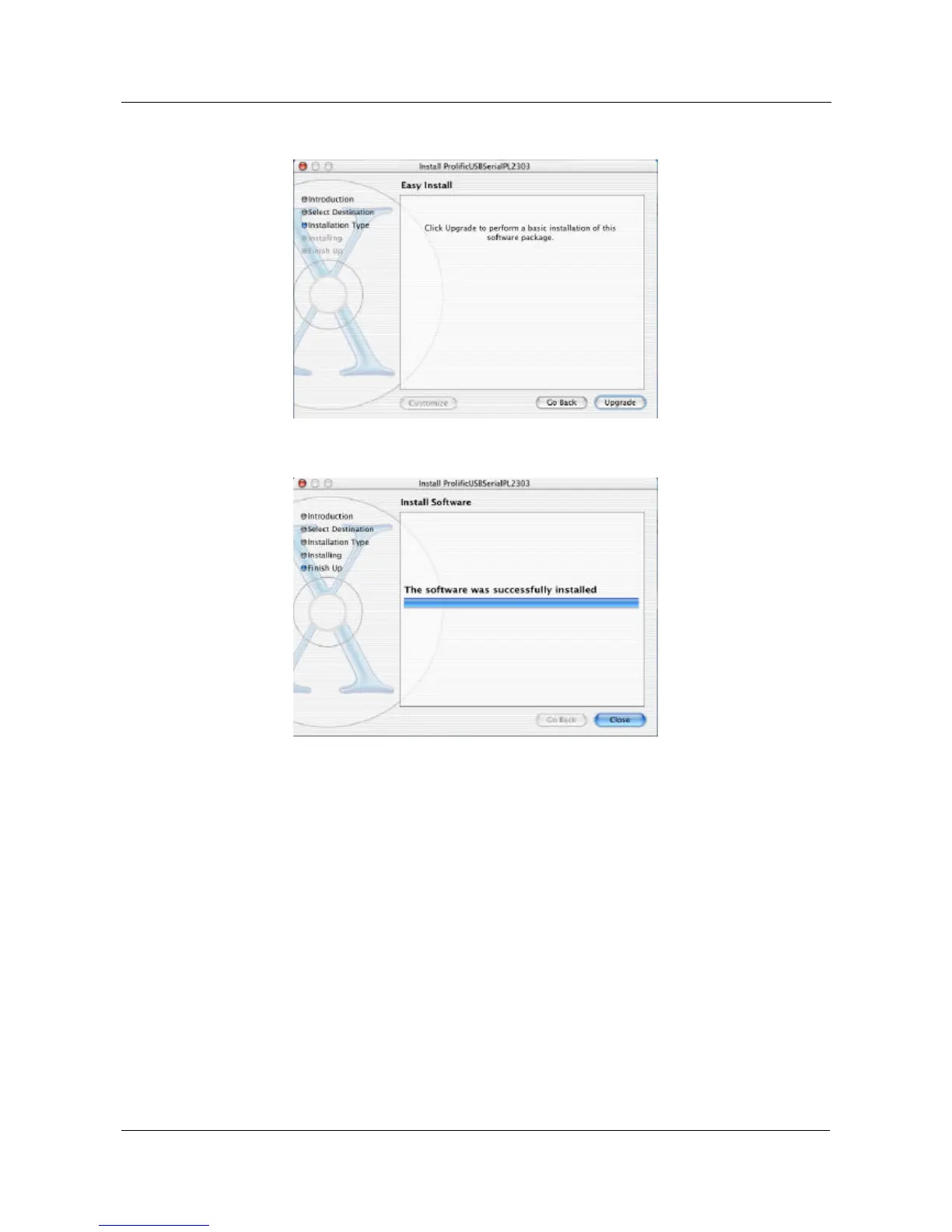
5.11.5 Click “Upgrade” to install the software package.
5.11.6 After installed the driver, click “Close” to finish this procedure.
6.6. Setting Up the RS232 Serial Device Setting Up the RS232 Serial Device
Follow the steps below to connect your RS232 Serial Device (i.e.: Modem) to the
USB port of your PC:
6.1 Turn off your Modem. Plug the DB 9 connector of the USB-Serial adapter into
your Modem. Connect the other end of the USB-Serial adapter to an USB type
A to type B cable. Turn on the Modem afterwards.
6.2 Turn on your computer and plug in the USB connector of the USB-Serial
adapter into the USB port.
6.3 If you have already installed a Modem device before, click Start, Settings, and
Modems. Open Modems Properties, select the Modem, and click Properties. In
General tab, please change the Port value to USB to Serial Port (COM3).


 To Next Page