USB to Serial Adapter User’s Manual 17
5.9 MAC OS 9 Driver Installation
Follow the steps below to install driver of USB-Serial adapter:
5.9.1 Power on your computer and make sure that the USB port is enabled
and working properly.
5.9.2 Insert the USB-Serial adapter software driver into the CD-ROM drive
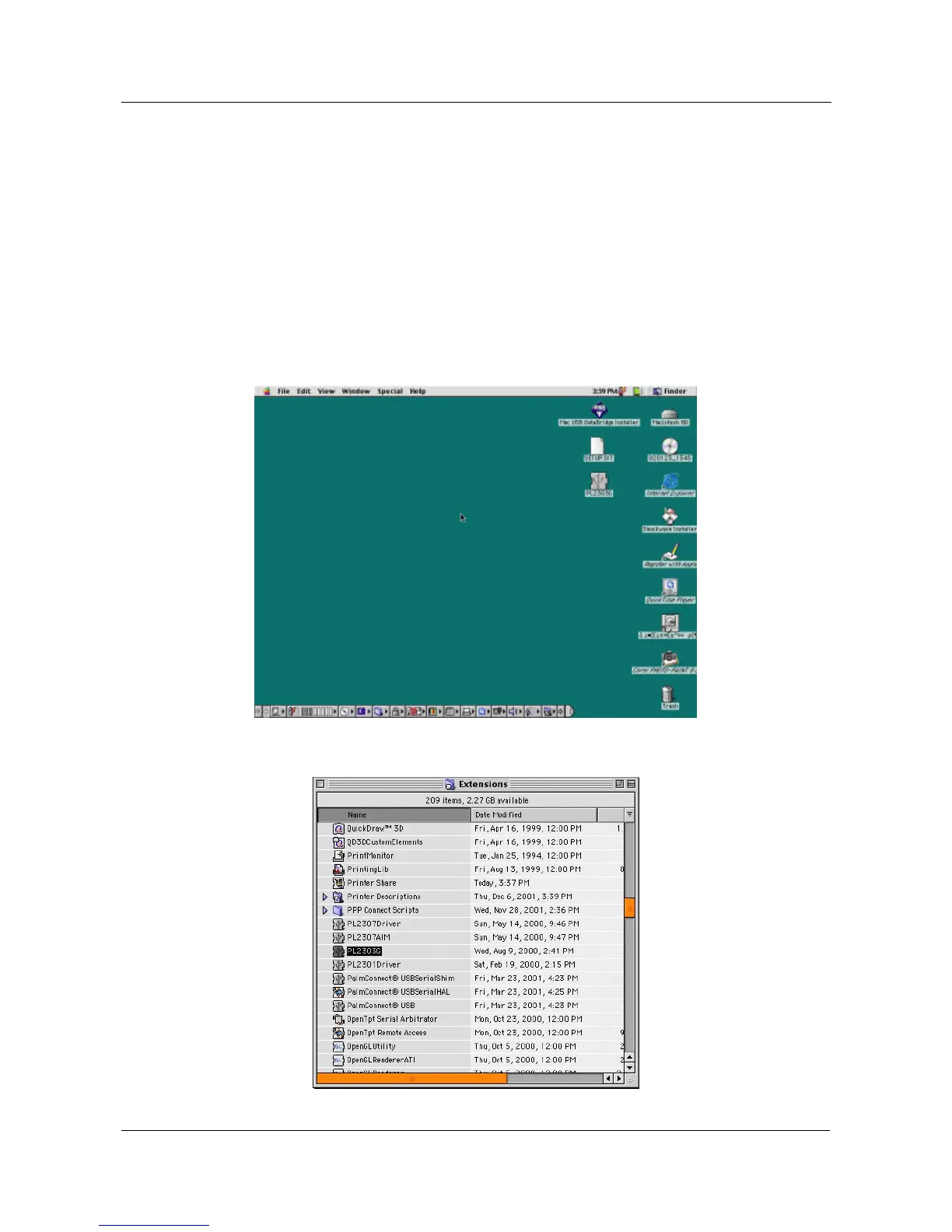
and copy the “D:\Driver\MAC\MAC OS 9\SETUP.SIT” to the desktop
from the CD-ROM.
5.9.3 Run the SETUP.SIT from the desktop, it will auto run the program and
create a PL-2303G on desktop.
5.9.4 Copy the “PL-2303G” to the “System Folder”-“Extensions”.


 To Next Page