USB to Serial Adapter User’s Manual 4
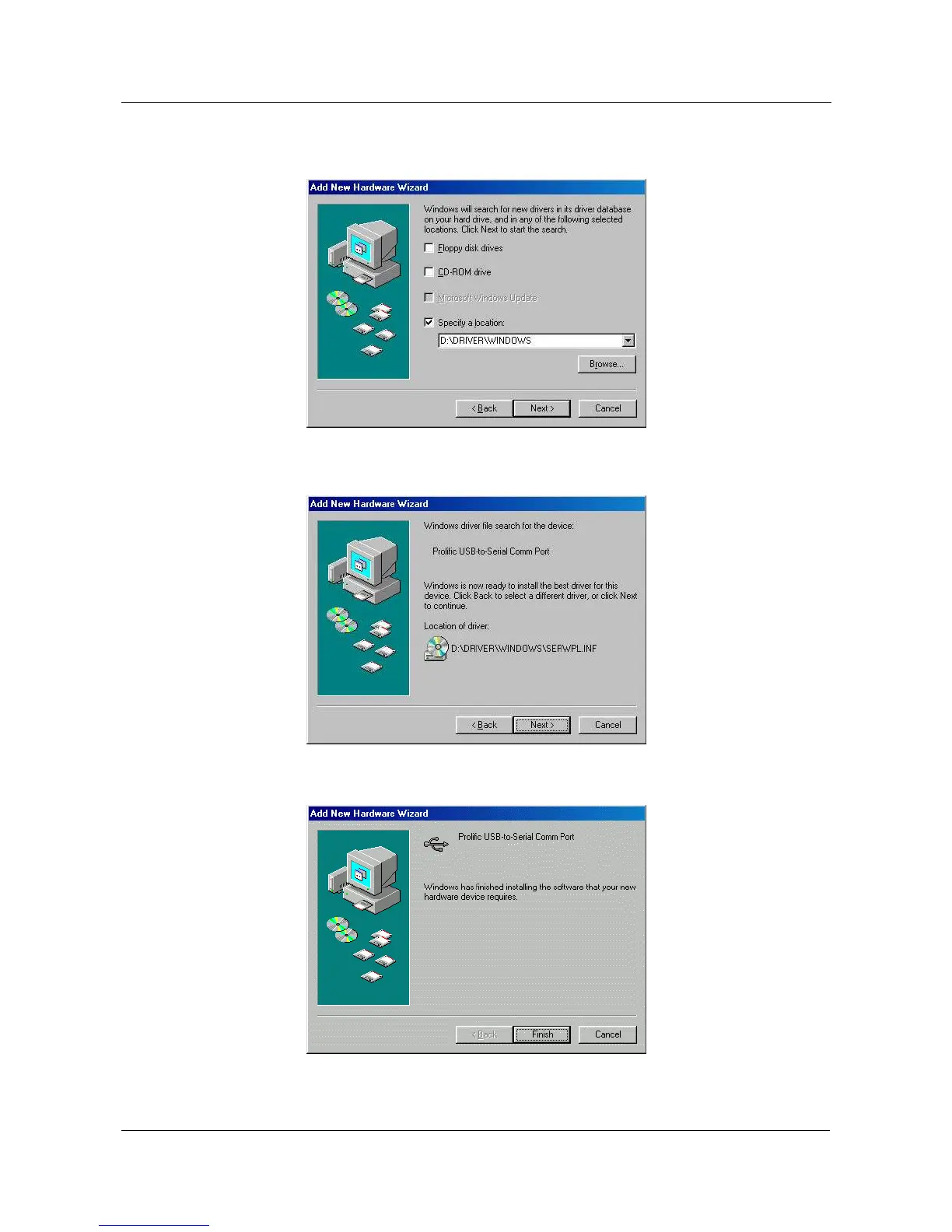
5.1.4 Insert the USB-Serial adapter software driver into the CD-ROM drive
and select Specify a location and type the “D:\Driver\Windows” in
the dialogue (D: represents CD-ROM)
5.1.5 Windows® will detect the driver (SERWPL.INF) and shows the
Prolific USB-to-Serial Comm Port. Click “Next” to continue
installation.
5.1.6 Click Next to continue and let Windows
®
copy the needed files to your
hard disk.


 To Next Page