95
THE DIGITAL ANTENNA SYSTEM
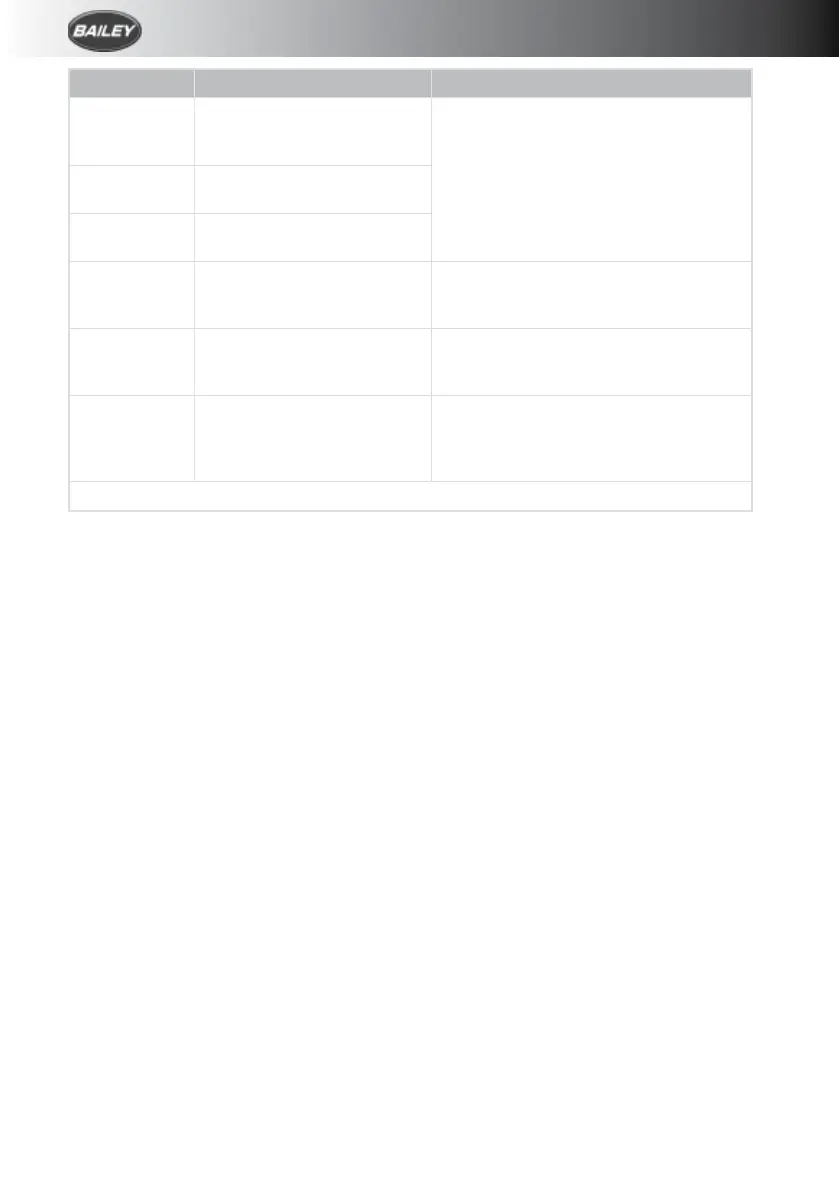
Signal Symptom Action
Very poor No picture or sound, TV
freezing, severe pixilation,
break-up and picture drop out.
Check the amplifier gain is set to
maximum (rotate clockwise). Check
antenna alignment which must be directed
at the transmitter. Ensure the antenna
polarity is correct, whether horizontal or
vertical. Bypass the amplifier by following
‘Short Hook-up: Test 1’.
Poor Moderate pixelation and sound
distortion
Medium Minor pixelation, will not
receive all channels.
Good Stable picture, good sound
quality, will receive all
channels.
N/A
Strong Possible pixelation, picture
break-up and drop out.
Reduce the amplifier gain (rotate anti-
clockwise). Rotate antenna AWAY from the
transmitter.
Very strong No picture or sound, TV
freezing, severe pixelation,
break-up and picture drop out.
Rotate antenna AWAY from the
transmitter. Switch OFF the amplifier and
turn the gain control to maximum (rotate
clockwise).
After performing any of the actions above you must re-tune your TV








 To Next Page