Baintech PowerTop User Operation Manual V8 6
Unregulated Solar DC Charging
IMPORTANT NOTE: DC On/Off Switch must be ON for charging (see page 3 for switch location).
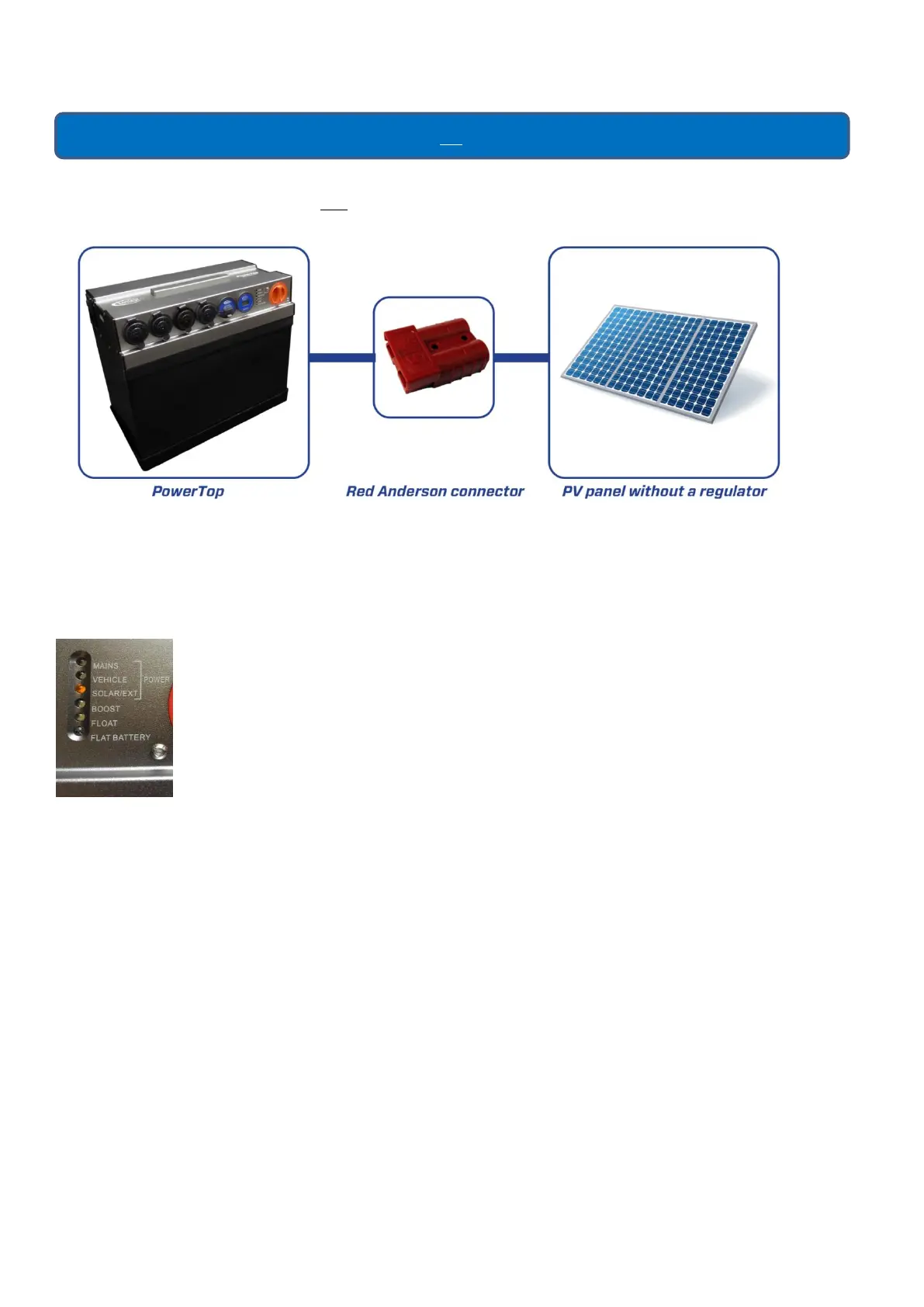
If you want to connect a DC charging source that is unregulated, for example a 12V PV panel (36 Cell) without a
regulator it must be connected to the Red Anderson Connector input labelled Solar/External Charge.
The unit has a built in regulator that will stop the battery from being overcharged. When solar panels are connected
directly to the PowerTop with no solar charge controller there must be a blocking diode between the solar panels
and the PowerTop. The blocking diode will often be incorporated in the solar panel and will prevent the batteries
discharging into the solar panels when there is no sun.
SOLAR/EXT LED Operation
The SOLAR/EXT LED will turn on when the Red Anderson Connector is inserted into the PowerTop
input and will turn off when the Red Anderson Connector is removed. This LED indicates that the
connector has been seated correctly and charging will depend on sunlight reaching the panel.



 To Next Page