10
Remote Control
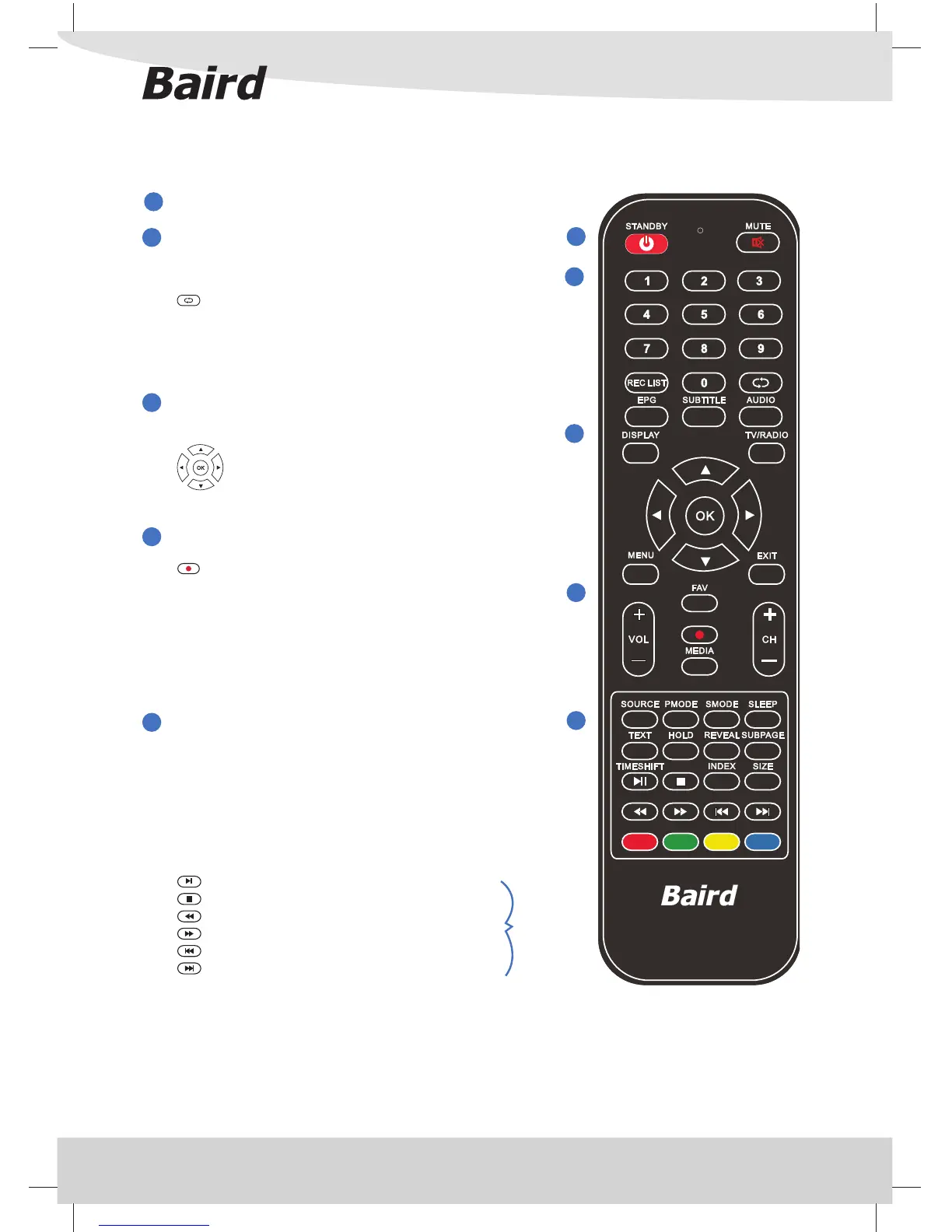
REMOTE CONTROL
STANDBY Switch on TV when in standby or vice versa
MUTE Mute the sound or vice versa
NUMBER BUTTONS
0 – 9 to select a TV channel directly.
REC LIST Opens the list of Programmes you have
previously recorded
To return to the previous channel viewed
EPG Opens the 8 Day TV Guide (Digital TV mode)
SUBTITLE To switch the dialogue at the bottom of the
screen (on/o )
AUDIO Switches audio output from L - R and Mono -
Stereo
DISPLAY To switch o the screen when listening to radio
TV/RADIO Switch to Digital TV and switch between TV
and radio in Digital TV mode
Allows you to navigate the on-screen menus
and adjust the system settings to your
preference
MENU To display OSD menu
EXIT To exit all menus
VOL To increase / decrease the sound level
FAV Displays Favourites list.
To Record what is currently on television
MEDIA Switch to MEDIA (USB) source
CH To increase or decrease the number of the
channel being watched
SOURCE To display the input/source menu
P.MODE Scrolls through picture mode options
S.MODE Scrolls through sound mode options
SLEEP Press repeatedly to cycle through the sleep
options
TEXT To enter Teletext mode
HOLD Teletext mode - Hold current page which is
displayed
REVEAL Teletext mode - To reveal or hide the hidden
words
SUBPAGE Sub coded page access.
TIMESHIFT In DTV mode, press to execute the time shift
function.
INDEX To display the index page
SIZE To switch the screen between the di erent
picture formats
To play/pause
To stop the playback
To play in fast rewind mode
To play in fast forward mode
To restart the current chapter
To advance forward to the next chapter
COLOR BUTTONS
For navigating as prompted on screen
1
2
3
4
5
Only operates
when a
compatible
USB device is
connected
1
4
5
2
3



 To Next Page