13
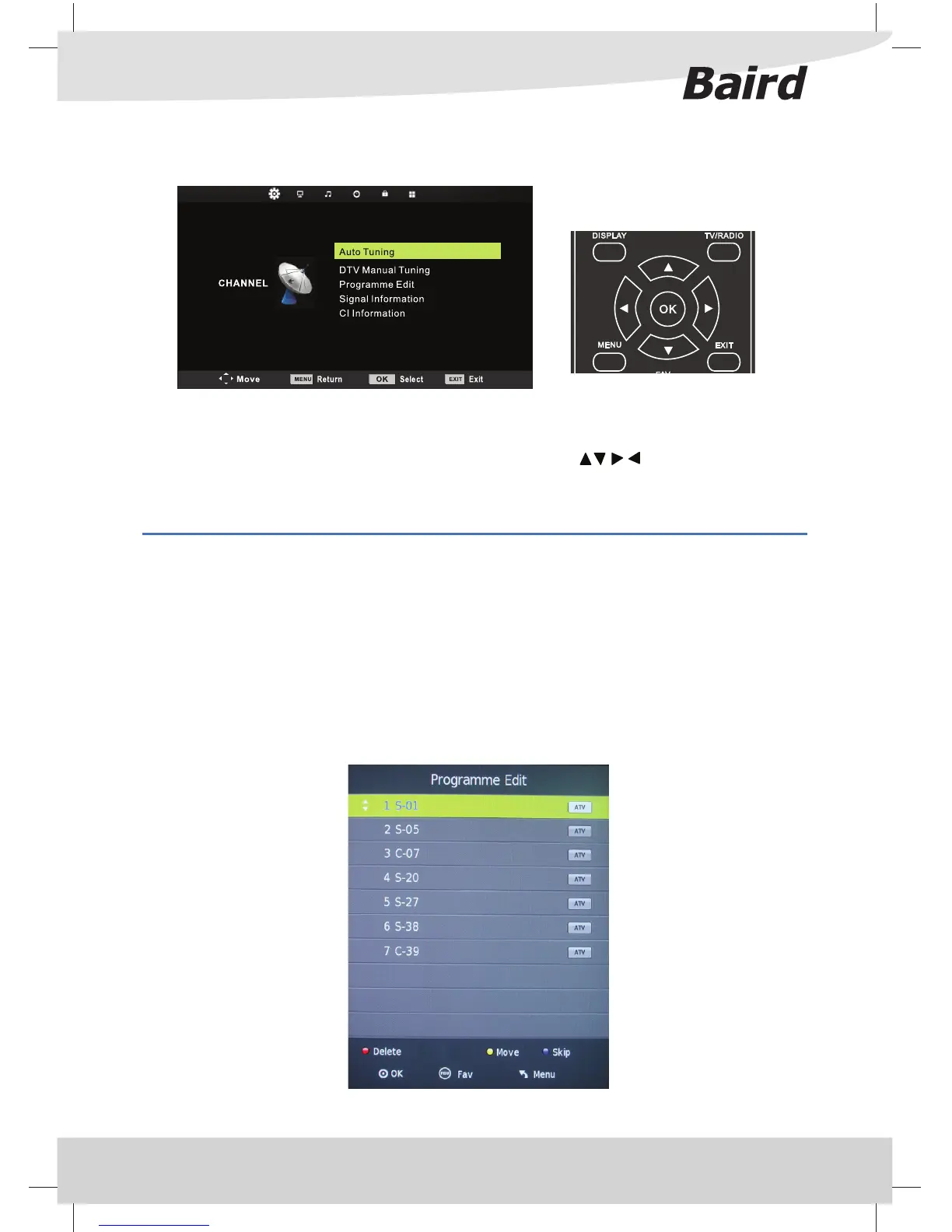
CHANNEL MENU
Auto Tuning - Allows you to retune the television for all digital channels, digital radio stations and analogue
channels.
DTV Manual Tuning- Allows you to manually tune your digital signal
Programme Edit - Allows you to delete, skip, move, rename and add favourite channels.
Signal Information - Allows you to display signal details, including Channel, Quality and Strength.
CI Information - Pay per view services require a “smartcard” to be inserted into the TV.
If you subscribe to a pay per view service the provider will issue you with a ‘CAM’ and a “smartcard”. The CAM
can then be inserted into the COMMON INTERFACE PORT (CI Card In).
To access this menu, press [MENU] button on the remote control. To enter a menu press [OK]
If you wish to make changes to any of the default settings, use the scroll buttons. To con rm any
settings press [OK] button.
To exit this menu at anytime, press [EXIT] button.
TV Menu Operation



 To Next Page