UTILITIES
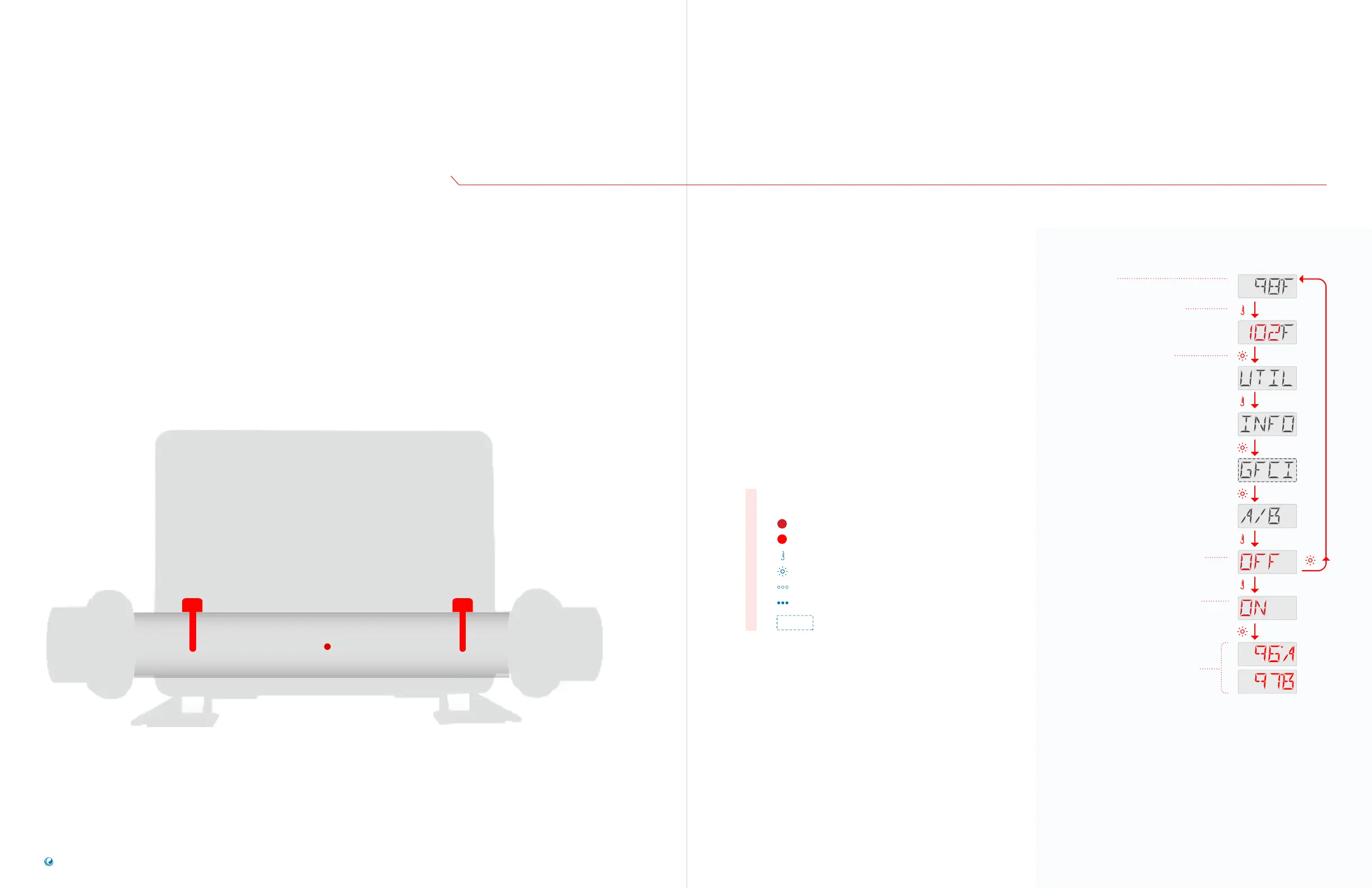
TEMPERATURE
SENSOR READINGS
Flashing characters
Progressive message
Press TEMP button for “action”
Press LIGHT button to “select”
Pause / back to Main Screen / setting not saved
Pause / back to Main Screen / setting saved
Menu Items may or may not appear
SEQUENCE KEY
( View page 2 for full description )
TP200 USER GUIDE 42369 Rev A2
58
57
Balboa Water Group | Your Single Source Solution
Press the TEMP button. The Set
Temperature will appear and flash.
Press the LIGHT button until
UTIL appears.
This indicates that this feature is O
currently. If you press the LIGHT
button, the Main Screen will appear
and the panel will function normally.
This indicates that this feature
can be turned On. If you press the
LIGHT button, the Main Screen will
appear, and this feature will be On.
Temperature readings from sensor
A and sensor B appear on the
Main Screen.
The Main Screen displays
temperature readings from sensor A
and sensor B, until you turn O this
feature. Follow the same sequence
to turn O this feature.
Main Screen
SEQUENCE
Follow this sequence to view separate
temperature readings from sensor A
and sensor B on the Main screen.
A
The control system calculates water temperature by using readings from
two sensors located inside the heater (view below). One sensor is named
A; the other, B.
Going from left to right, the sensor order may be A and B, or B and A. The order
depends on how the sensors are connected to the control system.
Spa technicians can view separate readings directly from sensor A and
sensor B for diagnostic purposes.
Heater
B
Temperature
Sensor
Control System
Temperature
Sensor



 To Next Page