
 Need help?
Do you have a question about the BALDR B0340ST2H2 and is the answer not in the manual?
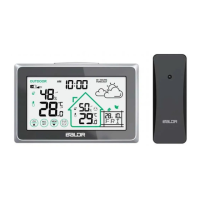
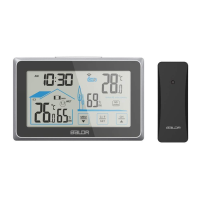
The BALDR Wireless Weather Station with Backlight (Model: B0340ST2H2) is a comprehensive device designed to provide real-time indoor and outdoor weather information, including temperature, humidity, and time. This quick setup guide outlines the installation, basic operation, and manual setup procedures for the device.
The weather station primarily functions as a monitor for environmental conditions. It displays the current time, indoor temperature and humidity, outdoor temperature and humidity, and a comfort level indicator. The device also features an ambient change indicator and a window indicator, although their specific functions are not detailed in this quick start guide. The backlight ensures readability in various lighting conditions. The wireless sensor allows for remote monitoring of outdoor conditions, transmitting data to the main unit via RF signal. The main unit can synchronize with up to three channels, enabling monitoring from multiple outdoor sensors (though only one sensor is typically included).
While specific numerical technical specifications like temperature ranges or humidity accuracy are not provided in this quick start guide, the device operates wirelessly, relying on RF signals for communication between the main unit and the outdoor sensor. The main unit requires 2xAAA batteries for operation, and the outdoor sensor requires 2xAA batteries. The display shows temperature in Celsius (°C) and humidity in percentage (%). The time display supports both 12-hour and 24-hour formats. The device also includes a memory mode, which can be set for 24 hours or "all the time," suggesting it can store historical data, though the extent of this storage is not specified.
Main Unit Installation:
Sensor Installation:
RF Signal Searching and Reception:
Manual Setup:
Display Features:
The quick setup guide does not explicitly detail maintenance features beyond battery replacement. However, the wireless design implies that proper placement of the outdoor sensor, away from direct sunlight and rain, would be necessary to ensure its longevity and accurate readings. Regular battery checks and replacements for both the main unit and the sensor are essential for continuous operation. The "Outdoor VS Indoor Humidity" section on the display, along with comfort level indicators, can help users maintain optimal indoor conditions, indirectly contributing to the maintenance of a comfortable living environment. For more detailed maintenance instructions, users are directed to refer to the full user manual or scan the provided QR code for additional product information and operation videos.
 General
| Brand | BALDR |
|---|---|
| Model | B0340ST2H2 |
| Category | Weather Station |
| Language | English |












 To Next Page