EasyManua.ls Logo

BALDR B0341WST2H2-V3 - User Manual

BALDR B0341WST2H2-V3
6 pages
Print Icon
To Next Page IconTo Next Page
Loading...
MODEL:B0341WST2H2-V3
WIRELESS WEATHER STATION WITH BACKLIGHT
QUICK SETUP GUIDE
1
Question and Answer IconNeed help?

Do you have a question about the BALDR B0341WST2H2-V3 and is the answer not in the manual?

Summary

Power On and Installation

Main Unit Installation

Remove battery compartment cover and insert 2xAAA batteries into the main unit.

Sensor Installation

Select channel on sensor and insert batteries within 3 minutes for RF signal reception.

Main Unit Setup

Initial Display and Layout

Observe the full LCD display for 3 seconds after power-on and understand its sections.

RF Signal Synchronization

RF Signal Searching

The receiving antenna signal is flashing while searching for the sensor.

RF Signal Received

The receiving antenna signal stops flashing, indicating successful outdoor data reception.

Manual Setup Procedure

Setup Order and Value Adjustment

Follow the setup order for date, time, and other settings, using buttons to adjust values.

Overview

This document provides a quick setup guide for the BALDR Wireless Weather Station with Backlight, model B0341WST2H2-V3. This device is designed to provide real-time indoor and outdoor temperature and humidity readings, along with a weather forecast and current time and date display.

Function Description

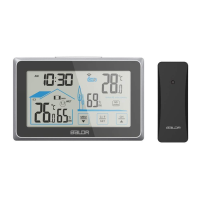
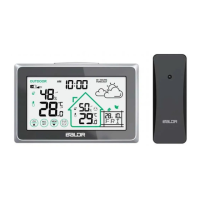
The BALDR Wireless Weather Station consists of two main components: a main unit and a wireless outdoor sensor. The main unit is responsible for displaying all the collected data, including indoor temperature and humidity, outdoor temperature and humidity, a weather forecast icon, current time, date, and weekday. It features a backlight for easy viewing in various lighting conditions. The wireless outdoor sensor is designed to be placed outdoors to measure external temperature and humidity and transmit this data wirelessly to the main unit.

The weather station offers a comprehensive set of functions to keep you informed about your local environment. It displays the current indoor temperature and humidity, allowing you to monitor the conditions within your home or office. Simultaneously, it receives and displays outdoor temperature and humidity data from the remote sensor, giving you a clear picture of the external environment. The device also includes a weather forecast feature, which is typically represented by intuitive icons (e.g., sunny, cloudy, rainy) to give you an idea of upcoming weather patterns.

Beyond environmental monitoring, the main unit also functions as a clock, displaying the current time in either a 12-hour or 24-hour format, along with the date and weekday. This integration of timekeeping with weather monitoring makes it a versatile device for daily use.

Usage Features

Setting up the BALDR Wireless Weather Station involves a few straightforward steps for both the main unit and the outdoor sensor.

Main Unit Installation:

  1. Powering On: To power on the main unit, you need to remove the battery compartment cover, typically located on the back of the unit.
  2. Battery Insertion: Insert two AAA batteries into the designated battery compartment, ensuring correct polarity.
  3. Initial Display: Upon successful power-on, the LCD will typically show a full display for about 3 seconds, accompanied by an audible "BI" sound, indicating that the unit is starting up. After this initial display, the LCD will show the default information, which usually includes the current time, date, and indoor readings.

Sensor Installation:

  1. Channel Selection: Before inserting batteries into the outdoor sensor, you must select a channel (CH1, CH2, or CH3) using a small switch inside the sensor's battery compartment. This allows you to use multiple sensors with one main unit or to avoid interference if other wireless devices are in use. It is crucial to select the same channel on both the sensor and the main unit for proper synchronization.
  2. Battery Insertion: Load two AA batteries into the outdoor sensor within 3 minutes of selecting the channel. This timeframe is important to ensure the sensor can transmit its RF signal and be received by the main unit in a timely manner.

RF Signal Searching and Synchronization:

After both units are powered on, the main unit will begin searching for the RF signal from the outdoor sensor.

  1. Signal Searching: During the signal searching phase, the receiving antenna signal icon on the main unit's display will typically be flashing.
  2. Synchronization: To synchronize the main unit with the sensor, you need to ensure that the main unit is set to the same channel as the sensor. If the main unit doesn't automatically find the sensor within 3 minutes of being powered on, you can manually initiate a search by pressing and holding the "CH/▲" button on the main unit for 3 seconds.
  3. Signal Received: Once the main unit successfully receives the RF signal from the sensor, the receiving antenna signal icon on the display will stop flashing, and the outdoor temperature and humidity data will be displayed automatically.

Manual Setup:

The weather station allows for manual adjustment of various settings. To enter the setup mode, press and hold the "SET/C/F" button for 3 seconds. Once in setup mode, you can cycle through different settings by pressing and releasing the "SET/C/F" button (a quick press of 1 second). The available settings typically include:

  1. 12/24-hour selection: Choose between a 12-hour or 24-hour time format.
  2. Hour: Adjust the current hour.
  3. Minute: Adjust the current minute.
  4. Year: Set the current year.
  5. DM/MD select: Choose between Date-Month or Month-Date display format.
  6. Month: Set the current month.
  7. Date: Set the current date.
  8. Weekday language: Select the language for the weekday display.
  9. Key tone ON/OFF: Enable or disable the button press sound.

To change the values within each setting, use the "CH/▲" button to increase the value and the "MEM/▼" button to decrease the value. For faster adjustments, you can press and hold either the "CH/▲" or "MEM/▼" button, which will quickly change the value by 8 steps.

Maintenance Features

The BALDR Wireless Weather Station is designed for ease of use and minimal maintenance.

  • Battery Replacement: The primary maintenance involves replacing the batteries in both the main unit and the outdoor sensor when they run low. The display on the main unit may indicate low battery status for either unit.
  • Sensor Placement: For optimal performance, ensure the outdoor sensor is placed in a location that is protected from direct sunlight and heavy precipitation, yet allows for accurate measurement of ambient outdoor conditions. Avoid placing it near heat sources or reflective surfaces that could skew temperature readings.
  • Cleaning: The device can be cleaned with a soft, dry cloth. Avoid using abrasive cleaners or solvents that could damage the display or casing.
  • Troubleshooting RF Signal: If the outdoor data is not displayed or the signal icon is flashing continuously, it indicates a loss of signal. This can often be resolved by manually searching for the RF signal again (as described in the "RF Signal Searching and Synchronization" section) or by checking the batteries in both units. Ensure the main unit and sensor are within effective transmission range and free from major obstructions.

This quick setup guide provides the essential steps to get your BALDR Wireless Weather Station up and running, allowing you to quickly benefit from its environmental monitoring and timekeeping features. For more detailed settings and advanced functionalities, users are encouraged to refer to the comprehensive user manual or scan the provided QR code for additional product information and operation video links.

BALDR B0341WST2H2-V3 Specifications

General IconGeneral
Model NumberB0341WST2H2-V3
BrandBALDR
CategoryWeather Station
Display TypeLCD
Wireless TransmissionYes
Power SourceBattery
Transmission Range100 meters
FeaturesIndoor/Outdoor temperature and humidity
Temperature Measurement RangeIndoor: 14°F to 122°F (-10°C to 50°C); Outdoor: -40°F to 158°F (-40°C to 70°C)

Related product manuals