VIGIL3 Voice Alarm
Overview, Architecture and Configuration
18 VIGIL3 Overview, Architecture & Configuration issue 2
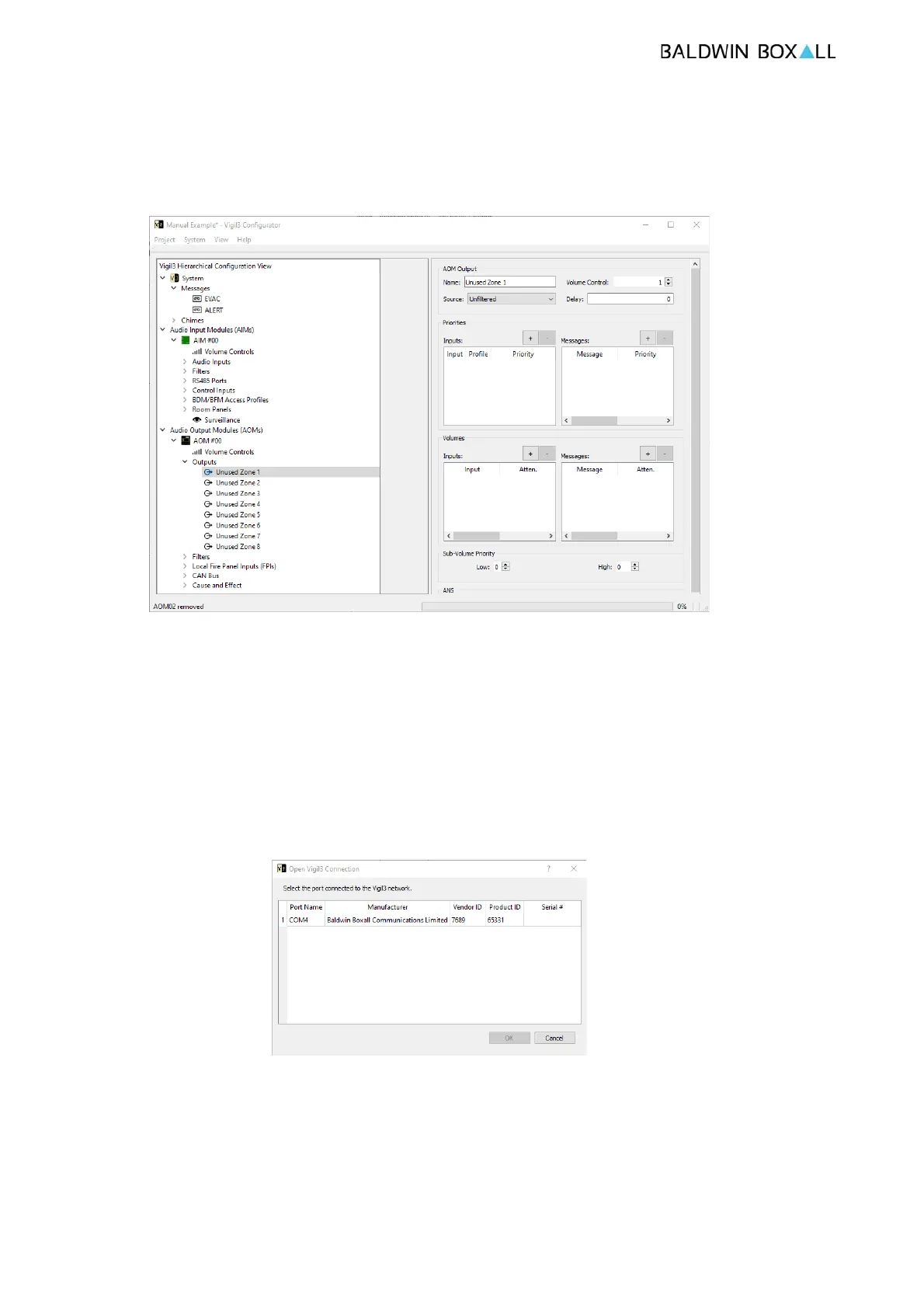
Please see below for a screen shot of the VIGIL3 Configurator PC
application;
Figure 4.1 — VIGIL3 Configurator PC Application
Once a configuration is ready it must be uploaded over USB via
the System Menu the steps to upload a configuration are as
follows;
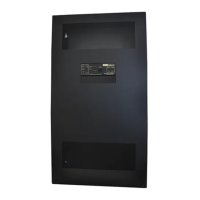
1. System / Connect to a VIGIL3Network
2. Select the COM port number tha
t the VIGIL3 system has
installed against and press OK e.g.
Figure 4.2 — Connection Dialogue
3. System / Enter Pin - Default 5555
At this point it is then possib
le to access Live Faults and
Events, upload configurations etc. from the System Menu.


 To Previous Page