F
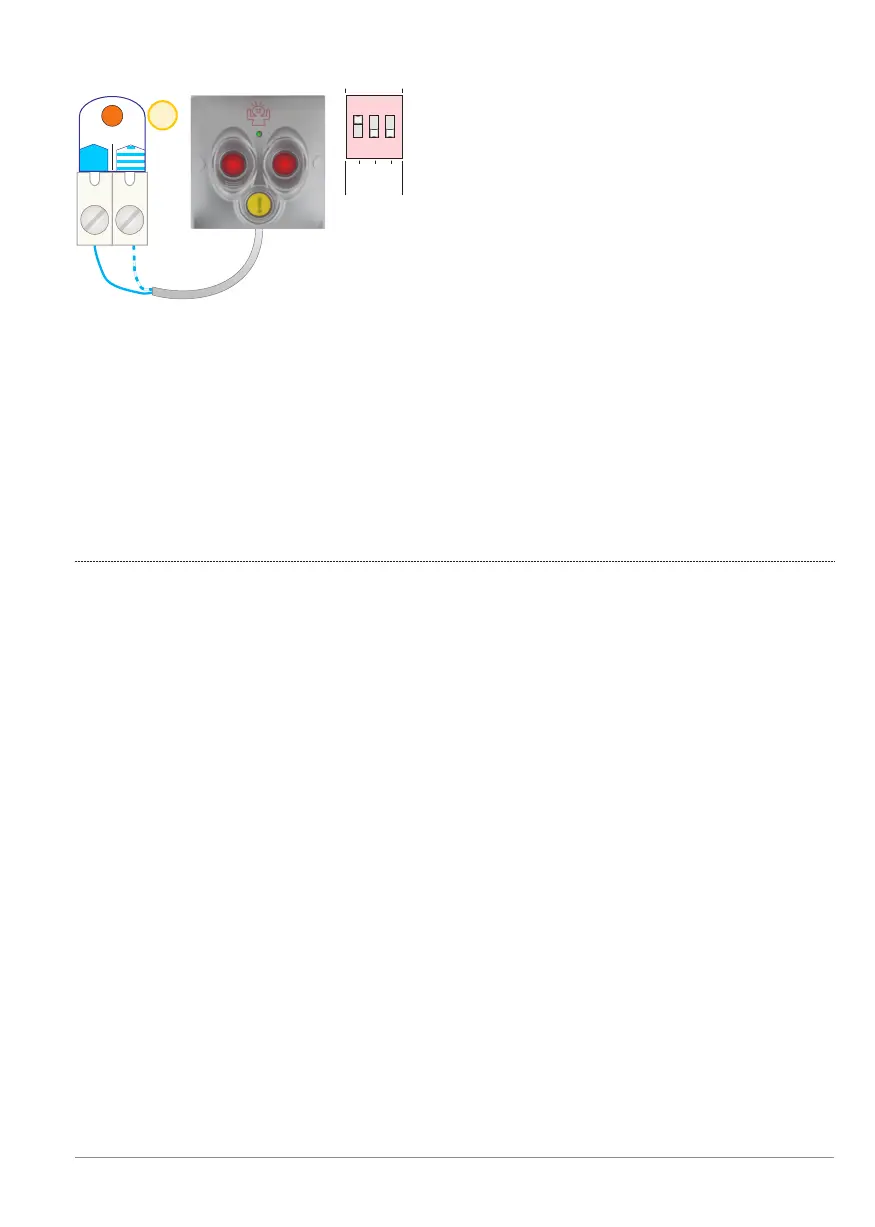
If Panic mode is not required, set all 3 DIP switches of [PanBut.] to OFF
and leave both [PanBut.] input terminals disconnected.
The BANDIT will then never switch into “Panic mode” (factory default).
6
PanBut.
1 2 31 2 3
PanBut.
1 2
3
1 2 3
Dip switch settings [PanBut.]:
Dip 1 ON
Dip 2 and 3:
a) No backlight:
Dip 2 OFF and Dip 3 OFF.
b) 50% dimmed backlighting:
Dip 2 ON and Dip 3 OFF.
c) 100% of backlight:
Dip 2 ON and Dip 3 ON.
Panic mode starts when the two red buttons are pressed simultaneously and
then stops one minute later (1 min. delay timer).
3. BANDIT panic button / type 820-13S is connected to [PanBut.].
!
Panic input - p. 11
BANDIT Controller CF31 v2 / Manual v.102


 To Next Page