
 Need help?
Do you have a question about the Bandit CF31 and is the answer not in the manual?
Explains the separated fog generator and controller setup for flexible installation.
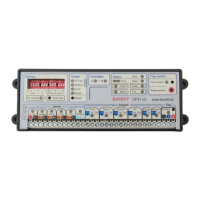
Details controller features, certifications like EN 50131-8, and manufacturer information.
Identifies all input and output connection points on the controller panel.
Explains the function of LEDs for status, fog control, and the purpose of DIP switches.
Specifies the 12 VDC power requirements, current, and LED indicators for voltage status.
Configures the Guard input for monitoring mode, detailing its control logic.
Details alarm input for activation and confirmation input for delaying alarm mode.
Configures fire input to block ejection and panic input for emergency activation.
Visual summary of input relationships and their effect on fog ejection.
Reports monitoring and alarm/panic status via relay contacts and LEDs.
Indicates tamper faults and general technical problems via relay contacts and LEDs.
Notifies about empty cartridges and mains power status.
Describes the 3-wire communication interface, setup, and status indicators.
Explains the function of all DIP switches for input, volume, and LED settings.
Configures fog volume and motion sensor sensitivity via DIP switches.
Details cartridge types, installation, and status indicators.
Explains the meaning of all LEDs for status, errors, and faults on the controller.
Covers fog isolation, forced ejection, and SFVP security level classification.
Shows connecting to an alarm system with specific DIP settings.
Demonstrates integration with an alarm system and a PIR confirmation sensor.
Illustrates connecting the system with a BANDIT panic button and dialler.
 General
| Brand | Bandit |
|---|---|
| Model | CF31 |
| Category | Controller |
| Language | English |

 To Next Page