Dip G
ON
Dip G
OFF
12 V
on
Guard
No
voltage
on
Guard
No
voltage
on
Guard
12 V
on
Guard
Monitoring
status
on
yes
no no
yes
off off
on
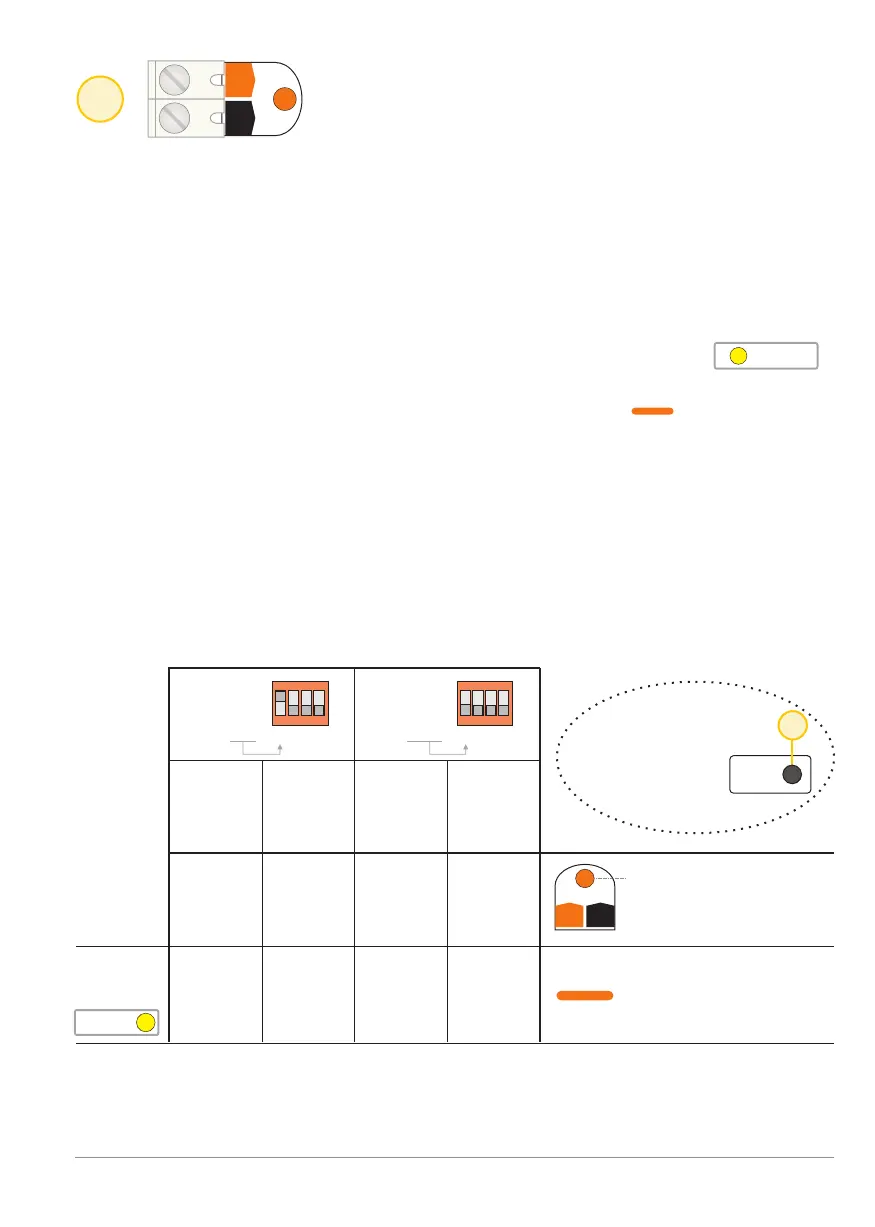
Guard LED lights as long
as there is 12 V present
on the Guard input
The fog generator front
LED is orange while
monitoring mode is active
(Guard mode).
2
Input: Input Monitoring [Guard]
Guard
Guard
G+
G+
G-
G-
G
G
A
A
C
C
F
F
Inputs Inputs
ON ON
2 21 13 34 4
F
15
Read
dips
Changes to dip-
switch settings
are only valid
once confirmed
Guard
Guard
Only if BANDIT is in the "monitoring mode" [Guard] state, will it be possible
to switch to Alarm-mode (incl. ejecting fog) via the Alarm input [Alarm] +
Confirmation input [Conf.] inputs.
For the duration the fog generator is in “monitoring mode” [Guard] state, the
Front LED “error flashing” is inhibited so that it will never indicate the
presence of any failure or problem.
Properties of the "monitoring mode":
- The yellow LED [Guard] will be illuminated in the sectionStatus
as long as the device is in "monitoring mode".
- The BANDIT fog generator's Front LED will light orange as long as
the device is in "monitoring mode".
- An active Alarm mode (caused by an alarm input during the monitoring
mode [Guard]) will be terminated if monitoring mode is disabled.
Control of the guard input [Guard]
Depending on the position of dip switch G, monitoring mode can either be
activated when 12 VDC is present on the input, or if there is no voltage on the
input.
Logical truth chart for the Monitoring input [Guard]:
BANDIT Controller CF31 v2 / Manual v.102
Input Monitoring [Guard] - p. 5


 To Next Page