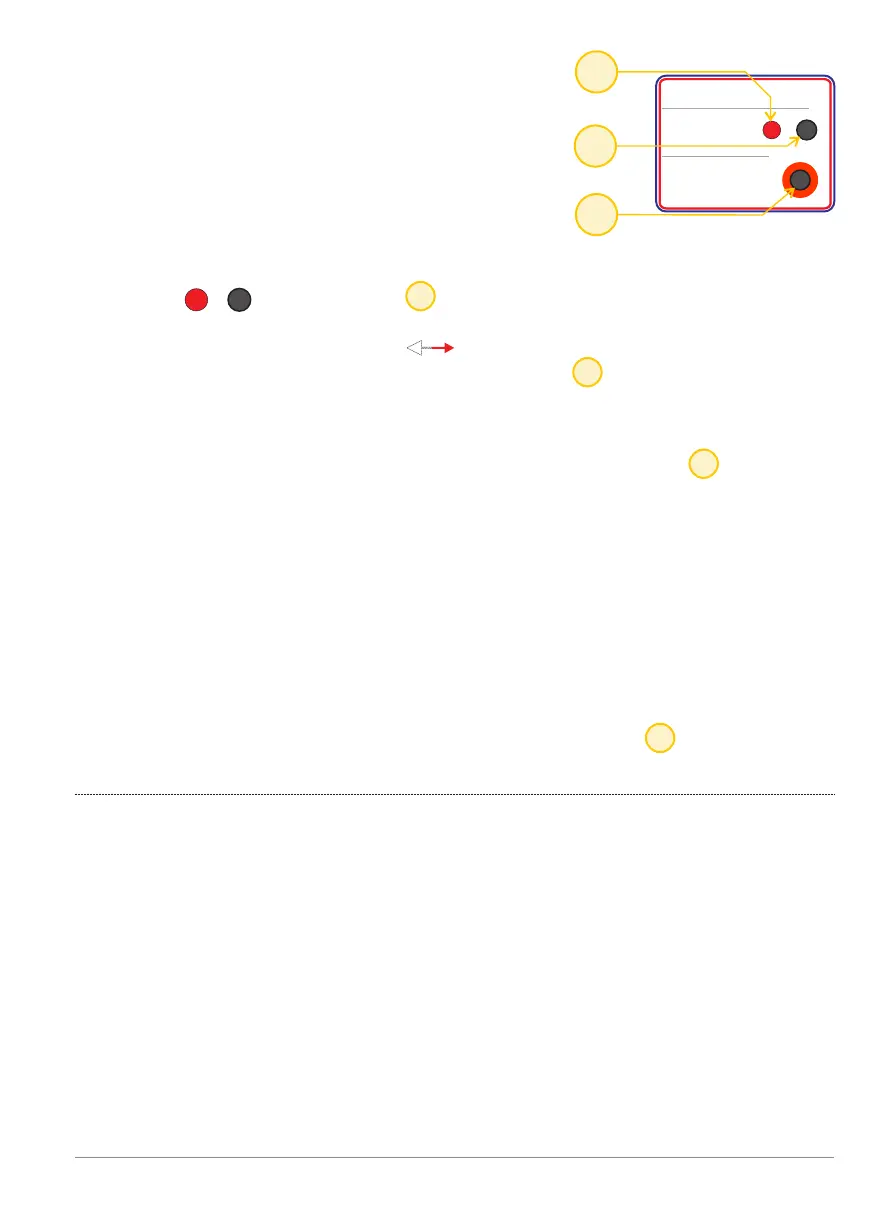
The red LED shows whether the fog generator Y / N
is switched into status.fog isolation
The [normal isolate] is switched between Y / N fog
using the push-button (toggle) .
A controller is supplied factory-default with
fog isolation ON.
Fog isolation
Fog control: Block and forcing
fog ejections.
22
23
23
22
22
22
24
Fog isolation
Fog control:
Force ejection
Fog isolation
Fog control:
Force ejection
Fog isolation
Fog control:
Force ejection
The active fog isolation is only displayed via the red LED ,
otherwise there is no indication to show this abnormal setting
(all other functions, outputs and LED's operate on the controller as
normal).
The purpose of this fog-isolation option is to select this control
during fitting and testing of the installation. A real fog ejection will
not take place but you will hear the beeper (in the fog generator)
emit a loud beep for 3 sec. as an indication of the virtual fog ejection.
Once installed and in full operation make an additional check that the
fog isolation function is indeed switched off (red LED off).
Blocking a fog ejection (fog isolation).
Fog ejection control - p. 29
F
F
F
BANDIT Controller CF31 v2 / Manual v.102


 To Next Page