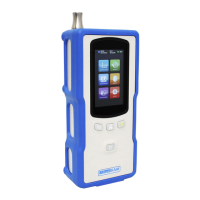
NanoRam
®
Series Handheld Raman
19 Shea Way, Newark, DE 19713, USA • Tel: +1 (302) 368-7824 • Fax: +1 (302) 368-7830 • Web: www.bwtek.com
290020255-J (2017/07/28) Page 28 of 38 Copyright 2017 B&W Tek
using the sampling adaptor.
Press the Investigation icon , and the “ready to scan” page will be displayed. A screen
for sample information will be displayed. Enter the necessary information already set in
the “Sample Info Field”. Press the Laser Switch /Acquisition key to start acquiring data.
As a safety warning, the NanoRam will emit intermittent acoustic signals and flash a
laser warning symbol on the screen before starting the acquisition. After about 2
seconds as you press the laser acquisition key, laser emission is generated from the
instrument.
The system will assign a default initial integration time for the first scan. The
integration time will be automatically optimized. A dark scan will follow, accompanied
with acoustic signals of a slightly shorter interval.
Note: While the dark scan is being collected, the sample needs to remain at the same
position until the dark scan is completed.
After the spectrum is collected, the search for a matching spectrum in the spectral library
will start automatically. The investigation result of either “Match” or “No Match” will be
displayed.
For a “Match” result, possible matching compound information and their HQI (Hit Quality
Index) will be displayed. Press , to display the aquired spectrum matched with the
spectrum of the library.
Press to close the screen and return to the previous screen.
For a “No Match” result, a message will be displayed. Press , to display the acquired
spectrum. Press to close the screen and return to the previous screen.
If the number of hits is >1, and more than one library has an HQI greater than the
threshold, the other spectral matches will be displayed in descending order of HQI.


 To Next Page
 Loading...