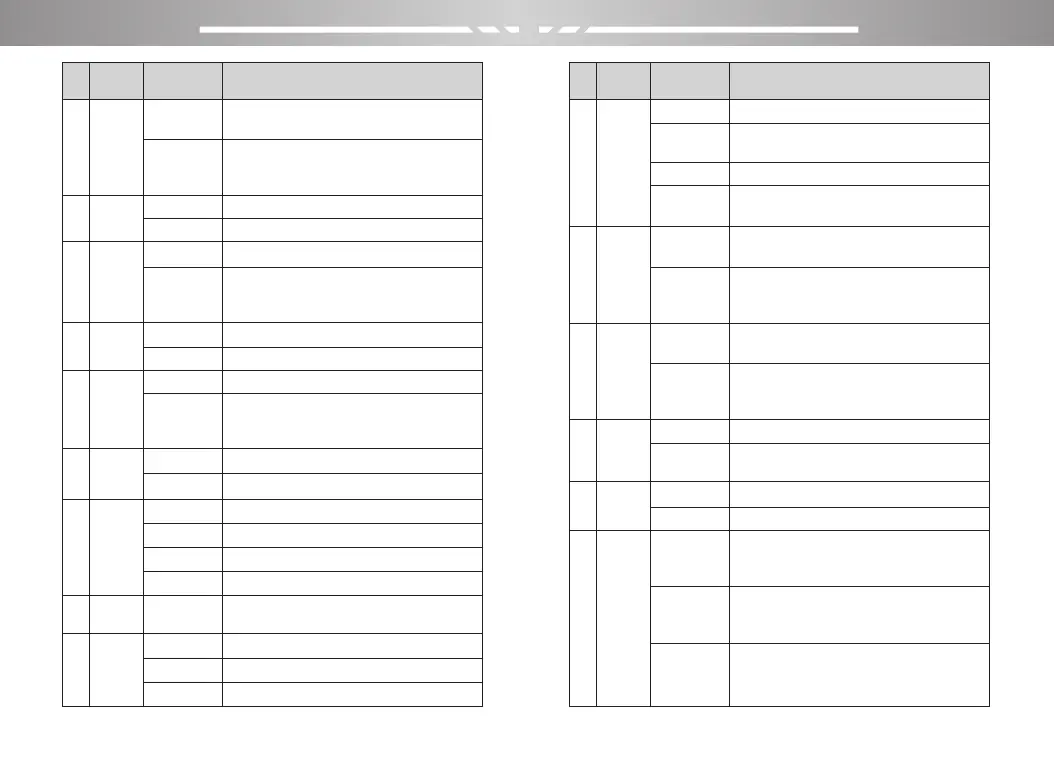
OFF
ON
OFF
DT-ST
ANI-ST
DT+ANI
1,2,…,15
TO
CO
SE
PORTABLE TWO-WAY RADIO PORTABLE TWO-WAY RADIO
15 16
No
Press and hold the PTT key to keep
transmits.
The number goes from 15 to 600. In 15
steps. Indicates the maximum transmit
time by pressing the PTT key
DCS is not set
Standard sequence of DCS.
CTCSS is not set
Standard sequence of CTCSS. In Menu
Mode, It can be typed directly from the
keyboard (standard or non-standard).
DCS is not set
Standard sequence of DCS
CTCSS is not set
Standard sequence of CTCSS. In Menu
Mode, It can be typed directly from the
keyboard (standard or non-standard).
Turn off voice prompt
Turn on voice prompt
Signal code( only could be set by PC
software)
Time mode scan
Carrier mode scan
Search mode scan
Level 1
menu
Level 2
menu
Description of settings
9
10
11
12
13
14
16
17
15
Tx over
time
Rx
DCS
Tx
DCS
Tx
CTCSS
Scan
Mode
VOICE
DTMFST
S-CODE
Rx
CTCSS
OFF
15,30,…600
OFF
D023N,…
OFF
67.0HZ,…,
254.1HZ
OFF
D023N,…
OFF
67.0HZ,…,
254.1HZ
No
Do not send code when PTT is pressed
Press PTT to send code; (only could be
set by PC software)
Release PTT to send code
Send code when it is pressed or
released the PTT.
In channel mode, the A channel is
display channel frequency.
In channel mode, the A channel is
display channel name. (only could be set
by PC software)
In channel mode, the B channel is
display channel frequency.
In channel mode, the B channel is
display channel name. (only could be set
by PC software)
Transmit when the channel is occupied
The channel is occupied and transmis-
sion is prohibited
Turn off keyboard lock
Turn on keyboard lock
In frequency mode, there is no frequency
difference between transmitting
frequency and receiving frequency.
In frequency mode, the transmitting
frequency is equal to the receiving
frequency plus the frequency difference.
In frequency mode, the transmitting
frequency is equal to the receiving
frequency minus the frequency difference.
Level 1
menu
Level 2
menu
Description of settings
18
19
20
21
23
22
MDF-B
MDF-A
PTT-ID
Direc-
tion
Key
Auto
Lock
Busy
Lockout
OFF
BOT
EOT
BOTH
Frequency
Name
Frequency
Name
OFF
ON
None
Plus
Minus
OFF
ON



 To Next Page