2). Removing the Antenna: Turn the antenna counter-clockwise to remove it.
3.2 Installing the belt clip
1). At the back of the radio there are two parallel screws mounted above the battery, remove these and thread them through
the holes on the belt clip as you screw them back into the radio body.
2). Removing the Belt Clip: Unscrew counter-clockwise to remove the belt clip.
3.3 Installing the battery pack
Before attaching or removing the battery make sure your radio is turned off by turning the power/volume knob all the way
counter-clockwise.
1). Make sure the battery is aligned in parallel with the radio body with the lower edge of the battery about 1-2cm below the
edge of the radio.
2). Once aligned with the guide-rails, slide the battery upward until you hear a click as the battery locks in place.
Remove the battery pack
To remove the battery, press the battery release above the battery pack, as you slide the battery downward.
3.4 Installing the Additional Speaker/Microphone (Optional)
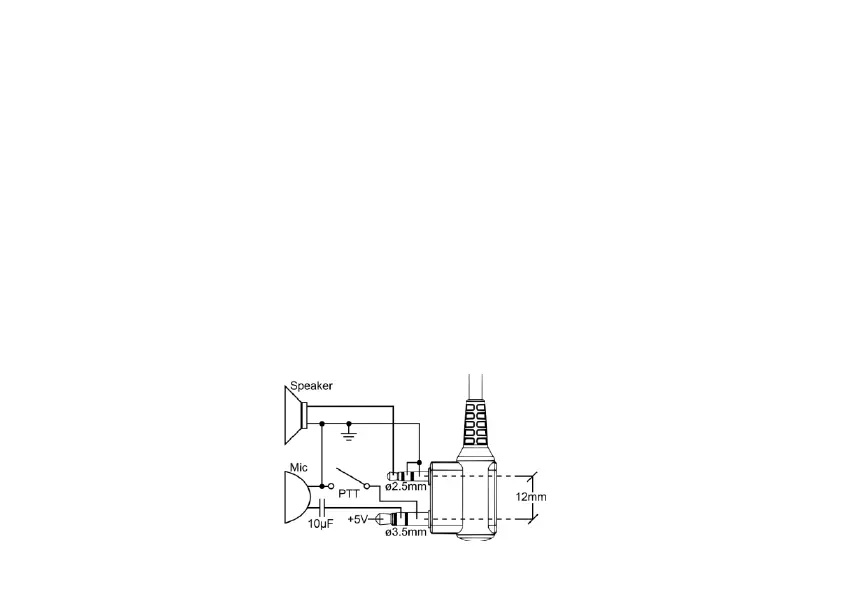
Pry open the rubber MIC-Headset jack cover and then insert the Speaker / Microphone plug into the double jack.














 To Next Page