EasyManua.ls Logo

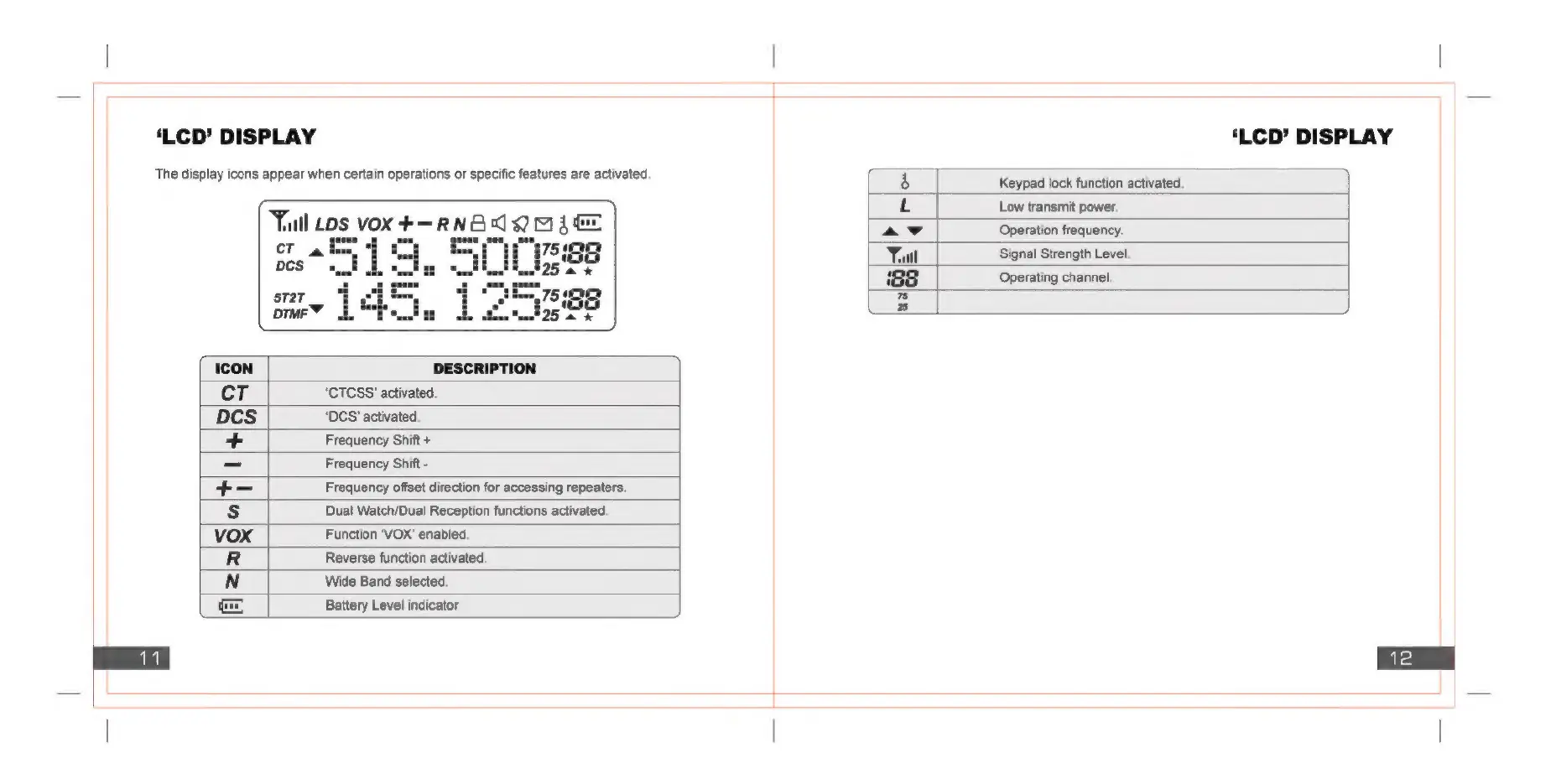
Baofeng UV82 - LCD Display Icons; Icon Definitions; LCD Display Indicators; Indicator Explanations

Baofeng UV82
17 pages
Print Icon
To Next Page IconTo Next Page
To Previous Page IconTo Previous Page
Loading...
‘LCD’
DISPLAY
‘LCD’
DISPLAY
The
display
icons
appear
when
certain
operations
or
specific
features
are
activated.
ry
aml
Maia
ff
Low
transmit
power.
Yul
LDS
VOX
#+—RN
ne
q
2!
[a]
ae
ay
Operation
frequency.
CT
a
=|
iS
ml
WY
Yul
Signal
Strength
Level.
pcs
ol
gs
tl
aim
is!
=
oo
;
=
iss
Operating
channel.
7
Bs
ICON
DESCRIPTION
CT
‘CTCSS'
activated.
DCs
‘DCS
activated,
+
Frequency
Shift
+
=
Frequency
Shift
-
+=
Frequency
offset
direction
for
accessing
repeaters.
&
Dual
Watch/Dual
Reception
functions
activated.
vox
Function
‘VOX’
enabled.
R
Reverse
function
activated.
N
Wide
Band
selected.
ie
Battery
Level
indicator

Related product manuals