6.5.1 Charger panel
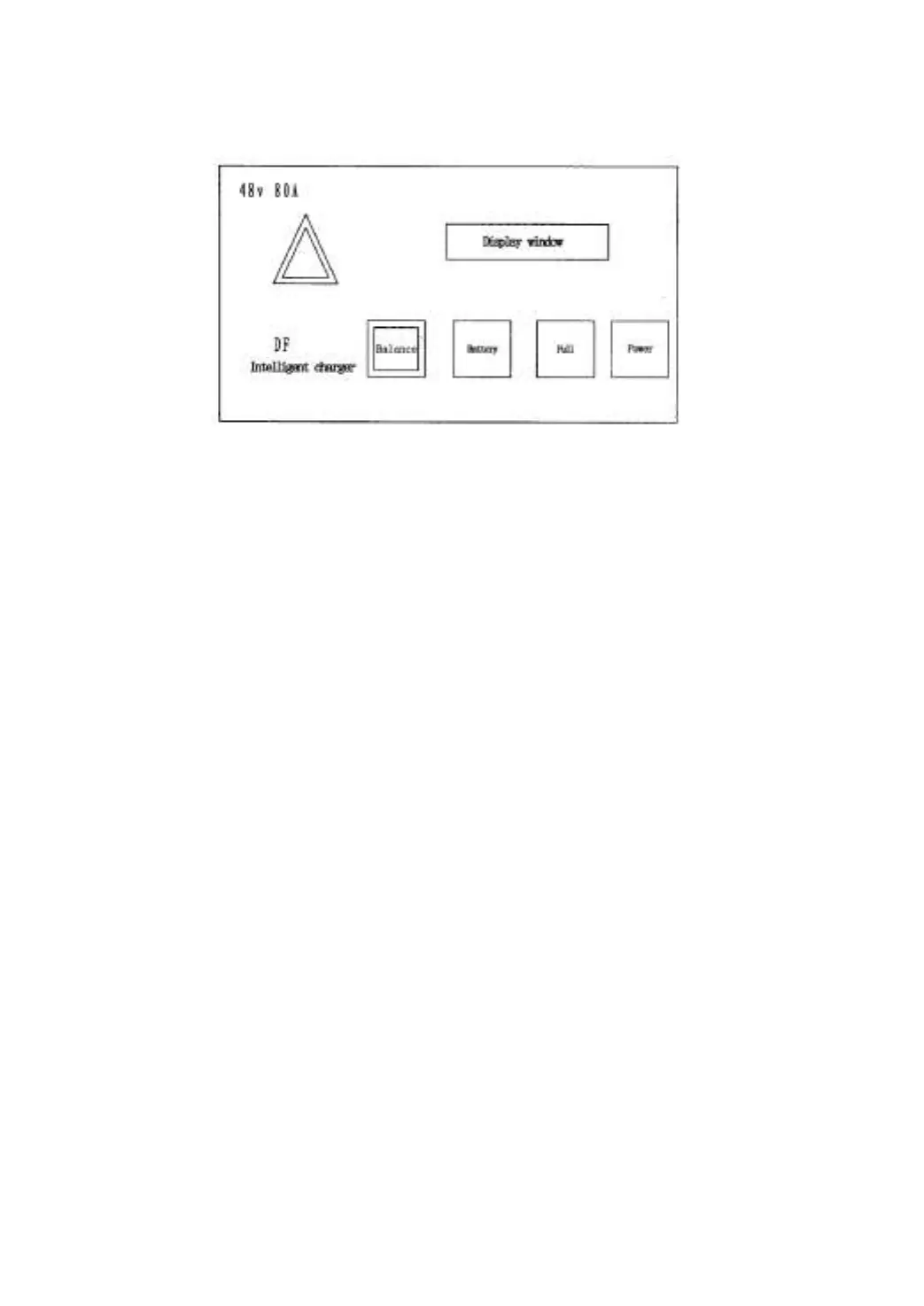
(1) When connect to power and turn switch, “Power” indication lamp lights.
(2) When the battery quantity is full, “Full” indication lamp lights.
(3) When the battery needs balanced charging, press “Balance” button and connect
power, “-JH-”displays on the display screen, when pressing the button again, the charger
restores to normal.
6.5.2 Usage of the charger and charging method
(1) Daily charging
When the under voltage warning of the battery displays on the liquid crystal displayer,
please charge in time according to the following essentials:
(a) Park the truck at appointed place. Turn the key switch on “OFF” position and
connect the battery. When replace the battery, sling it from the truck as rules.
(b) Confirm the input voltage and frequency of the charger, select appropriate the
switch socket matched with the battery.
(c) The minimum quantity of electrolyte should be kept, the level of the electrolyte
must be higher than guide plate for 15-20mm, or be in the scale range ruled by vent plug.
(d) Correctly connect the plug of the battery with relevant charger.
(e) Turn on the switch, the charger displays system’s version,the voltage of battery
and the maximum charging current of charging. The charger begins to give an automatic
test.
(f) After testing, the charger enters formal charging procedure, scroll displaying as
follows: voltage [**.*U], current [**.*A], charging time [H**.**] (indicating **hour**minute)
and ampere-hours charged [***AH].


 To Next Page