16
P15 Setpoint for the soft start function
Setpoint, in engineering units, of the “Soft start” function
(output power limiting). At instrument start up, if the
measured value is lower than the programmed setpoint,
the instrument will automatically enable the output limiter
(see OLH parameter), and it maintans this limit for a time
programmed by tOL parameter. At instrument start up,
if tOL parameter is equal to InF, the P15 setting has no
effect.
P16 Current measurement
OFF = Current measurement disabled.
n.O. = Current will be measured during the ON
period (logic status 1 for SSR or contact NO
for relay output).
n.C. = Current will be measured during the OFF
period (logic status 0 for SSR or contact NC
for relay output).
P17 Current transformer range
Available only when P16 is different from off.
10 = 10 Amps (resolution 0.1 A)
25 = 25 Amps(resolution 1 A)
50 = 50 Amps (resolution 1 A)
100 = 100 Amps (resolution 1 A)
P18 Safety lock
0 = Safety lock is always disabled.
1 = Safety lock is always enabled.
2 to 499 = SP can be modified. This numeric password
is used to access the other modifiable
parameters.
500 to 999 = SP, A1 and A2 can be modified. This
numberic password is used to access the
other modifiable parameters.
The configuration procedure is now complete. The
instrument should show “-.-.-.” on both displays. Press
the FUNC key; the instrument will return to the beginning
Advanced Configuration Procedure
P19 Main output
Available only when P4 = H.
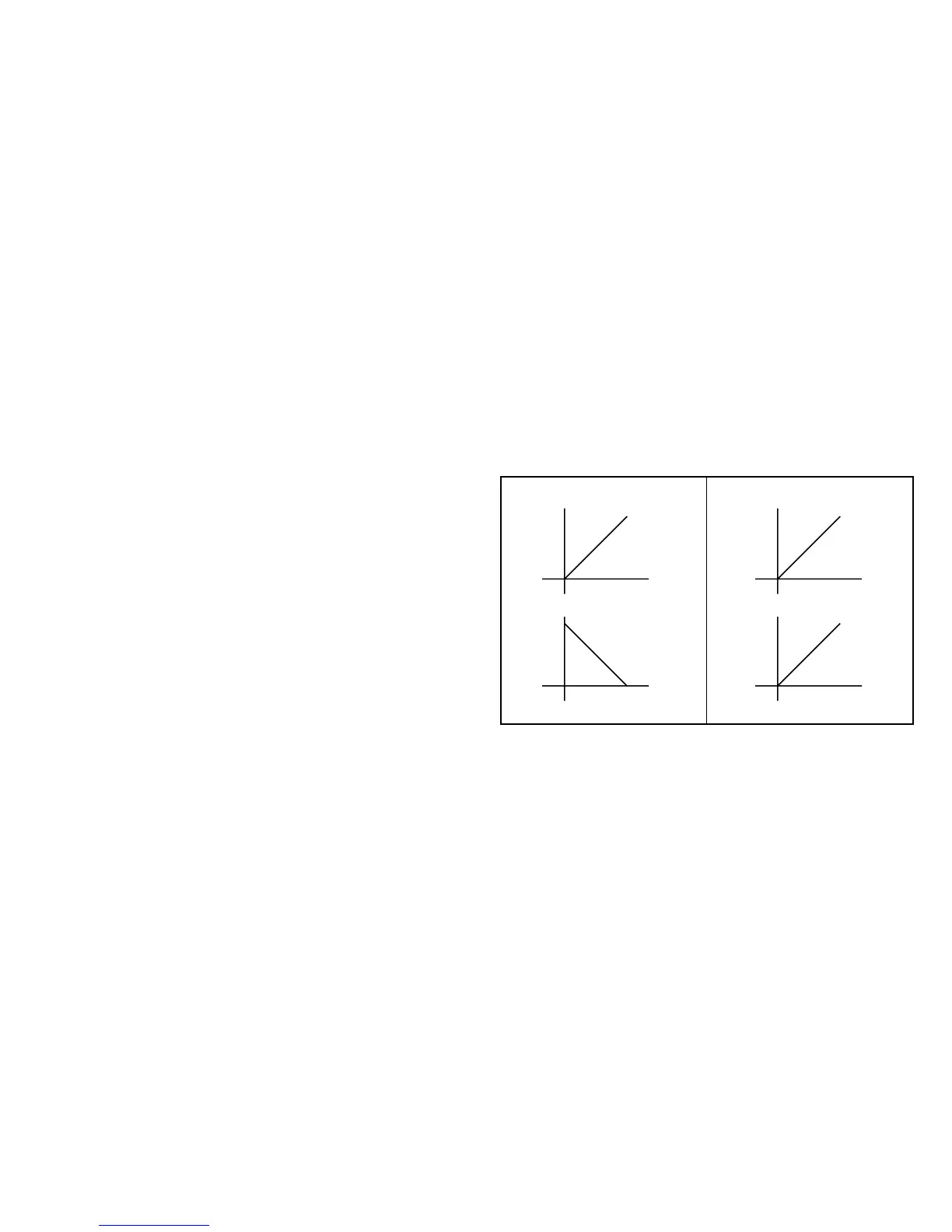
r = Reverse (heating).
d = Direct (cooling).
NOTE: When P4 = Hc, P19 parameter is equal to “r”
Reverse Acting
Input
Time
Direct Acting
Output
Time
Input
Time
Output
Time
P21 Action of the alarm 1 relay
Available only when P7 is different from 0 and P4 = H
r = Reverse action (relay de-energized in alarm
condition).
d = Direct action (relay energized in alarm
condition).
P22 Action of alarm 2 relay
Available only when P10 is different from 0 and P16 is
not • OFF.
r = Reverse action (relay de-energized in alarm
condition).
d = Direct action (relay energized in alarm
condition).
of the configuration procedure. To continue with
controller set-up go to the operating mode found in the
next section. To access the advanced configuration
parameters proceed as follows:
1) Use the s and t keys to enter 217 on the display.
2) Press the FUNC key.


 To Next Page