Manual 2100-680
Page 8 of 18
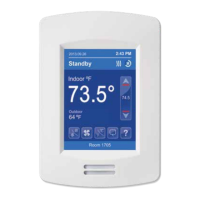
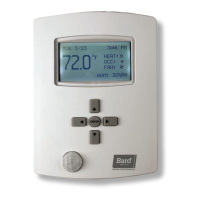
HOME SCREEN DISPLAY
NOTE: User Home Menu and Interface (HMI) is configurable and allows display
functions such as outdoor temperature, setpoint and other buttons to be
enabled or disabled by setting various parameters in the setup screens.
Typical Hospitality User Interface Shown
* What is displayed is dependent on the User Home Menu and Interface (HMI) selected
during the setup process. See BrightStat Advance Programming & User Interface Setup
Guide 2100-681.
Time
System Status
Fan Status
Up Arrow
Increase Temperature
Setpoint
Actual Setpoint
Down Arrow
Decrease Temperature
Setpoint
Help
Language Selection
Temperature Units
Fan Mode
Date
Occupancy Status
Indoor Temperature
Outdoor Temperature
System Mode
Short Network Message
Custom Display Message



 To Next Page