Manual 2100-680
Page 9 of 18
HOW TO ENTER SET-UP SCREEN
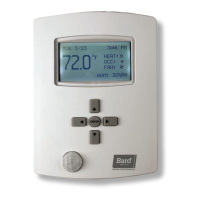
Touch and hold this point
for 3 seconds to enter set-up mode.
SET-UP SCREEN DISPLAY
Return to
home screen
General Note
1/2 Setup
Network
Configuration
Setpoints - Display
Service View
Test Outputs
Language Selection
Adjustable parameter
Non-adjustable parameter
NOTE: If a configuration/installer
password is activated to prevent
unauthorized access to the
configuration menu parameters,
a password entry prompt shows
to prevent access to device
configuration components.
Controller is shipped without
password protection.
Discover Mode
The controller becomes
discoverable on the wireless
ZigBee
®
network for 1 minute (this
button is hidden if ZigBee
®
settings
are not configured).
Enter BACnet
®
and ZigBee
®
network settings
Enter parameter configuration menu
Enter setpoint and display settings
Enter output testing mode
Enter status and service view
NOTE: The "Network" button does not show if no
BACnet
®
or ZigBee
®
card is installed.
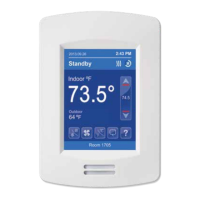
For more information on using and
configuring the functions of the thermostat,
refer to the BrightStat User Interface Guide
2100-681 and BrightStat User Interface
Quick Start Guide 2100-679.
Enter language selection



 To Next Page