TECH600 User Guide 2020
25 | P a g e
TPMS DESKTOP
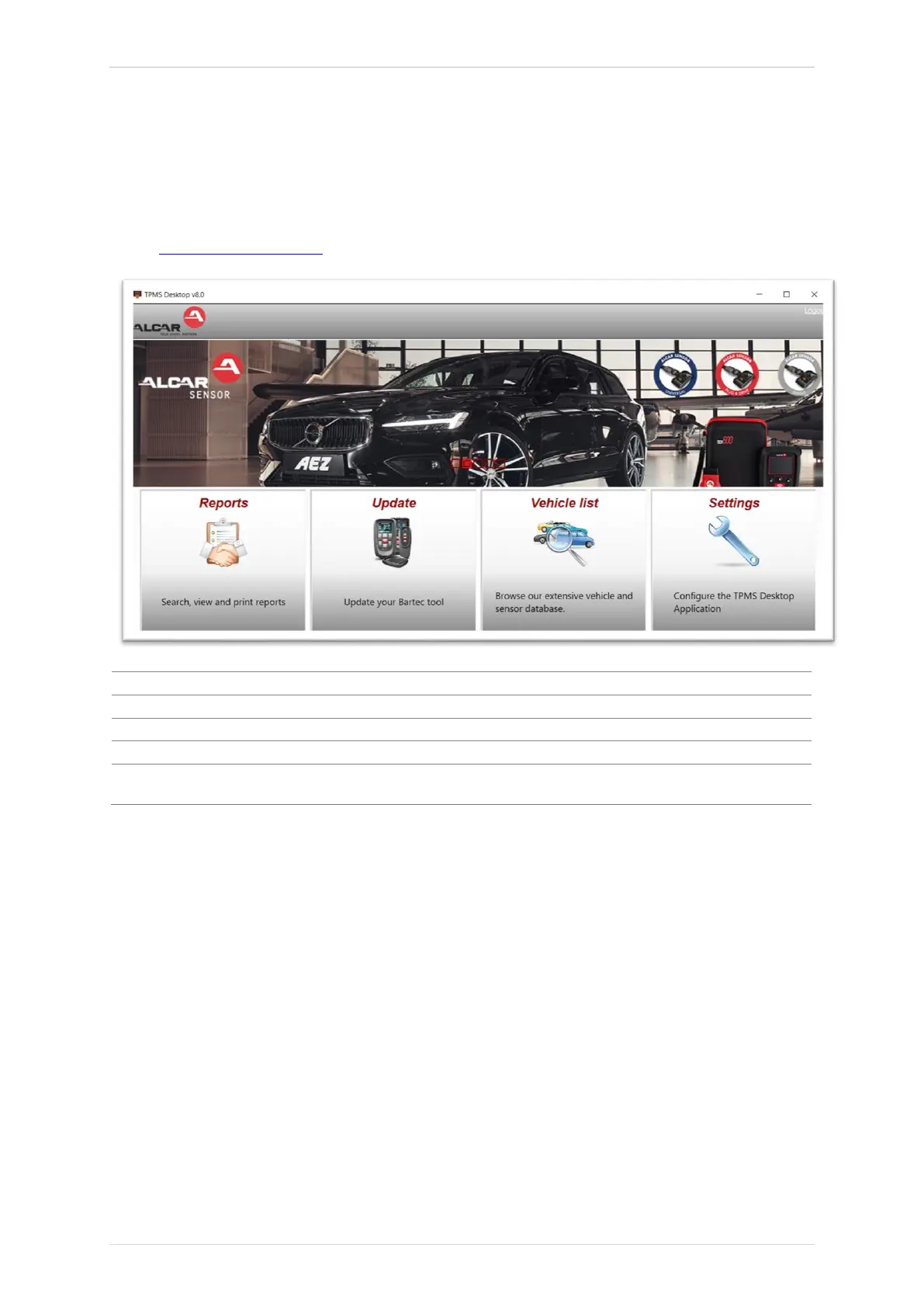
The TPMS Desktop provides revolutionary technology to help
manage Bartec TPMS tools on a PC. The TPMS Desktop is designed to work with the following
Bartec tools; TECH400, TECH500, TECH600, TECH300, and the TAP100/200.
Go to www.tpmsdesktop.eu to download your FREE copy now!
Complete job reports recorded and stored when needed
Automatically retrieve update files from the current registered account
Lookup TPMS information for a vehicle quickly and easily
Configure settings for Bluetooth and WiFi configuration
Software available to display vehicle details, tyre pressure and tread depth
readings on a TV or Monitor for Tyre shop garages or waiting rooms
REPORTS
Search, view and print job reports. This preformatted and detailed record contains the
necessary job information needed for users and customers! To sort or filter reports by date,
make, model and year. Or to print a report and attach it to the invoice as proof of work
completed. Reports can be used to create customer receipts and limit liability.
UPDATE
Register and update the Bartec Tool with the latest software. This feature helps to keep control
of all tools in use and updates them with the most current software available. Simply connect
the tool to a PC with TPMS Desktop installed and click
Update
. This is the preferred method
for updating the TECH600.



 To Next Page