Internet modem
Bascom Recorder
1. Installing the software / How to login
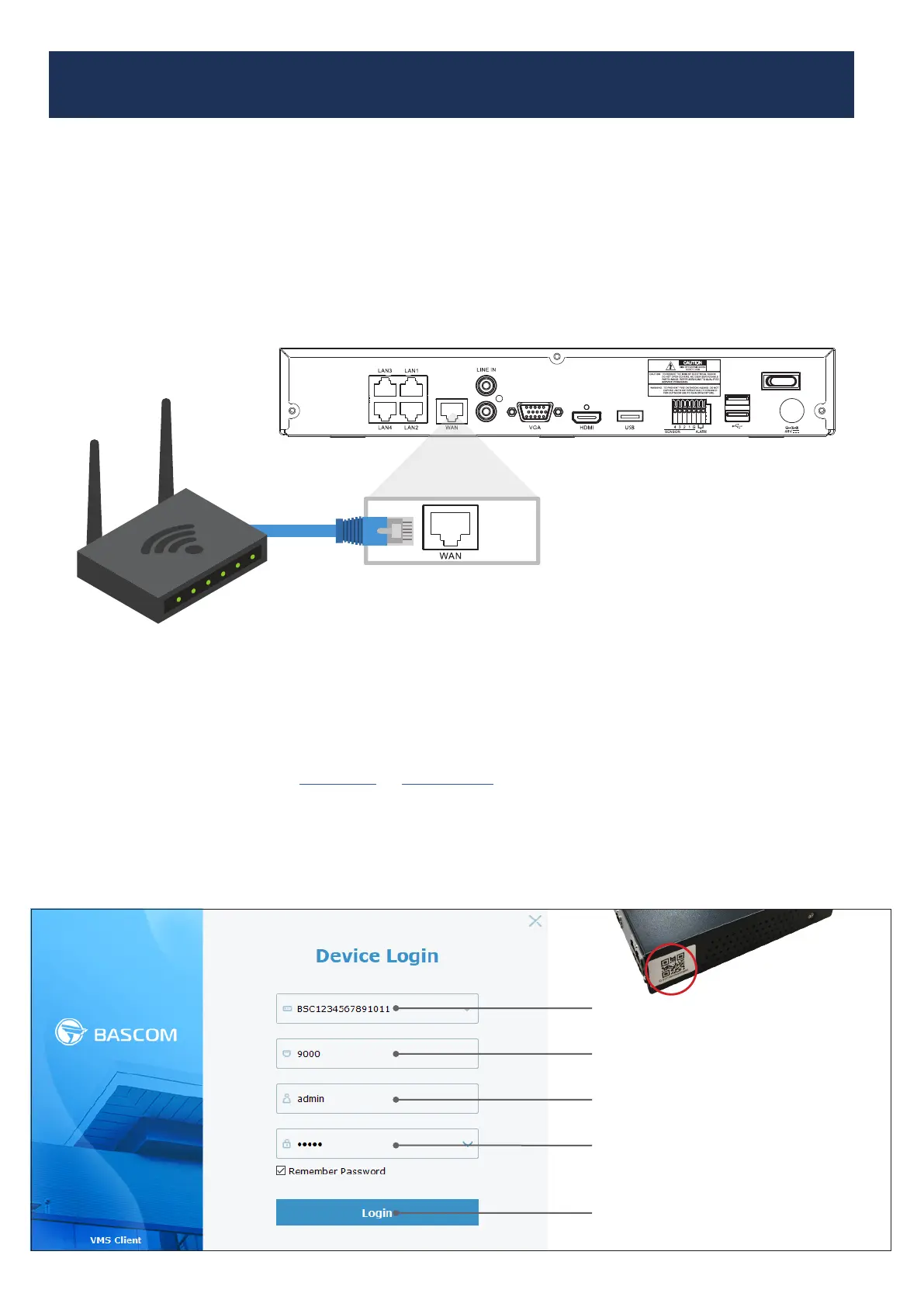
Step 1 Connect the recorder to the internet
Connect the recorder with a networkcable to your modem or router (the ‘box’ from your internet).
Use these connections:
• On the recorder: Internet or WAN
• On your router or modem: Ethernet or LAN
Step 2 Install the software
Download your software for : Windows or Apple OS X.
Step 3 Open the software
BSC1234567891011
Enter the code that is displayed under the QR code on the left side
of your recorder. This code always starts with RSV or BSC.
admin
The default password is “admin”
Click “Login” to connect
admin
The default username is “admin”
9000



 To Next Page