6 | Operating functions Baumer
22 Operating Manual PA408 | V1
6.5 Protect programming level via code
The programming can be protected against unwanted changes by a code:
n
Complete
n All configuration modules are protected. The various configuration modules can be visu-
alized but not edited.
n When entering programming mode, [DAtA] is displayed instead of [Pro].
n
Partial
n You can select which configuration modules are to be protected. The protected configu-
ration modules can be visualized but not changed.
n When entering programming mode, [DAtA] is displayed instead of [Pro] if a protected
configuration module is selected.
Enter or change code
Instruction:
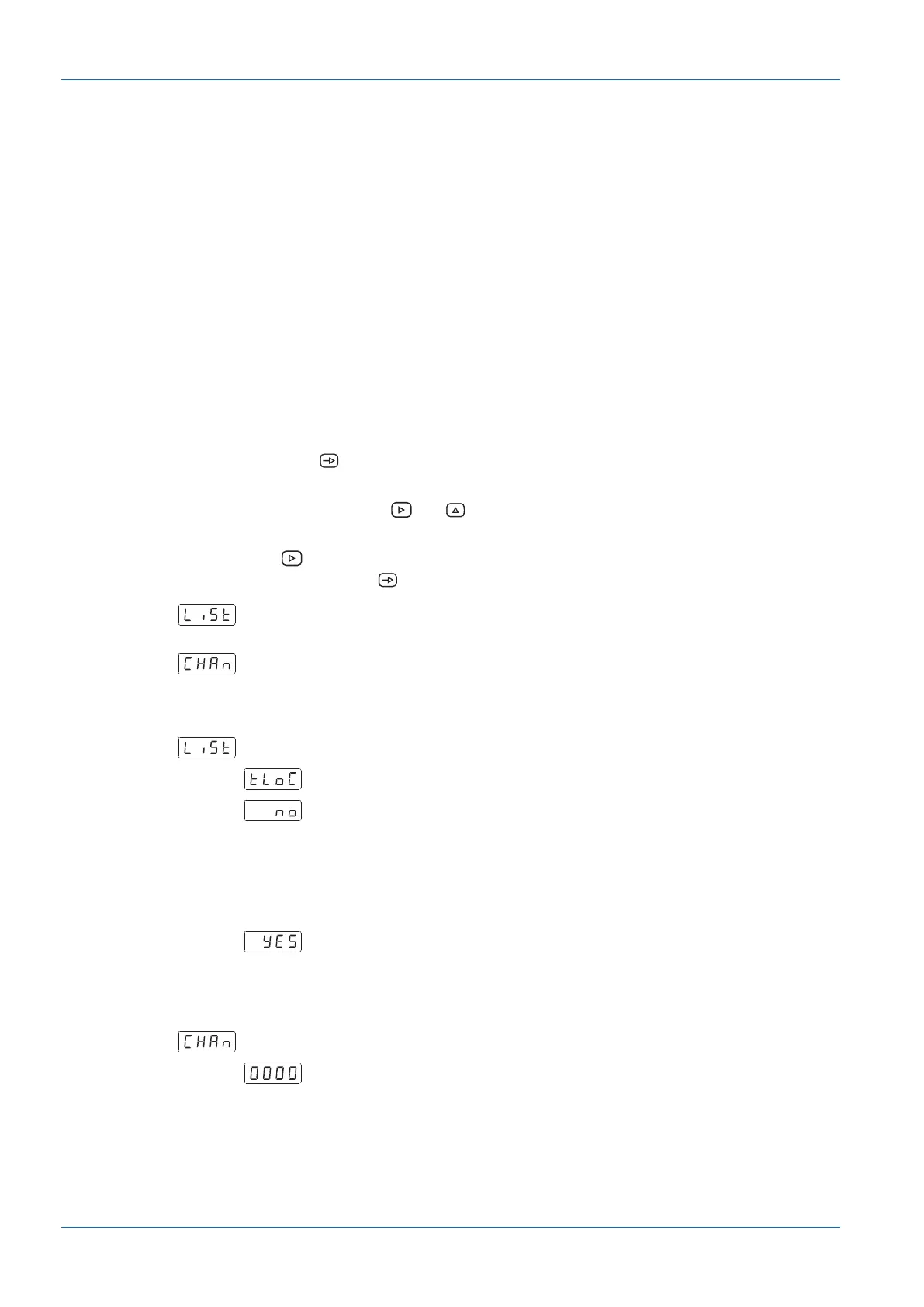
a) Press the button for 3 seconds.
ü [CodE] appears in the display.
b) Enter the code by pressing and . The factory-set code on delivery of the device is
0000.
c) Use button to switch to and fro between the functions described below. Select the de-
sired function with button .
Selecting [LiSt] you can define in the following lines which configuration modules
are protected by code against unauthorized access.
Change code
Configuration module protection
All locked
No, the various configuration modules can be individually protected.
In the next step, here is to specify which configuration module is protected
by 0 or 1 or not protected at all.
n
no: configuration module not protected
n
yes: configuration module protected
Yes, all configuration modules are protected against modification and de-
vice exits the programming level.
Change code
Change the code here, the new code is saved into the device and you exit
programming level.


 To Next Page