5 | Interfaces Baumer
12 Operating Manual PA408 | V1
5 Interfaces
This section describes the interfaces via which you can communicate with the device.
All functions can be set directly on the device via the display and the membrane buttons.
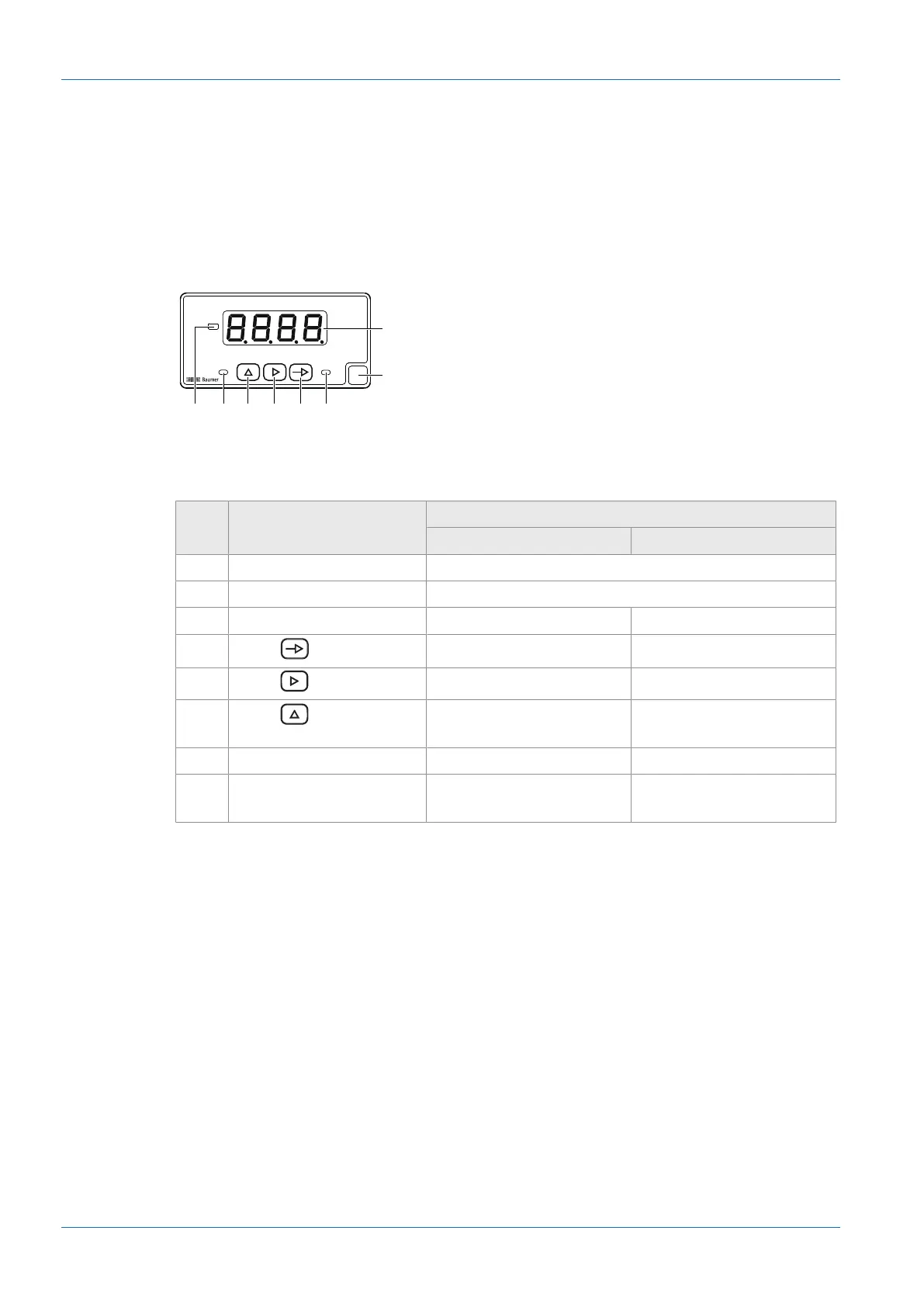
5.1 LED indicator
The device's LED display makes it easy to operate and monitor measured values.
After power on the device is in RUN mode. The current value (actual value) is displayed.
Mode PROG enables the entire device configuration.
No. Designation
Function in mode
RUN PROG
1 Display 4-digit LED display
2 Label Position for unit sticker
3 LED 2 Output 2 active
4
Button
Call mode PROG Programming line selection
5
Button
MIN/MAX display Digit/Function selection
6
Button
– Incrementing the selected
digit
7 LED 1 Output 1 active
8 LED plus/minus sign Enabled with negative dis-
played values
Enabled with negative input
values


 To Next Page