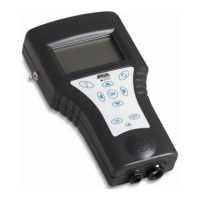
2.1 Updating the device software of the CU control unit
The update process including automatic restart of the CU control unit takes approximately 5
minutes.
Ensure that the batteries are fully charged, and stay with the device throughout the entire
update process.
Required equipment
Empty USB drive (FAT32 file system)
Current device software as ZIP file
You can download the ZIP file from the BAUR website: http://www.baur.eu
The zip file contains all the files you need to update the CU and AGP device software,
and the update and maintenance manual.
protrac® screwdriver (included in standard delivery)
USB adapter cable
Procedure
1. Unzip the ZIP file to the USB drive.
Important: The CU device software can only be updated using the USB drive.
2. Open the battery compartment of the CU carefully. Ensure that the batteries do not fall
out.
3. Connect the USB adapter cable to the mini USB port in the battery compartment.
4. Switch on the CU and wait until the home screen is displayed.
5. Connect the USB drive to the USB adapter cable.
The update process starts automatically, after which the CU is automatically restarted.
This process can take 2–3 minutes.
6. Remove the USB drive and the USB adapter cable and close the battery compartment.


 To Next Page