– 14 –
OPERATING PARAMETER SETUP
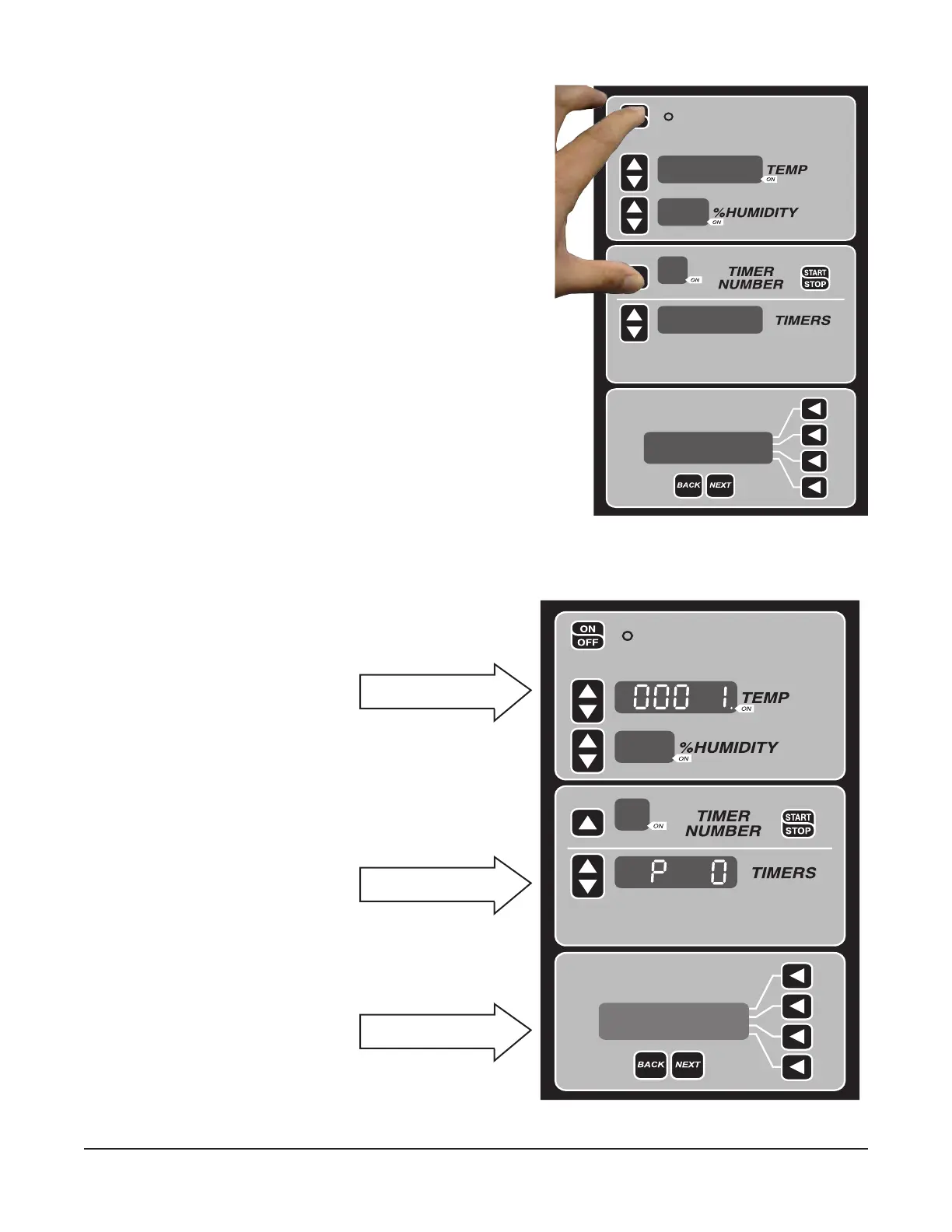
• Press and hold the TIMER NUMBER arrow button.
• Press ON/OFF button. (Fig. 20).
NOTE: If timer keys are not available the parameter setup
can be accessed pressing simultaneously the HUMIDITY
UP button and the ON/OFF button.
Fig. 20
After entering parameter setup
mode (Fig. 21), the LCD panel
shows function of each parameter
denition. For more information on
parameter value, see the parameter
value chart to understand each
parameter value.
PARAMETER SETUP
Software Version
Fig. 21
Press up or down button
to enter new value.
Press up or down button to
select parameter number.
LCD displays function or
each parameter number.


 To Next Page