EasyManua.ls Logo

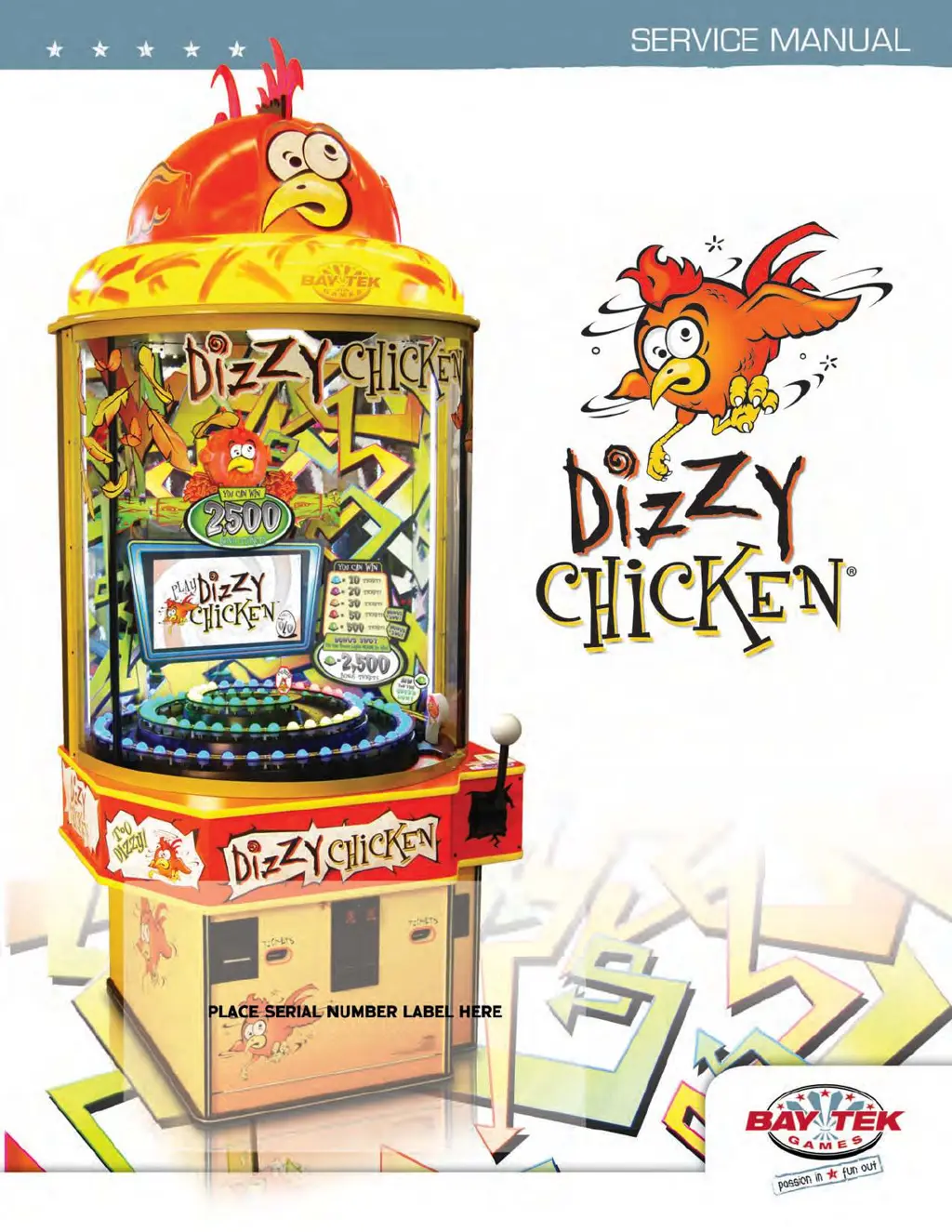
Bay Tek Games DIZZY CHICKEN - User Manual

Bay Tek Games DIZZY CHICKEN
79 pages
Print Icon
To Next Page IconTo Next Page
Loading...
1

Questions and Answers

  • A
    Andre DawsonNov 24, 2025
    Why is the dollar bill acceptor not working on my Bay Tek Games DIZZY CHICKEN?
    • A
      Amy RichardsNov 24, 2025
      If your Bay Tek Games Arcade Game Machine is not accepting dollar bills, ensure the bill acceptor is set to “Always Enable”. The acceptor should cycle the stacker at game power up. If it does not, check the cable connections. Also, check for power to the bill acceptor. Remove any dirt or debris from the acceptor slot, and inspect the wiring for any pinches, breaks, or disconnections. You can also clean the bill acceptor using a bill reader cleaning card (A5CC9000). Check the wiring from the bill acceptor to the Main Board (AACE9109), repair or replace the wiring harness, and check the J9 connector on the Main Board to make sure the wires are secure in the connectors. For more details, refer to the troubleshooting section of the dollar bill acceptor manual included with the game or the diag...
  • E
    Elizabeth HillAug 25, 2025
    What to do if monitor shows no signal then black on Bay Tek Games DIZZY CHICKEN?
    • A
      Anna BautistaAug 25, 2025
      If the monitor of your Bay Tek Games Arcade Game Machine displays a 'No Signal' message and then goes black, this could be due to several reasons. Check the power supply for 12 Volts and ensure the green LED on the motherboard is lit. Also, check if the monitor VGA cable is unplugged or faulty. Inspect the RAM for any faults or looseness. Finally, verify that both the large power connector and the small 12 Volt power connector are securely plugged into the motherboard. For further diagnostics, refer to the Monitor/Motherboard Power Supply Diagnostics.
  • T
    teresa68Aug 27, 2025
    How to fix ticket dispensing problems on Bay Tek Games DIZZY CHICKEN?
    • K
      Kelly WangAug 27, 2025
      If your Bay Tek Games Arcade Game Machine is not dispensing tickets or is dispensing the wrong amount, and the tickets shown on the monitor do not match the tickets coming out of the game, start by blowing dust from the sensor and cleaning it with isopropyl alcohol. Then, replace the dispenser with a working one to isolate the problem. Flip the tickets and load them upside-down so the large cut notch faces the opto sensor. Check the connectors from the ticket dispensers to the MiniGen board for continuity using cables AACE3219 and AACE1302. If problems persist, replace the MiniGen board (AANEWGEN1-PJ).
  • R
    robertrobinsonAug 27, 2025
    What to do if monitor shows no boot device on Bay Tek Games DIZZY CHICKEN Arcade Game Machines?
    • K
      Kathleen WilsonAug 27, 2025
      If your Bay Tek Games Arcade Game Machine shows 'No Boot Device' on the screen, it means the small clip-in hard drive is not being detected by the computer. Try pushing on the spring clip and gently remove the hard drive from the motherboard, then reinstall it and power on the game. You can also try installing it in a different slot on the motherboard. If the issue persists, replace the hard drive (A5HD1800) or the motherboard (AAMB7-HD).
  • E
    Emily ShannonAug 29, 2025
    Why is everything off except AC light and bill acceptor on Bay Tek Games DIZZY CHICKEN?
    • M
      mccannstacyAug 29, 2025
      If the AC Light and Bill Acceptor are on, but everything else is off on your Bay Tek Games Arcade Game Machine, the power supply might not be on. Ensure the unit is plugged into the power strip and the rocker switch is set to ON. It could also be that the power supply is shutting down due to a 12V overload or a faulty power supply. To isolate a bad component, refer to the power supply diagnostics. A bad motor or a 12 volt short could be the cause.
  • J
    Justin NielsenSep 18, 2025
    Why ball release stays open all the time on Bay Tek Games Arcade Game Machines?
    • J
      Jennifer AndersonSep 18, 2025
      If the ball release stays open all the time on your Bay Tek Games Arcade Game Machine, check for 6 Volts on the solenoid. Inspect the linkages on the solenoid to ensure it is not jammed.
  • S
    Steven PattersonSep 15, 2025
    What to do if tilt alarm not going off on Bay Tek Games Arcade Game Machines?
    • J
      Jessica GonzalesSep 15, 2025
      If the Tilt Alarm is not going off on your Bay Tek Games Arcade Game Machine, check the cables from the Plumb Bob to the MiniGen board for continuity using cable AACE1300. If the alarm now works, replace the Plumb Bob (A5TI1001). If the alarm still doesn’t work, replace the Minigen Board (AANEWGEN1-PJ).
  • P
    paula80Sep 16, 2025
    Why ball does not release on Bay Tek Games DIZZY CHICKEN Arcade Game Machines?
    • T
      Tracy WilliamsSep 16, 2025
      If the ball does not release on your Bay Tek Games Arcade Game Machine, check for 6 Volts on the solenoid in the test. The solenoid should have 13 Ohms across the leads. Inspect the cable from the solenoid to the MiniGen board (J24) using cable part #’s: AACE1307, AACE1300. If issues persist, replace the main board (AANEWGEN1-PJ).
  • A
    albertjohnsonSep 7, 2025
    What to do if monitor shows anything else other than Prize Hub program on Bay Tek Games DIZZY CHICKEN?
    • N
      nicholasenglishSep 7, 2025
      If the monitor displays anything other than the Prize Hub program on the screen of your Bay Tek Games Arcade Game Machine, it indicates that the motherboard is having trouble loading or running the program. Check that the small 12 Volt power connector and the large power connector are securely plugged into the motherboard. Also, check for faulty or loose RAM. If the problem persists, the motherboard may be faulty and need to be replaced (AAMB7-HD).
  • T
    Timothy WilliamsonSep 4, 2025
    Why is my Bay Tek Games DIZZY CHICKEN Arcade Game Machines not coining up?
    • D
      Daniel MooreSep 4, 2025
      If your Bay Tek Games Arcade Game Machine is set to a large amount of credits per game it will not coin up. Ensure the game makes a sound when the coin switch is triggered. Check the coin switches to ensure they are both wired normally open. If one switch is closed, the other will not work. Check the wiring to the main board using cable AACBL4A-DOOR-DC, AACE1303. Refer to the 'No Communication between boards' troubleshooting section. Check the Game Setup Menu to ensure Coins/Credits per Game is set. The default is 4.

Summary

Factory Contact Information

Join Our Service First Network

Information on joining the Bay Tek service network for game updates and notifications.

Welcome to Dizzy Chicken

Game Inspection Procedure

Procedure for inspecting the game for damage upon receipt and initial setup.

How to Play Dizzy Chicken

Game Specifications

Safety Precautions and Warnings

Height Modification Options

Marquee Modification Guide

Quick Setup Guide

DIP Switch Settings

Main Menu Functions

Credits Per Game

Setting the number of credits required to start a game.

Master Volume

Adjusting the overall sound volume for the game.

Game Volume

Setting the sound volume during active gameplay.

Attract Volume

Setting the sound volume when the game is in attract mode.

Divide Tickets By 2

Option to dispense one ticket for every two tickets won.

Game Settings - Payout and Timeout

Fixed Ticket Payout

Setting a fixed number of tickets paid per game.

Game Time-Out

Configuring the time limit for a player's turn.

Clear Credits

Procedure to reset all credits on the game.

Clear Tickets

Procedure to reset all accumulated tickets.

Game-Specific Options

Bonus Zone Light Count

Adjusting the number of red lights in the bonus zone.

Blue Ticket Value

Setting ticket payout for landing on blue lights.

Purple Ticket Value

Setting ticket payout for landing on purple lights.

Game-Specific Ticket Values

Orange Ticket Value

Setting ticket payout for landing on orange lights.

Red Ticket Value

Setting ticket payout for landing on red lights.

Green Ticket Value

Setting ticket payout for landing on green lights.

Green Bonus Ticket Value

Setting ticket payout for bonus round landing on green.

Bonus Round

Enabling or disabling the bonus round feature.

Default Ticket Payout Settings

Alternate Ticket Payout Settings

Statistics

Diagnostics Menu

Solenoid (Ball Release) Test

Testing the ball release mechanism for proper function.

Spiral Color Test

Testing playfield lights for dim or burned-out LEDs.

Camera Menu

Auto Align Camera

Procedure to calibrate the camera for accurate ball tracking.

Ball Position

Displays the ball's current location on the spiral track.

Minigen Board Pinout

Coin Switch;Ticket Dispenser Wiring

Buttons, Speakers, Lights Wiring

AC; Power Supply Wiring

AC Wiring Details

Motherboard Communication Wiring

Troubleshooting Guide: Power and Coin Issues

No Power or Lights

Diagnosing issues with game power and indicator lights.

Partial Game Power Issues

Troubleshooting when only some components power on.

Bill Acceptor Malfunctions

Resolving problems with the dollar bill acceptor.

Game Coin-Up Problems

Addressing issues where the game does not start with coins.

Troubleshooting Guide: Monitor and Sound

Monitor Display Issues

Diagnosing blank screens, 'No Signal', or garbled displays.

No Sound from Game

Troubleshooting audio output problems.

Troubleshooting Guide: Monitor Errors and Buttons

Monitor No Signal or Errors

Resolving monitor errors and 'No Signal' messages.

Menu Button Malfunction

Troubleshooting when the menu button is unresponsive.

Troubleshooting Guide: Boot Errors and Monitor Adjustment

Monitor Boot Device Errors

Diagnosing 'No Boot Device' or other boot-related errors.

Monitor Adjustment Issues

Fixing blurry, too bright, or dim monitor displays.

Troubleshooting Guide: Tickets and Communication

Ticket Dispensing Problems

Resolving issues with ticket dispensing amounts or failures.

Low Tickets Message

Addressing 'Low Tickets' messages on the monitor.

Board Communication Faults

Diagnosing communication failures between game boards.

Glitching Monitor or Audio Issues

Troubleshooting monitor glitches and audio feedback.

Troubleshooting Guide: Playfield Lights

Playfield Light Color Variations

Diagnosing issues with incorrect or varied light colors.

Playfield Lights Not Working

Troubleshooting when playfield lights do not illuminate.

Troubleshooting Guide: Alarms and Mechanisms

Tilt Alarm Issues

Resolving frequent or absent tilt alarm triggers.

Ball Release Mechanism

Troubleshooting ball release solenoid and engagement problems.

Ticket Meter Problems

Diagnosing issues with the ticket meter function.

Troubleshooting Guide: Meters and Camera

Game and Coin Meter Issues

Troubleshooting game and coin meter counting errors.

Ball Score and Camera Detection Errors

Diagnosing incorrect ball scoring or camera detection failures.

Power Supply Diagnostics

Bill Acceptor Diagnostics

How to Access Ball Release

How to Recalibrate Camera

Parts Pictures - Components

Parts Pictures - Decals

Parts Pictures - Miscellaneous

Decal Identification

Mainboard Pinout Diagram

Mainboard Pinout Guide - Connectors J22, J24, J5, J9

Mainboard Pinout Guide - Connectors J21, J29

Maintenance Log

Technical Support and Repair Options

Warranty Information

Warranty Terms and Conditions

Details of the game's warranty coverage and conditions.

Non-Warranty Services and Fees

Information on services and charges for non-warranty repairs.

Replacement Ticket Patterns - Group A

TixPat A5: 1;2;4;20;100

Ticket payout pattern for 5 lights, 3-4 average tickets.

TixPat A7: 2;3;5;8;100

Ticket payout pattern for 7 lights, 3-4 average tickets.

TixPat A10: 1;2;4;8;100

Ticket payout pattern for 10 lights, 3-4 average tickets.

Replacement Ticket Patterns - Group B

TixPat B5: 4;8;12;16;20 BONUS 500

Ticket payout for 5 lights, 6-9 average tickets.

TixPat B7: 4;8;10;16;20 BONUS 100

Ticket payout for 7 lights, 6-9 average tickets.

TixPat B10: 4;8;10;16;20 BONUS 50

Ticket payout for 10 lights, 6-9 average tickets.

Replacement Ticket Patterns - Group C

TixPat C5: 8;10;15;30;50 BONUS 1000

Ticket payout for 5 lights, 10-13 average tickets.

TixPat C7: 6;8;15;30;50 BONUS 500

Ticket payout for 7 lights, 10-13 average tickets.

TixPat C10: 6;8;15;20;50 BONUS 100

Ticket payout for 10 lights, 10-13 average tickets.

Replacement Ticket Patterns - Group D

TixPat D5: 10;16;20;40;100 BONUS 2500

Ticket payout for 5 lights, 14-20 average tickets.

TixPat D7: 10;16;20;40;100 BONUS 1000

Ticket payout for 7 lights, 14-20 average tickets.

TixPat D10: 8;10;20;40;100 BONUS 500

Ticket payout for 10 lights, 14-20 average tickets.

Replacement Ticket Patterns - Group E

TixPat E5: 10;20;30;50;500 BONUS 2500

Ticket payout for 5 lights, 24-28 average tickets.

TixPat E7: 10;20;30;50;500 BONUS 1000

Ticket payout for 7 lights, 24-28 average tickets.

TixPat E10: 10;20;30;50;250 BONUS 500

Ticket payout for 10 lights, 24-28 average tickets.

Replacement Ticket Patterns - Group F

TixPat F5: 10;20;50;100;500 BONUS 5000

Ticket payout for 5 lights, 30-36 average tickets.

TixPat F7: 10;20;30;100;500 BONUS 2500

Ticket payout for 7 lights, 30-36 average tickets.

TixPat F10: 10;20;40;50;500 BONUS 1000

Ticket payout for 10 lights, 30-36 average tickets.

Replacement Ticket Patterns - Group G

TixPat G5: 10;20;40;500;1000 BONUS 5000

Ticket payout for 5 lights, 48-54 average tickets.

TixPat G7: 10;20;50;200;1000 BONUS 2500

Ticket payout for 7 lights, 48-54 average tickets.

TixPat G10: 10;30;50;150;500 BONUS 1000

Ticket payout for 10 lights, 48-54 average tickets.

Replacement Ticket Patterns - Group H

TixPat H5: 10;30;100;500;1000 BONUS 5000

Ticket payout for 5 lights, 60-66 average tickets.

TixPat H7: 10;30;100;250;1000 BONUS 2500

Ticket payout for 7 lights, 60-66 average tickets.

TixPat H10: 20;30;100;200;500 BONUS 1000

Ticket payout for 10 lights, 60-66 average tickets.

Replacement Ticket Patterns - Group I

TixPat I5: 10;20;30;40;100 BONUS 800

Ticket payout for 5 lights, 14-20 average tickets.

TixPat I7: 6;20;30;40;100 BONUS 800

Ticket payout for 7 lights, 14-20 average tickets.

TixPat I10: 4;10;20;50;100 BONUS 800

Ticket payout for 10 lights, 14-20 average tickets.

Ticket Value Graphics - Numbers (20-100)

Ticket Value Graphics - Numbers (150-500)

Ticket Value Graphics - Numbers (800-2500)

Ticket Value Graphics - Numbers (3000-10000)

Ticket Value Graphics - Numbers (3-12)

Ticket Value Graphics - Numbers (13-75)

Ticket Value Graphics - Numbers (100-2000)

Bay Tek Games DIZZY CHICKEN Specifications

General IconGeneral
BrandBay Tek Games
ModelDIZZY CHICKEN
CategoryArcade Game Machines
LanguageEnglish

Related product manuals