EasyManua.ls Logo

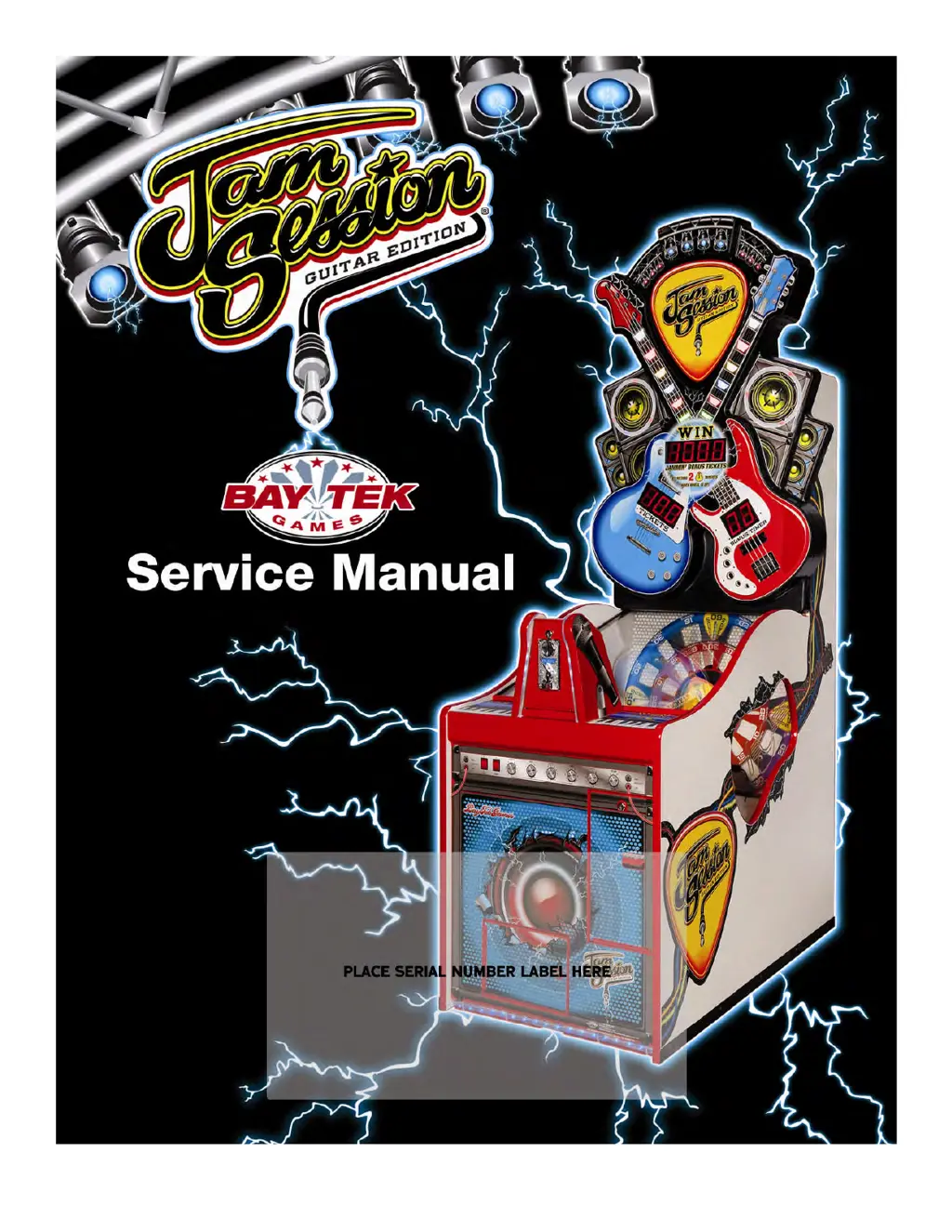
Bay Tek Games GUITAR EDITION JAM SESSION - User Manual

Default Icon
35 pages
Print Icon
To Next Page IconTo Next Page
Loading...
To Purchase This Item, Visit BMI Gaming | www.bmigaming.com | (800) 746-2255 | +1.561.391.7200

Questions and Answers

  • G
    gnealSep 9, 2025
    Why is the wheel always going up and down on my Bay Tek Games GUITAR EDITION JAM SESSION Arcade Game Machines?
    • J
      Julie TaylorSep 9, 2025
      If the wheel is always going up and down (Error 20) on your Bay Tek Games Arcade Game Machines, the lift sensor might not be seen, or the lift sensor, cable, Aux Board, or Main Board could be faulty. Clean the sensor and the shiny reflective cam. Try swapping the board from the other side and replace it if needed. Check the cables and clean the phone connector sockets. Also, check the solder connections and clean the phone jack sockets on the Aux Board. Replace the main board if necessary.
  • K
    Kathleen MaddenAug 23, 2025
    Why are tickets not dispensing correctly on my Bay Tek Games GUITAR EDITION JAM SESSION Arcade Game Machines?
    • M
      Mark JohnsonAug 23, 2025
      If tickets are not dispensing correctly from your Bay Tek Games Arcade Game Machines, the opto sensor on the ticket dispenser might be dirty. Try blowing dust from the sensor and cleaning it with isopropyl alcohol. You can also try replacing the dispenser with a working one to see if that isolates the problem. Additionally, try flipping the tickets and loading them upside-down. If the 'Tickets Owed Display' is not adding correctly, verify the menu settings and the settings on the main board. The slot sensor board may be faulty – align/clean sensors, replace the chip, or replace the board.
  • V
    Vincent HarperAug 25, 2025
    How to fix no audio on Bay Tek Games GUITAR EDITION JAM SESSION Arcade Game Machines?
    • M
      Mr. Kenneth OdomAug 25, 2025
      If there is no audio on your Bay Tek Games Arcade Game Machines, first increase the volume by entering the menu (N1 sets game volume, N2 sets attract mode on and off. Press and hold the red menu button to enter, and use the select button to change settings). Next, check the audio cable connections to the speaker and the main circuit board. A loose wire at the control or speaker, or a main circuit board malfunction could also be the cause.
  • J
    jesserayAug 27, 2025
    What to do if Bay Tek Games GUITAR EDITION JAM SESSION Arcade Game Machines displays Err 01?
    • E
      esandersAug 27, 2025
      If your Bay Tek Games Arcade Game Machines shows 'Err 01', it indicates a ticket jam. Clear the jammed tickets and re-feed them through the dispenser, ensuring they pass through the opto eye on the dispenser.
  • A
    ajohnsonAug 27, 2025
    Why doesn’t my Bay Tek Games GUITAR EDITION JAM SESSION Arcade Game Machines score?
    • M
      Mr. Robert Brown PhDAug 27, 2025
      If your Bay Tek Games Arcade Game Machines isn’t scoring, the switch in the coin mechanism might be bad, or there could be disconnected, loose, or broken wires. Try replacing the coin mechanism. Check the connectors for any issues and check for continuity. Clean the phone cable sockets.
  • P
    Phillip GarrisonAug 29, 2025
    How to fix Error 80 on Bay Tek Games GUITAR EDITION JAM SESSION Arcade Game Machines?
    • R
      rcaseAug 29, 2025
      If your Bay Tek Games Arcade Game Machines displays Error 80, and the wheel is not being detected, the sensor or decal might be dirty, or the silver decal could be ripped or dull. Also check if there is power to the sensor board. Remove the wheel and clean the optos and silver decal on the back of the wheel. Replace the decal if necessary.
  • V
    Vanessa HorneSep 17, 2025
    What to do if part of the display isn't showing on Bay Tek Games GUITAR EDITION JAM SESSION?
    • R
      Regina MullinsSep 17, 2025
      If part of a display is not showing on your Bay Tek Games Arcade Game Machines, a segment might be faulty. Replace the display board.
  • M
    Michael YoungSep 18, 2025
    Why are the upper displays not working on my Bay Tek Games Arcade Game Machines?
    • K
      Kevin HolmesSep 19, 2025
      If the upper displays are not functioning properly on your Bay Tek Games Arcade Game Machines and the displays are frozen, a previous board in the line might be faulty. The display boards are “daisy chained” together. Check the “Out” socket from the previous display, the cable, and the “In” socket on the suspect board.
  • A
    Anthony SanchezSep 8, 2025
    What does Err 20 mean on Bay Tek Games Arcade Game Machines?
    • T
      Trevor HenrySep 8, 2025
      If your Bay Tek Games Arcade Game Machines displays 'Err 20', it indicates a faulty lifter sensor, a faulty lift motor, or a faulty cable. Check for lifting at power on. Ensure nothing is binding on the assembly.
  • T
    tyrone58Sep 4, 2025
    Why does the wheel lift but not come down correctly on my Bay Tek Games GUITAR EDITION JAM SESSION?
    • J
      johnnguyenSep 4, 2025
      If the wheel lifts at power up but doesn't come back down correctly on your Bay Tek Games Arcade Game Machines, the sensor might be 'seeing' the home position too soon. The wheel may pause as it lifts, or there could be a mechanical jam in the assembly, or a faulty sensor. The sensor should only reflect off the metal cam. Ensure that the wood lifter is dull and not reflective. If the cam is too close to the sensor, back the cam away 1/16 inch. Remove the cam from the motor and manually raise and lower the wheel, making sure it slides freely. Replace the sensor if needed.

Bay Tek Games GUITAR EDITION JAM SESSION Specifications

General IconGeneral
ManufacturerBay Tek Games
CategoryArcade Game Machines
ModelGUITAR EDITION JAM SESSION
Players1-2
TypeMusic
GenreMusic
Input DeviceGuitar Controller
DisplayLCD
GameplayPlayers use a guitar controller to match notes on the screen in time with the music.
SoundStereo speakers with adjustable volume

Related product manuals