72 | CERAMIC PILOT
EN
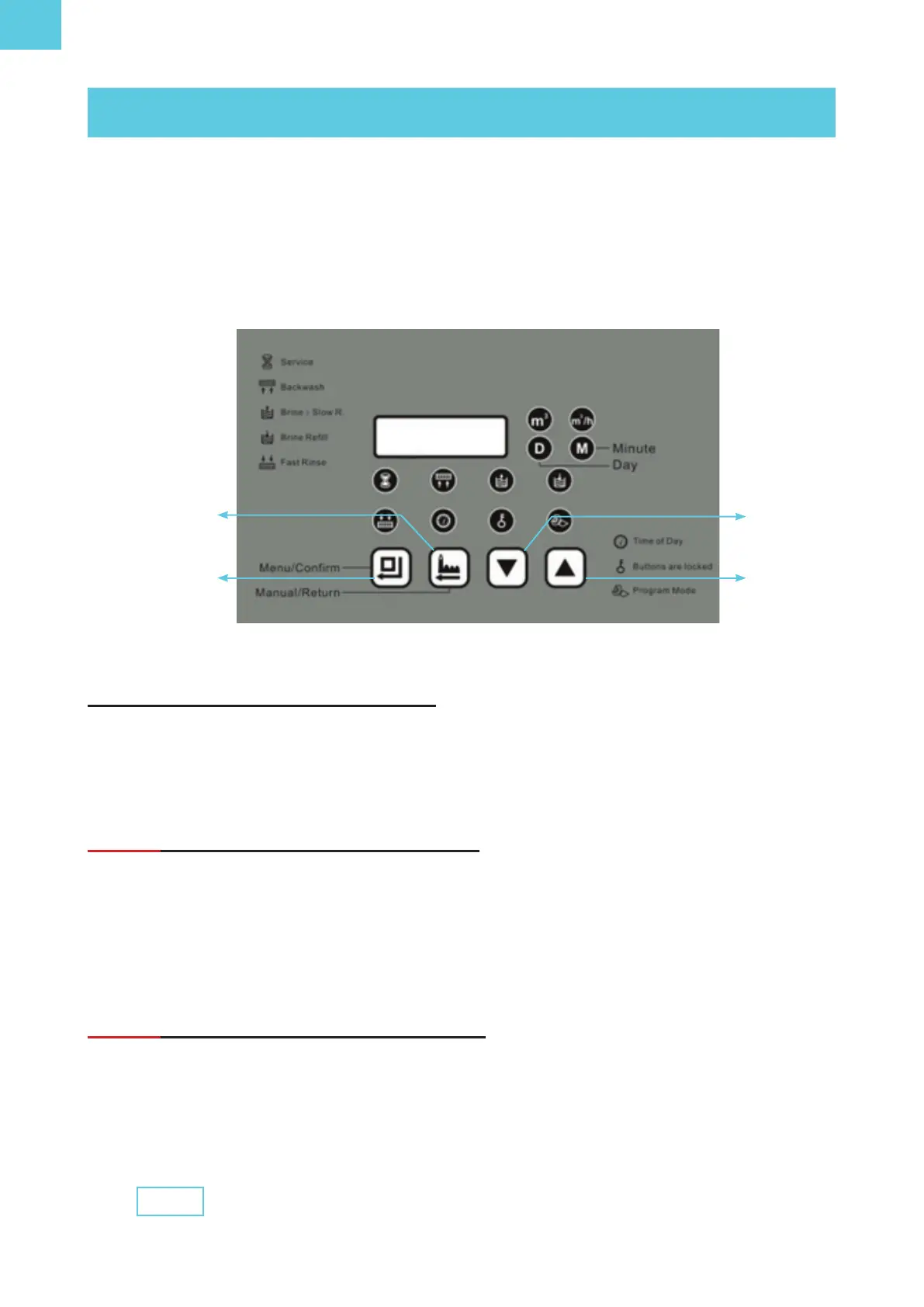
Unlock and access programming
To unlock and enter manual operation mode and programming changes, press the UP
and DOWN keys at the same time until the key icon disappears and the tool icon appears
(programming mode).
Step 1: Programming the Valve Clock
Press the “menu/conrmation” key twice, and using the UP and DOWN buttons set the
clock on the screen to the actual time of day. Press the “menu/conrmation” key again to
change the minutes and nally press it again to set the time. When pressing the DOWN
key appears on the screen at 02:00 (time of regeneration), press the DOWN key again to
go to Step 2.
Step 2: Setting the Regeneration Time
Press the DOWN key again, so that the regeneration time appears. Change the time by
pressing the “menu/conrmation” key, and then adjust it using the UP and DOWN keys. It
will normally be left at 2:00 in the morning, which is the time at which it is preset.
Menu /
Conrmation
Down
Up
Regeneration
Press “Menu/Conrmation” to conrm and press the DOWN
key again to go to Step 3.
02:00
6.1. Programming / Adjustments and Start-up
All valves come from the factory with a standard conguration. However, this schedule can
be adjusted according to the needs and water quality of the area where the equipment is
installed.
6. PROGRAMMING



 To Next Page