15
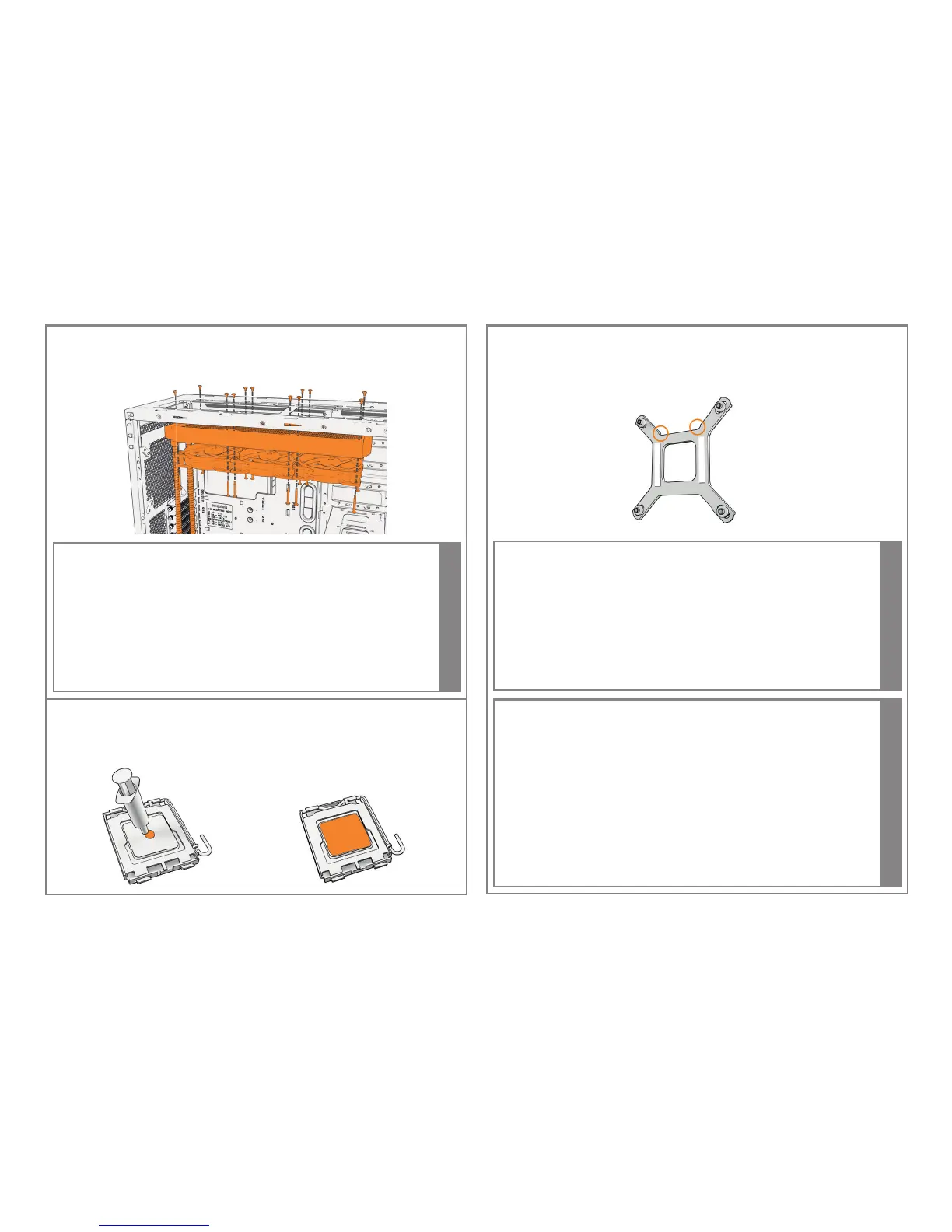
INSTALLING THE 360MM RADIATOR
Installation des 360mm Radiators | Installez le Radiateur 360mm | Instalacja
radiatora 360mm | Instalación del radiador 360mm | Установка радиатора 360mm
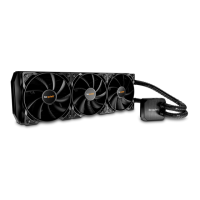
A push con guration, as illustrated above, is recommended for tting the
Silent Loop 360mm water cooler.
Bei der Silent Loop 360mm Wasserkühlung emp ehlt sich die Montage einer
Push-Kon guration, wie oben abgebildet. | Une con guration en extraction,
comme illustrée ci-dessus, est recommandée pour installer les systèmes de
refroidissement Silent Loop 360mm. | Kon guracja push, widoczna na ilustracji
powyżej, jest rekomendowana przy montażu chłodzenia Silent Loop 360mm |
Para encajar los refrigeradores de agua Silent Loop de 360 mm se recomienda
una con guración de empuje y tracción como se muestra anteriormente. |
Для моделей Silent Loop 360mm рекомендован порядок крепления
вентиляторов, как показано на схеме выше.
i
APPLY THE THERMAL PASTE
AuftragenderWärmeleitpaste| Appliquezlapâtethermique|Rozprowadź
pastę termoprzewodzącą | Aplique la pasta térmica | Нанесите слой
термопасты
MOUNT THE BACKPLATE ON THE MOTHERBOARD
MontagederBackplateaufdemMainboard|Montezlaplaquearrièresurla
cartemère|Zamontujbackplatenapłyciegłównej| Monte la placa posterior
en la placa base /Установите заднюю пластину на материнскую плату
Ensure with LGA 1150/ 1151/ 1155/ 1156 sockets that when tting the
Intel
®
backplate it lies within the recesses on the backplate.
Beachten Sie bei LGA 1150/ 1151/ 1155/ 1156 Mainboards, dass die Befestigung
der Intel
®
Backplate innerhalb der Aussparungen der Backplate liegen. |
Assurez-vous,lorsdel'utilisationdesocketLGA1150/1151/1155/1156quela
plaque arrière Intel
®
s'insèrebiendanslescavités.|Wprzypadkumontażuna
socketachLGA1150/1151/1155/1156,upewnijsię,żegniazdojestdopasowane
dootworównabackplacie.|EnelcasodeloszócalosLGA1150/1151/1155/
1156, asegúrese de que la placa posterior Intel
®
quede encajada en los huecos
de la placa posterior |
При установке на сокеты LGA 1150/ 1151/ 1155/ 1156,
убедитесь в правильном расположении выемок задней пластины Intel
®
i
There are two adhesive strips on the backplate to make it easier to attach
it to the motherboard. Please rst remove the protective covering from the
adhesive strips.
Es benden sich zwei Klebestreifen auf der Backplate, um diese einfacher
am Mainboard zu befestigen. Bitte entfernen Sie zunächst die Schutzfolie der
Klebestreifen. | Deux bandes adhésives sont positionnées sur la plaque arrière
pour l’attacher facilement à la carte mère. Il sut d’enlever le revêtement
protecteurdesbandesadhésives.|Nabackplacieznajdująsiędwapaskiklejące,
któreułatwiająprzytwierdzeniegodopłytygłównej.Najpierwzdejmijzpasków
warstwęochronną.|Laplacatraseratienedosbandasadhesivasquefacilitan
sujaciónalaplacabase.Retirelacubiertaprotectoradelasbandasadhesivas
antes de continuar |
Наличие двух клейких полос на опорной пластине
упрощает ее установку на материнскую плату. Предварительно удалите
защитное покрытие с клейких полос.
i



 To Next Page