11
FUNCTION MENU
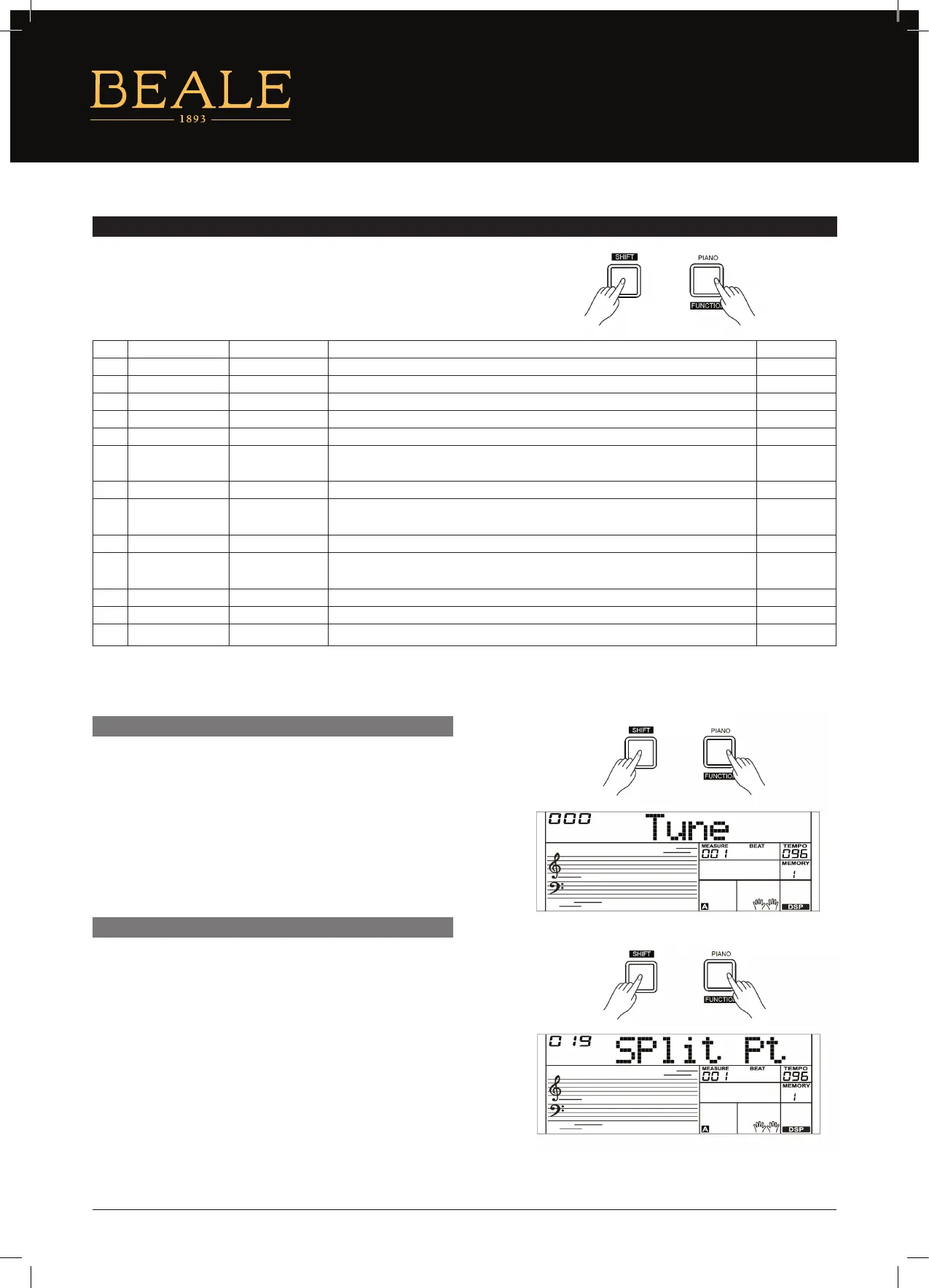
Press and hold the [SHIFT] button and then press the [FUNCTION] button
to enter the function menu. The LCD will display the current function
menu option. Use the [+/YES]/[–/NO] button or the data dial to adjust the
parameter of the current option.
Note:
It will exit the function menu if there is no operation in 5 seconds.
This function sets the pitch of entire keyboard in 2–cent increments.
1. Press and hold the [SHIFT] button and then repeatedly press the
[FUNCTION] button to select the tune menu. The LCD will display
“xxx Tune”. Use the [+/YES]/[–/NO] button or data dial to change
tune value. Its range is from –50 to 50 cents.
2. Press the [+/YES] and [–/NO] buttons simultaneously to set the
tune value to its default setting: 0. The setting applies to both
accompaniment and the voice.
This function sets the point which separates the entire keyboard
to two sections. The left hand section controls the auto bass
chord accompaniment when the A.B.C. function is on, or it plays
the lower voices when the A.B.C. function is o.
1. Press and hold the [SHIFT] button and then repeatedly press
the [FUNCTION] button to select split point menu. The LCD will
display “xxx Split Pt”. Use the [+/YES]/[–/NO] button or the data
dial to change Split Point. The range of Split Point is: 1–61.
2. Press the [+/YES] and [–/NO] buttons simultaneously to set the
split point to its default setting.
Note:
The Split Point belongs to the left hand area.
TUNE
SPLIT POINT
NO. CONTENT LCD DISPLAY RANGE DEFAULT
1 Tune xxx Tune –50 – +50 0
2 Split Point xxx Split pt 1–61 19
3 Beat Type xxx Beat 0, 2–9 4
4 Pedal Type xxx Ped XXX Ped Sust, Ped Soft, Ped Mem, Ped St/S Ped Sust
5 EQ Type xxx EQ XXX EQ Pop, EQ Rock, EQ Class, EQ Jazz, EQ Dance, EQ Reset EQ Reset
6 Reverb Type xxx RevHall1 RevRoom1, RevRoom2, RevRoom3, RevHall1, RevHall2, RevHall3, RevChrh1,
RevChrh2, RevDelay, RevPnDly
RevHall1
7 Reverb Level xxx Rev Lev 0–32 20
8 Chorus Type xxx CHrGMCr2 ChrChrs1, ChrChrs2, ChrGMCr1, ChrGMCr2, ChrFlgr1, ChrFlgr2, ChrRtry1,
ChrRtry2
ChrGMCr2
9 Chorus Level xxx Chr Lev 0–32 0
10 Harmony Types xxx HmDuet HrmDuet, HrmStdTri, HrmFulCd, HrmRkDut, HrmCtDut, HrmCtTri, HrmBlock,
Hrm4Cls1, Hrm4Cls2, Hrm4Open, Hrm1+5, HrmOctv1, HrmOctv2, HrmStrum
HmDuet
11 MIDI Receive xxx Midi In 01–16, ALL ALL
12 MIDI Transmit xxx Midi Out 01–16 01
13 Auto Power O xxx PowerO 30, 60, OFF 30


 To Next Page