16
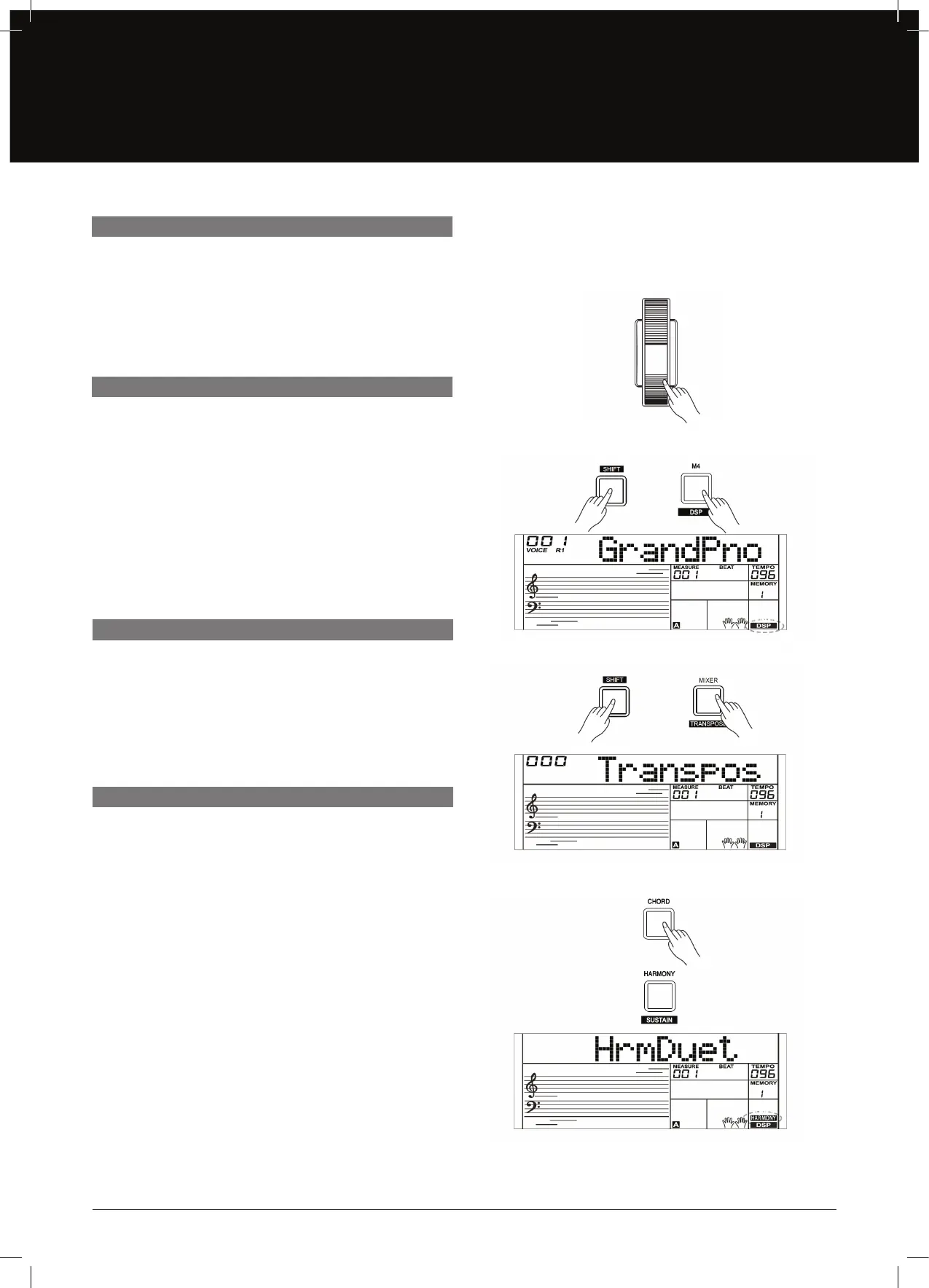
Use the Pitch Bend wheel to bend notes up (roll the wheel away
from you) or down (roll the wheel toward you) while playing
the keyboard. The Pitch Bend wheel is self–centering and will
automatically return to normal pitch when released.You can use
the Pitch Bend wheel to imitate guitar, violin, saxophone, urheen,
suona or other instruments.
The DSP simulates sounds in the real environment. With the DSP
eect, you can add ambiance and depth to your performance in a
variety of ways.
1. Press and hold the [SHIFT] button and then press the [DSP]
button to set the DSP eect on. The DSP indicator will light
up on LCD. The DSP eect is automatically activated when
turning on the AK280.
2. Press and hold the [SHIFT] button and then press the [DSP]
button again to turn DSP eect o.
1. Press and hold the [SHIFT] button and then press the
[TRANSPOSE] button to enter the transpose menu. The LCD
displays “xxx Transpos”.
2. Use [+/YES]/[–/NO] button or data dial to change transpose
value, adjustable range: –12 – +12, the default value is: 0.
PITCH BEND
DSP
TRANSPOSE
HARMONY
The Harmony Function will automatically add a harmony eect to
the notes you play in the right–hand section.
1. Press the [CHORD] button to turn on the A.B.C. function.
2. Press the [HARMONY] button to turn the harmony eect on.
3. Play a chord in the left hand section.
4. As soon as you play in the right hand section, it will
automatically add a harmony eect to the notes you play.
Note:
• Harmony cannot be turned on when the Full Range ngering
mode is selected.
• The harmony types of “1+5”, “Octave 1” or “Octave 2” are
always available. Other types of harmony will respond only
when the A.B.C. is ON.


 To Next Page