AR6201 - RT6201 - RCU6201 - AR6203
DV 14307.03 Issue 1 09/2013 Page 2-7
Installation using Mounting Kit MK6201-(010)
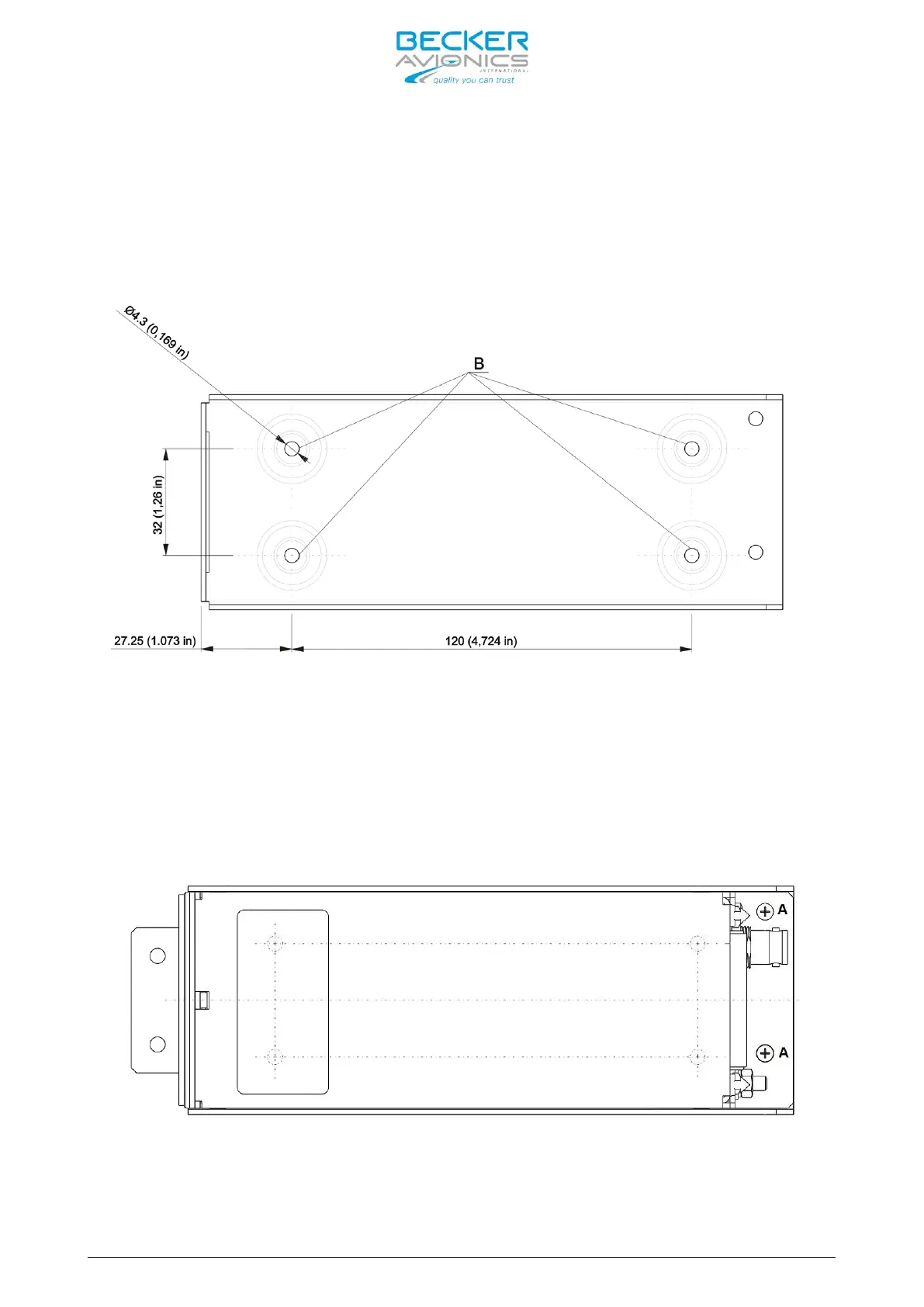
The necessary dimensions for installation using the mounting kit MK6201-(010)
are given in Figure 2-12 (dedicated holes marked with “B” letter).
Figure 2-12: MK6201-(010) mounting slot fixing holes, dimensions in mm and (inches)
First secure the mounting kit frame in the aircraft, and then slide flat part
X Figure 2-9 of the RT6201 into the mounting slot S (Figure 2-11). Use two M3
screws to tighten the unit to the mounting slot (details A on Figure 2-13).
Suitable means are for example M3x6 DIN7985, associated flat washer 3.2
DIN433 and spring washer 3.1 DIN127B.
Figure 2-13: RT6201 top view, fixed on mounting slot.



 To Next Page