Menus
0638.420-071 Issue 06 02/2021 VHF Transceiver 33
• A long push (>2 s) on "MDE" key starts the user menu.
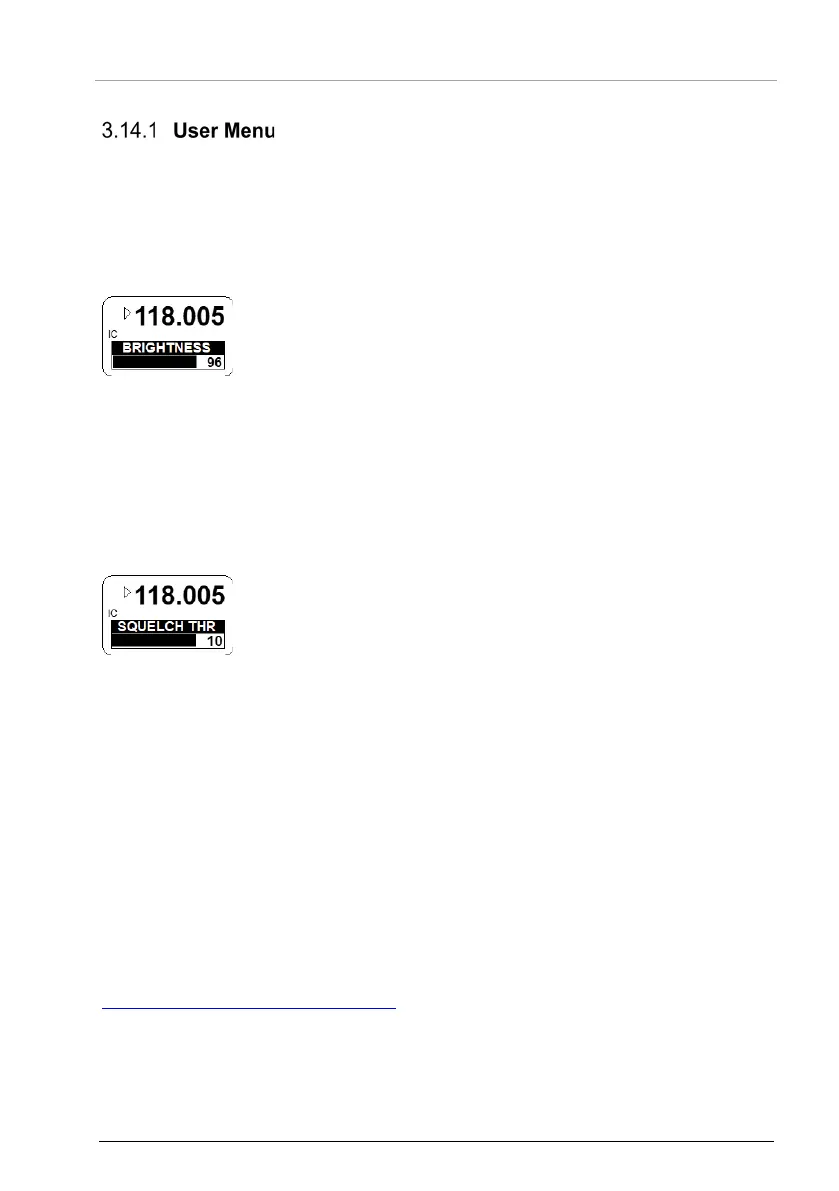
• The menu has two pages:
o BRIGHTNESS
o SQUELCH TRH
• A short push on "MDE" key or the rotary encoder changes the
• The display shows the active frequency in the top line.
• The adjustable value is shown as bar graph and as numerical
indicator in the bottom line.
• The brightness is adjustable from 0…100 (rotary encoder).
o 0, illumination is off.
100, maximum brightness.
This page is not available if the dimming input is set to 14 V or 28 V in the
configuration setup*.
For this adjustment, the dimming circuit controls the brightness
parameters.
• The display shows the active frequency in the top line.
• The adjustable value is shown as bar graph and as numerical
indicator in the bottom line.
• The squelch threshold is adjustable from 6…26 (rotary
encoder).
o 6, very weak signals are audible with high noise content;
squelch opens at about -105 dBm.
o 26, only quite strong signals are audible with low noise
content; squelch opens at about -87 dBm. The receiver
sensitivity is very decreased.
• Automatically after 5 seconds timeout.
• Another long push (>2 s) on "MDE" key.
• A short push on the rotary encoder when the "SQUELCH
TRH" page is started.
* For details please refer to related manual:
http://www.becker-avionics.com/manuals/
Communication → VHF Transceiver



 To Next Page