EasyManua.ls Logo

Becker S55 - User Manual

Becker S55
68 pages
Go to English
Print Icon
To Next Page IconTo Next Page
Loading...
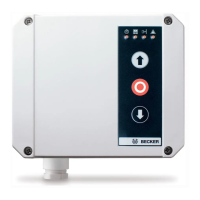
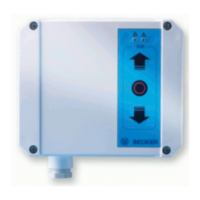
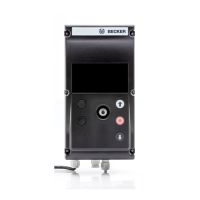
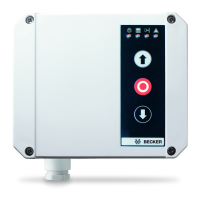
S55 mit/with/avec/met
• ELS Professional Card
• Modul Card
Bedienungsanleitung
Torsteuerung
Wichtige Informationen für den Elektroanschluss.
FR
GB
DE
NL
Operating Instructions
Door Control Unit
Important information about the electric supply connection.
Notice d‘utilisation
Commande de porte
Informations importantes pour le branchement électrique.
Gebruiksaanwijzing
Poortbesturing
Belangrijke informaties voor de elektrische aansluitingen.

Table of Contents

Questions and Answers

  • B
    Belinda RobertsonAug 9, 2025
    What to do if Becker S55 Control Unit has no reaction when pressing buttons but LED +UB/power illuminates?
    • J
      Jeanne YoungAug 10, 2025
      If your Becker Control Unit shows no response when pressing buttons, but the LED +UB/power is lit, consider the following: * Inspect the drive's safety circuit, including the crank (chain), drive temperature, and safety limit switch (S1F/S2F, yellow cam). * Verify terminals 3/6 (STOP), 9/10 (LS), and 14/15 (slack rope). Bridge these terminals if they are not in use. * Ensure that the control card you're using is appropriate for the drive. Use the MLS Basic Card/MLS Professional Card for drives with mechanical limit switching, and the ELS Professional Card for drives with electronic limit switching (BES).
  • S
    Shannon HarmonAug 25, 2025
    How to troubleshoot a Becker S55 with no reaction when pressing buttons and LED +UB/power does not illuminate?
    • J
      Janice LopezAug 26, 2025
      If your Becker Control Unit shows no reaction when buttons are pressed and the LED +UB/power does not illuminate, you should: * Check the supply voltage at terminals L3/L2/L1/N (NETZ). * Inspect the fine-fuse F1 (400 mA T). * Check the E-STOP button circuit at terminals 1/2 (EMERGENCY-STOP).

Becker S55 Specifications

General IconGeneral
BrandBecker
ModelS55
CategoryControl Unit
LanguageEnglish

Related product manuals